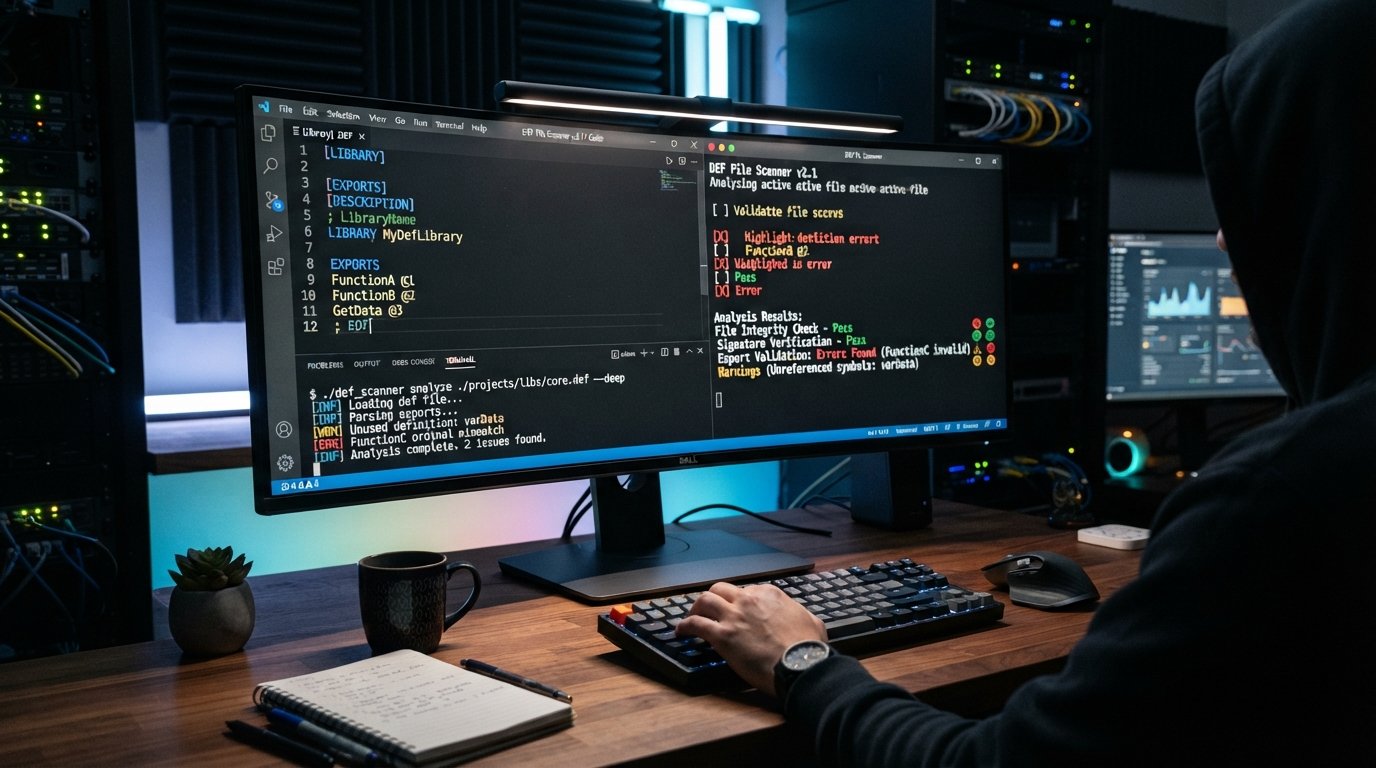
If you searched for “DEF scanner,” you may be looking for a tool that can scan a .def file, inspect its contents, identify problems, or determine whether a definition file contains suspicious or potentially harmful information.
The term DEF scanner can refer to different things depending on the context. A .def file may be a module-definition file used by software development tools, a definition file used by an application, or another file format associated with a specific program. Because .def does not represent one universal file type, the right scanner depends on what created the file and what you want to check.
In this guide, we’ll explain what a DEF scanner is, what .def files are, how to scan them safely, how developers can analyze DEF files, how security software can inspect them, and what to do if you find an unfamiliar .def file on your computer.
What Is a DEF Scanner?
A DEF scanner is a tool or scanning process used to inspect a .def file or files associated with a particular software environment.
Depending on the purpose, a DEF scanner may check for:
- Invalid syntax
- Missing definitions
- Incorrect declarations
- Unsupported commands
- Structural problems
- References to other files
- Suspicious content
- Malware indicators
- Configuration errors
- Software compatibility problems
There isn’t one universal DEF scanner software that works for every .def file.
The most important first step is determining what type of DEF file you have.
What Is a .DEF File?
A .def file is simply a file that uses the DEF file extension.
The extension itself does not guarantee that every DEF file has the same purpose.
One common type is the module-definition file used in Microsoft Windows software development. Developers can use a module-definition file to specify information about a program or DLL, including exported functions and other module characteristics.
A simplified example might look like:
LIBRARY ExampleLibrary

EXPORTS
    ExampleFunction
    AnotherFunction
This type of DEF file is normally a text-based development file rather than an executable program.
However, other applications can also use .def files for their own definitions or configuration data.
That’s why identifying the originating application is important before choosing a DEF file scanner.
What Does a DEF File Scanner Check?
The checks performed by a DEF scanner depend on the scanner itself.
A development-oriented scanner might examine syntax and structure, while a security scanner may treat the file as an input object and inspect it for suspicious content.
Common checks include:
Syntax Validation
A scanner can identify formatting or syntax problems that prevent a development tool from correctly interpreting the file.
Definition Validation
The scanner may check whether functions, symbols, modules, or other definitions are correctly declared.
Reference Checking
Some DEF files refer to other software components. A scanner may identify missing or invalid references.
Security Analysis
If you downloaded a DEF file from an unknown source, security software can help determine whether the file or surrounding software presents a security concern.
Compatibility Checking
A DEF file created for one software version or toolchain may not behave correctly in another environment.
DEF Scanner vs Antivirus Scanner
A common misconception is that a DEF scanner is automatically the same thing as a malware scanner.
It isn’t.
A DEF scanner may focus on the structure and meaning of a definition file, while an antivirus or malware scanner focuses on detecting potentially malicious software and behavior.
| Feature | DEF File Scanner | Antivirus Scanner |
|---|---|---|
Checks .def structure | Often | Not necessarily |
| Syntax validation | Possible | Usually not |
| Checks software definitions | Yes, depending on tool | No |
| Malware detection | Limited or tool-dependent | Core purpose |
| Behavioral analysis | Usually no | Often available |
| Real-time protection | Rare | Common |
| Developer-oriented | Often | No |
| System-wide scanning | Usually no | Yes |
If your goal is to determine whether an unfamiliar DEF file is malicious, don’t rely exclusively on a syntax or definition-file checker.
Use reputable security software and scan the file in the context of the complete application it belongs to.
How to Scan a DEF File
The correct scanning method depends on why you want to inspect the file.
Method 1: Open the DEF File as Text
Many DEF files used by developers are plain-text files.
You can open one with a text editor such as:
- Notepad
- Visual Studio Code
- Notepad++
- Another trusted code editor
Look at the file contents without executing unknown programs.
A normal module-definition file may contain declarations such as:
LIBRARY
EXPORTS
DESCRIPTION
VERSION
The exact syntax depends on the development environment.
Important Safety Tip
Opening a plain-text file in a text editor is different from executing an unknown executable.
If the file came from an untrusted source, avoid launching associated programs simply to investigate it.
Method 2: Scan the File With Security Software
If your concern is malware, use a reputable antivirus or endpoint security product.
You can usually:
- Locate the
.deffile. - Right-click it.
- Select the security software’s scanning option.
- Allow the scan to complete.
- Review the result.
The exact procedure depends on your operating system and security software.
A .def file by itself is generally not the same thing as an executable application, but malicious content can be delivered through many different file types or through software that uses those files.
Method 3: Analyze the File With a Code Editor
Developers often use a code editor to inspect DEF files.
A code editor can make it easier to identify:
- Export declarations
- Library names
- Comments
- Unexpected characters
- Duplicate entries
- Formatting problems
- Incorrect definitions
This is particularly useful when a compiler or linker reports an error involving a DEF file.
Method 4: Use the Development Tool That Created the File
If you know which application generated the DEF file, use that application’s own validation process.
For example, a Windows development workflow may use a DEF file together with a compiler/linker toolchain.
In that situation, the most useful “scanner” may actually be the build system itself.
If the DEF file contains an invalid declaration, the compiler or linker may report the exact problem.
How to Scan a DEF File for Malware
If your primary goal is DEF malware scanning, approach the file as an unknown file rather than assuming its extension makes it safe.
Step 1: Don’t Execute Unknown Software
If the DEF file arrived with an unfamiliar application, don’t launch the application simply because the DEF file itself looks harmless.
Step 2: Scan the File
Use your installed antivirus or endpoint security software.
Step 3: Scan the Complete Folder
If the DEF file came with an application, scanning only the .def file may not provide enough information.
Scan the entire downloaded package or folder when appropriate.
Step 4: Check the Source
Ask:
- Where did the file come from?
- Did I download the software?
- Is the publisher known?
- Was the file attached to an unexpected email?
- Does the file belong to a program I installed?
Context matters.
Step 5: Investigate Unexpected Changes
If a DEF file suddenly appeared after installing unknown software, investigate the software package rather than focusing only on the extension.
Can a DEF File Contain a Virus?
A .def file is generally used as a definition or development-related file, but file extensions alone should never be treated as a guarantee of safety.
A text-based DEF file containing ordinary declarations is very different from an executable file.
However, malicious software can use files in many ways, and a suspicious file should be investigated according to its source, contents, associated application, and security-scan results.
If your antivirus flags a DEF file, don’t automatically override the warning just because the extension is .def.
DEF File Scanner for Developers
For developers, the phrase DEF scanner can mean a tool that validates a module-definition file before building software.
A DEF file may define information such as:
- DLL exports
- Function names
- Library information
- Module attributes
- Ordinals
- Export aliases
For example:
LIBRARY MyDLL

EXPORTS
    FunctionOne
    FunctionTwo
A development workflow can catch problems such as:
- Misspelled function names
- Invalid syntax
- Incorrect export declarations
- Missing symbols
- Conflicting definitions
- Linker errors
What Is a Module-Definition File?
In Windows development, a module-definition file is commonly associated with the .def extension.
It provides information to the linker about a module.
For example, a DLL may expose certain functions to applications. A DEF file can explicitly specify which functions should be exported.
A simplified example is:
LIBRARY MyLibrary

EXPORTS
    AddNumbers
    GetVersion
    Initialize
The development toolchain reads this information when building the module.
This is one of the most common technical meanings of a .def file.
DEF Scanner for DLL Exports
One reason developers search for a DEF scanner is to inspect DLL exports.
A DEF file can contain an EXPORTS section listing functions that should be available outside the module.
For example:
EXPORTS
    Initialize
    ProcessData
    Shutdown
When troubleshooting a DLL, developers may compare:
- The DEF file
- Exported symbols
- The compiled DLL
- Linker output
- Application requirements
If a function is missing from the exported interface, the application may fail to locate it.
How to Find Errors in a DEF File
If a DEF file isn’t working correctly, check the following.
1. Check the File Syntax
Look for:
- Missing keywords
- Incorrect indentation where relevant
- Invalid symbols
- Unexpected characters
- Incorrect section names
2. Check Export Names
If you are exporting functions, make sure the names match what the application expects.
3. Check the DLL or Library Name
Verify that the library/module declaration corresponds to your build configuration.
4. Review Linker Errors
The linker often provides useful information about problems associated with the DEF file.
5. Check Architecture
A project targeting one architecture may have compatibility problems with components built for another.
For example, check whether the surrounding application and library are built for compatible:
- x86
- x64
- ARM
- ARM64
architectures.
DEF Scanner Online: Should You Upload a DEF File?
You may find websites claiming to offer an online DEF scanner or online file analysis.
Be careful before uploading files.
A DEF file may contain:
- Proprietary code
- Internal function names
- Software architecture information
- Development details
- Confidential project information
If the file belongs to a company or private software project, uploading it to an unknown website could expose sensitive information.
Before Using an Online Scanner
Check:
- Who operates the service
- Its privacy policy
- Whether uploaded files are retained
- Whether files are shared
- Whether confidential information is protected
- Whether the service supports your specific DEF format
For sensitive files, local analysis is usually preferable.
Best Tools for Opening a DEF File
The best application depends on the DEF file’s purpose.
Notepad
Useful for quickly viewing plain-text DEF files.
Notepad++
Useful for larger text-based files and syntax inspection.
Visual Studio Code
Useful for developers who want advanced editing and project integration.
Visual Studio
Useful when the DEF file is part of a Windows development project.
Development Toolchain
If the file is a module-definition file, the compiler/linker environment may be the most appropriate tool for validating it.
DEF Scanner vs File Scanner
These terms are easy to confuse.
A DEF scanner may focus specifically on .def files.
A file scanner is broader and may inspect many file types.
A malware scanner focuses primarily on security threats.
A code scanner analyzes source code for programming or security issues.
A vulnerability scanner looks for known security weaknesses in applications, systems, or networks.
These tools can overlap, but they are not interchangeable.
DEF Scanner vs Vulnerability Scanner
A vulnerability scanner and a DEF scanner serve very different purposes.
| Scanner | Primary Purpose |
|---|---|
| DEF scanner | Analyze .def files or definitions |
| File scanner | Inspect files |
| Malware scanner | Detect malicious software |
| Code scanner | Analyze source code |
| Vulnerability scanner | Identify security weaknesses |
| Dependency scanner | Identify vulnerable software dependencies |
| Configuration scanner | Check configuration security |
If you are trying to determine whether a server or application has a security vulnerability, a DEF file scanner alone is not enough.
Common DEF File Problems
Here are some problems you may encounter when working with DEF files.
DEF File Won’t Open
The file may not be intended to be opened as a standalone document. It may belong to a particular application or development project.
DEF File Is Blank
The file may be incomplete, corrupted, or intentionally minimal.
DEF File Has Strange Characters
The file may use an encoding your text editor doesn’t display correctly.
DEF File Produces a Linker Error
Check its syntax and exported function declarations.
DEF File Is Flagged by Antivirus
Don’t ignore the warning. Verify the source and scan the complete software package.
DEF File Came From Unknown Software
Treat it as untrusted until you establish where it came from.
How to Identify an Unknown DEF File
If you find a .def file and don’t know what created it, use a structured approach.
Step 1: Check the File Location
The folder can provide clues.
For example, a DEF file inside a software development project is likely different from one found in an application installation directory.
Step 2: Check the Contents
Open it with a text editor if it is safe to do so.
Look for recognizable keywords.
Step 3: Check the File Metadata
Look at:
- File size
- Creation date
- Modification date
- Location
- Associated software
Step 4: Identify the Application
Determine which program installed or generated the file.
Step 5: Scan for Security Threats
If its source is unknown, perform a security scan.
Why DEF Files Matter in Software Development
DEF files can be important because they provide explicit information about software modules.
In Windows development, a module-definition file can help developers control exported functions and other module-level information.
This can be useful for:
- DLL development
- API exports
- Linking
- Library interfaces
- Compatibility work
- Legacy applications
- Native Windows software
A small DEF file can therefore have an important role in the build process.
Does Windows Need a DEF Scanner?
Usually, Windows does not require a special application called a DEF scanner simply because a .def file exists.
If the DEF file belongs to a development project, the relevant compiler/linker environment handles it.
If the goal is security analysis, Windows security software can scan the file and its surrounding files.
If the goal is simply viewing the file, a text editor may be enough.
The correct tool depends on what you are trying to accomplish.
How to Choose a DEF Scanner
Before downloading a DEF scanner, identify your goal.
For Development
Look for:
- DEF syntax support
- Linker integration
- Export validation
- IDE integration
- Error reporting
For Security
Look for:
- Malware detection
- File reputation
- On-demand scanning
- Quarantine
- Behavioral analysis
- Regular threat intelligence updates
For Simple Inspection
You may not need a dedicated scanner at all.
A trusted text editor can be sufficient for a plain-text DEF file.
DEF Scanner Best Practices
Follow these practices when dealing with .def files:
- Identify the file type before scanning it.
- Use the software associated with the file whenever possible.
- Don’t execute unknown programs simply because they contain a DEF file.
- Use reputable antivirus software for malware concerns.
- Inspect suspicious files in a safe environment.
- Avoid uploading confidential DEF files to unknown online scanners.
- Keep development tools updated.
- Check linker and compiler errors carefully.
- Verify DLL export names when troubleshooting module problems.
- Keep backups before modifying important development files.
Frequently Asked Questions About DEF Scanner
1. What is a DEF scanner?
A DEF scanner is a tool or process for inspecting .def files. Depending on the context, it can check syntax, definitions, exports, references, or potentially suspicious content.
2. What is a DEF file?
A DEF file is a file using the .def extension. One common type is a Windows module-definition file used during software development to describe module information and exported functions.
3. Can I scan a DEF file for malware?
Yes. You can use reputable antivirus or security software to scan a DEF file and, preferably, the complete software package it came from.
4. How do I open a DEF file?
If it is a text-based DEF file, you can often open it with Notepad, Notepad++, Visual Studio Code, or another text editor. The correct application depends on the type of DEF file.
5. Is a DEF file executable?
A typical text-based .def file is not itself an executable program. However, you should still investigate unknown files based on their source and context.
6. Can a DEF file be malicious?
The .def extension alone does not establish whether a file is safe or malicious. If a DEF file came from an unknown source or is associated with suspicious software, scan it with reputable security software.
7. What is the difference between a DEF file and a DLL?
A DEF file can provide module-definition information used when building a DLL or other module. A DLL is a compiled binary library that can contain executable code.
8. Can I scan a DEF file online?
Some online file-analysis services may accept DEF files, but don’t upload confidential or proprietary files without first reviewing the service’s privacy and retention policies.
9. Why is my DEF file causing a linker error?
Possible causes include invalid syntax, incorrect exports, missing symbols, an incorrect library declaration, or incompatibility between the DEF file and the project configuration.
10. Do I need a special DEF scanner?
Not necessarily. Developers can often use their existing compiler, linker, or IDE. If your goal is malware detection, use security software designed for that purpose rather than relying on a development-oriented DEF validator.
Final Thoughts
The term DEF scanner can mean different things because .def is used by multiple types of software. In Windows development, a DEF file commonly refers to a module-definition file that can describe a library and its exported functions. In other environments, the same extension may represent application-specific definitions. If you’re trying to inspect a DEF file, first determine what created it and why you need to scan it.
For development problems, inspect the file with a trusted code editor and use the relevant compiler or linker to identify syntax and export errors. For security concerns, use reputable antivirus or malware-scanning software and consider scanning the complete application or folder rather than relying only on a DEF-specific check. Understanding the difference between a DEF file scanner, malware scanner, code scanner, and vulnerability scanner will help you choose the right tool and avoid unnecessary troubleshooting. The most important rule is simple: identify the purpose of the .def file first, then choose the scanner that matches your goal.
Related Post
- Free Palm Reading Scanner – Scan Your Palm Online With AI!
- Fujitsu Fi 7160 Scanner – Complete Guide to Features, Setup, Speed, Compatibility & Troubleshooting!
- Hearbeat Scanner Read Through Walls – How Radar Can Detect a Heartbeat!
About the Author