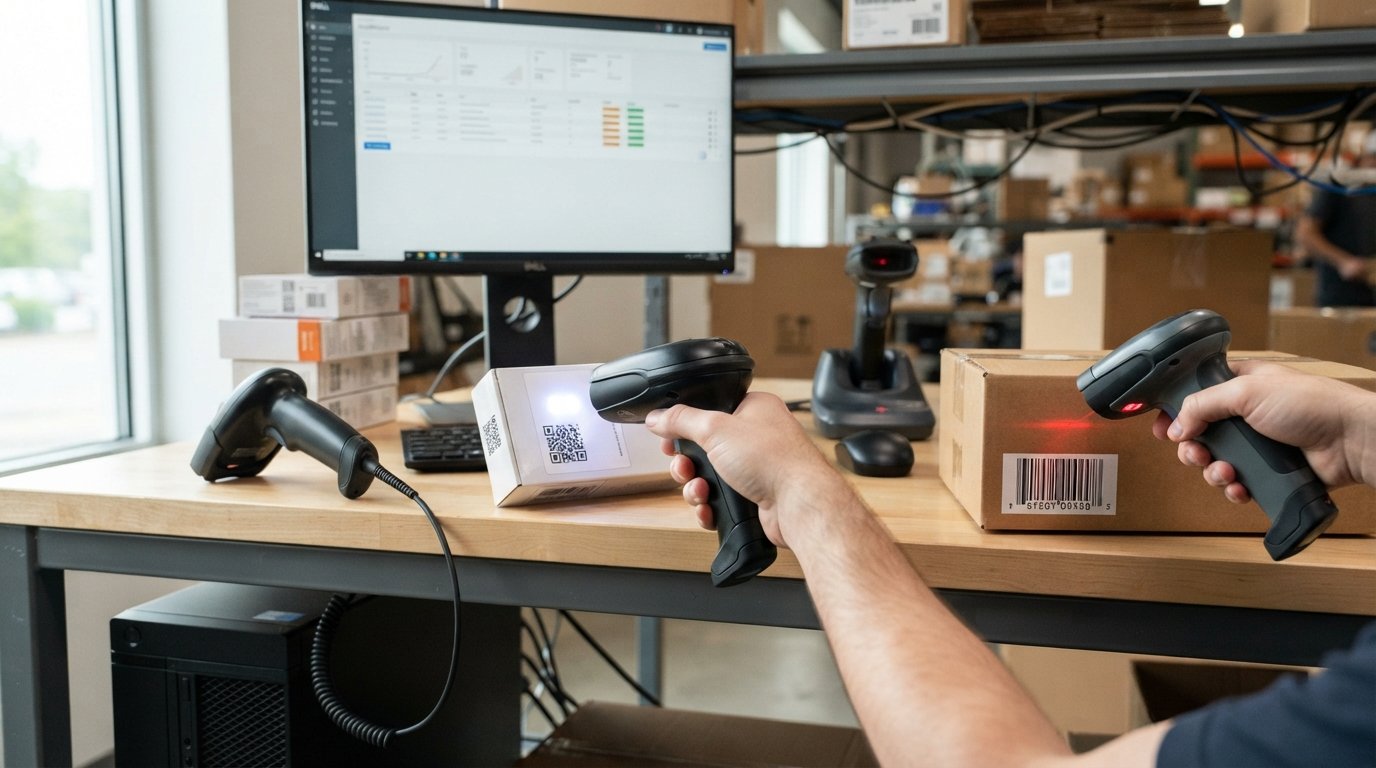
A handheld barcode scanner is a portable device that reads barcode information and sends the decoded data to a computer, point-of-sale system, tablet, phone, inventory application, or other connected system.
Unlike fixed barcode readers, a handheld scanner can be aimed at individual products, packages, documents, shelves, boxes, or other items. This makes it useful for retail checkout, inventory management, warehouses, shipping, healthcare, manufacturing, libraries, and many other environments.
Modern handheld barcode scanners are available with 1D laser, 1D linear-imaging, and 2D imaging technology, while connectivity can include USB, Bluetooth, or proprietary wireless connections. Current product ranges also include rugged industrial scanners designed for demanding environments.
The most important buying decision is usually not the brand. It is choosing a scanner that matches your barcode type, scanning environment, connection method, working distance, durability requirements, and software or POS system.
What Is a Handheld Barcode Scanner?
A handheld barcode scanner is a portable barcode-reading device designed to be held and aimed at a barcode.
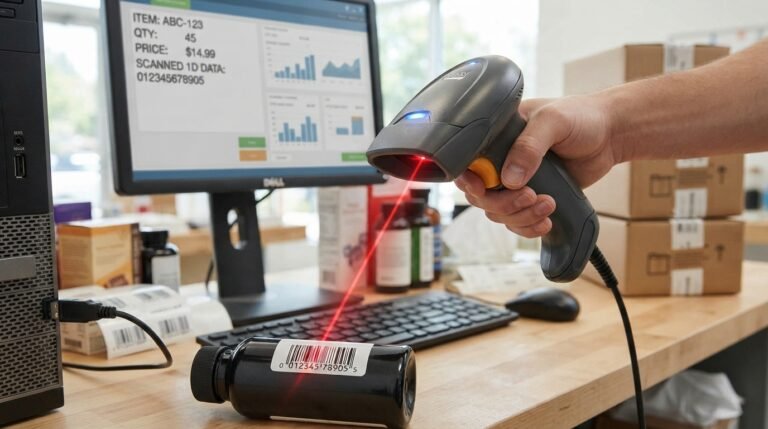
When you press the trigger, the scanner illuminates or captures the code, analyzes its pattern, decodes the information, and transmits the result to a connected host device.
A typical scanning process looks like this:
Barcode → illumination/image capture → decoding → data transmission → computer or POS software
Many scanners can operate like a keyboard. In this configuration, the scanned number is inserted into the active field on a computer or POS application as if someone had typed it manually.
This makes a basic USB barcode scanner surprisingly easy to use because specialized software is not always necessary for simple scanning workflows.
How Does a Handheld Barcode Scanner Work?
Although different scanners use different technologies, the basic process is similar.
1. The scanner illuminates the barcode
Depending on the scan engine, the device may use a laser or LED-based illumination.
2. The sensor detects the reflected light
A laser or linear imager reads the pattern of a traditional barcode, while a 2D imager captures an image of the entire code.
3. The decoder interprets the pattern
The scanner’s processing system identifies the barcode symbology and converts the visual pattern into digital information.
4. The scanner sends the data to the host
The decoded information can be transmitted through USB, Bluetooth, 2.4 GHz wireless, Wi-Fi, serial communication, or another supported interface, depending on the model.
For example, scanning a product labeled with a UPC barcode might send a number such as a product identifier to a POS system. The software can then use that number to retrieve the item’s price and inventory information.
What Are the Main Types of Handheld Barcode Scanners?
The biggest categories are based on scanning technology and connectivity.
The three most common scanning technologies are:
- 1D laser
- 1D linear imager
- 2D area imager
You can then choose between wired and wireless versions.
1D Laser Barcode Scanner
A 1D laser scanner uses a laser-based scanning pattern to read traditional linear barcodes.
These scanners are suitable when your workflow involves only conventional 1D codes such as UPC, EAN, Code 39, or similar symbologies.
Advantages:
- Often inexpensive
- Simple technology
- Suitable for traditional retail barcodes
- Lightweight models are widely available
Limitation: A basic 1D laser scanner cannot read modern 2D codes such as QR codes.
1D Linear Imager
A linear imager uses an imaging sensor rather than relying on a traditional laser scan line.
It is still primarily designed for 1D barcodes, but modern linear imagers can offer advantages when dealing with certain damaged or poorly printed linear codes.
For businesses that only use 1D barcodes, a linear imager can be a practical alternative to a laser scanner.
2D Area Imager
A 2D area imager captures an image of the barcode rather than simply following a single line across it.
This allows it to read both:
- 1D barcodes
- 2D barcodes
Common 2D formats include:
- QR Code
- Data Matrix
- PDF417
- Aztec
- GS1 DataMatrix
Many modern handheld scanners use 2D imaging because it provides greater flexibility, including the ability to scan codes displayed on smartphones and tablets.
1D vs. 2D Barcode Scanner: Which Is Better?
For most new purchases, a 2D handheld barcode scanner is the more flexible choice.
| Feature | 1D Scanner | 2D Scanner |
|---|---|---|
| UPC/EAN | Yes | Yes |
| Code 39 | Yes | Yes |
| Code 128 | Yes | Yes |
| QR Code | No | Yes |
| Data Matrix | No | Yes |
| PDF417 | No | Yes |
| Smartphone screen scanning | Generally no | Yes |
| Future flexibility | Limited | Higher |
| Typical cost | Lower | Higher |
If your business only scans printed 1D product labels and has no plans to use QR codes, a 1D scanner can still make sense.
If you need to scan QR codes, tickets, mobile coupons, digital loyalty codes, or codes displayed on phones, choose a 2D imager.
Current buying guides consistently identify the ability to scan phone screens and 2D codes as one of the most important factors in choosing a scanner.
Wired vs. Wireless Handheld Barcode Scanner
After choosing the scanning technology, the next major decision is connectivity.
Wired Handheld Barcode Scanner
A wired scanner normally connects to a computer or POS system using USB, although some professional systems can use serial or other interfaces.
Best for:
- Fixed checkout counters
- Small stores
- Reception desks
- Libraries
- Office applications
- Workstations where the scanner stays in one place
Benefits of wired scanners
- No battery to charge
- Simple installation
- Continuous operation
- Generally lower cost
- No wireless pairing problems
For a stationary checkout counter, a wired scanner can be the simplest solution.
Wireless Handheld Barcode Scanner
A wireless scanner allows the operator to move away from the computer.
Depending on the model, it may use:
- Bluetooth
- 2.4 GHz wireless
- Proprietary radio
- Wi-Fi in some industrial systems
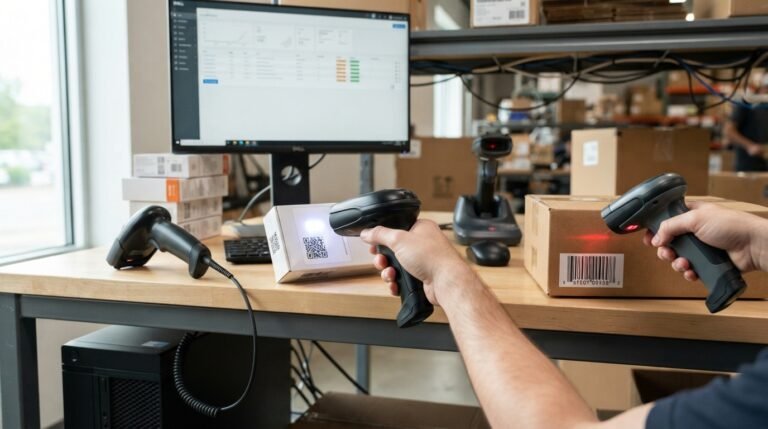
Wireless scanners are particularly useful when employees need to scan products that are too large or inconvenient to bring to a fixed workstation.
Examples include:
- Warehouse shelves
- Large boxes
- Stock rooms
- Retail floors
- Shipping areas
- Inventory counting
Wireless systems can also use a cradle or base station for charging and communication. Some current scanners combine Bluetooth, 2.4 GHz wireless, and USB connectivity in one device.
Bluetooth vs. 2.4 GHz Wireless
These technologies are not exactly the same.
Bluetooth
Bluetooth is useful when connecting directly to devices such as:
- Phones
- Tablets
- Laptops
- Bluetooth-enabled computers
- Some POS systems
It is particularly convenient for mobile workflows.
2.4 GHz wireless
Many barcode scanners use a dedicated 2.4 GHz receiver or cradle.
This can be convenient for desktop POS environments because the receiver is connected to the computer while the scanner remains cordless.
The best choice depends on the host device and working environment rather than simply choosing whichever specification sounds faster.
What Barcode Types Can a Handheld Scanner Read?
Different scanners support different barcode symbologies, so checking this specification is essential before purchasing.
Common 1D barcodes
Examples include:
- UPC-A
- UPC-E
- EAN-8
- EAN-13
- Code 39
- Code 93
- Code 128
- GS1-128
- Codabar
- Interleaved 2 of 5
- MSI
- GS1 DataBar
Common 2D codes
Examples include:
- QR Code
- Data Matrix
- PDF417
- Aztec
- Micro QR
- Micro PDF417
- MaxiCode
Not every scanner supports every symbology, so businesses should compare the manufacturer’s compatibility list with the actual codes used in their workflow.
Can a Handheld Barcode Scanner Scan QR Codes?
Yes, if it is a 2D imaging scanner that supports QR codes.
A traditional 1D laser scanner cannot read a QR code because a QR code stores information in two dimensions.
A 2D imager can generally read QR codes from:
- Paper
- Product packaging
- Labels
- Tickets
- Computer displays
- Smartphone screens
This makes 2D scanners particularly useful for modern retail, ticketing, mobile coupons, payments, and inventory applications.
Can Barcode Scanners Read Codes From Phone Screens?
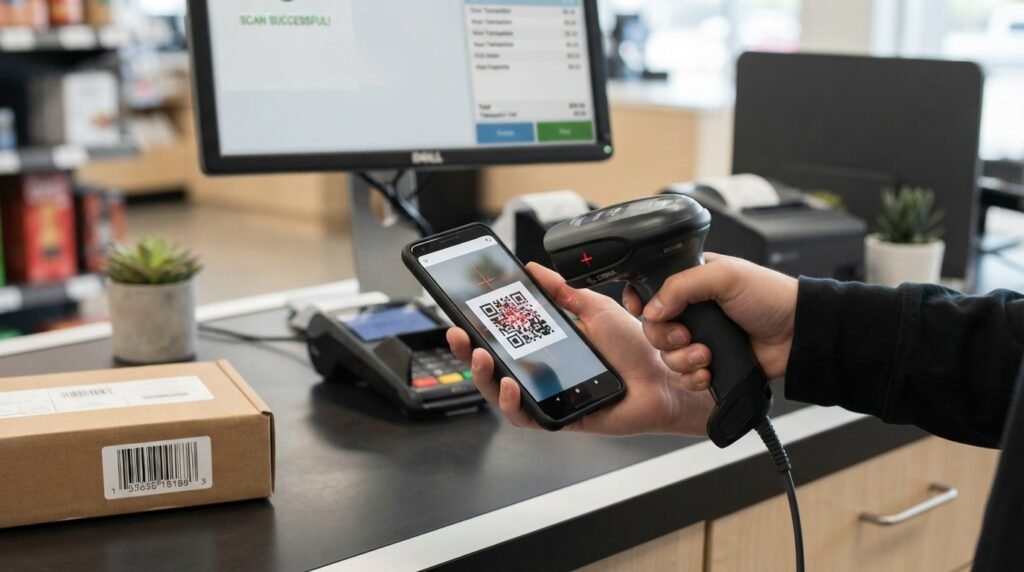
Many modern 2D handheld scanners can.
This is an important consideration because businesses increasingly use digital:
- Coupons
- Loyalty cards
- Tickets
- Membership codes
- QR codes
- Payment-related codes
A basic laser scanner designed for printed 1D labels generally cannot provide the same capability.
If phone-screen scanning matters to your workflow, verify that the specific scanner explicitly supports screen or digital barcode scanning before buying.
Handheld Barcode Scanner for Retail
Retail is one of the most common applications.
A handheld scanner can help cashiers:
- Scan products
- Retrieve product information
- Enter items into a POS system
- Reduce manual typing
- Process returns
- Check prices
- Scan customer loyalty codes
- Read QR codes
For a modern retail store, a 2D scanner is often the safer long-term choice because it can handle both traditional product barcodes and digital codes.
For a very basic store that only uses printed UPC/EAN labels, a lower-cost 1D model may be sufficient.
High-volume retail environments may also benefit from presentation or hybrid scanners rather than a conventional handheld-only design. Zebra, for example, separates general-purpose handheld products from hands-free and hybrid scanning solutions for different checkout workflows.
Handheld Barcode Scanner for Warehouse Inventory
Warehouses create different requirements.
An employee may need to scan dozens or hundreds of products while walking between shelves.
In that situation, a wireless scanner can be considerably more convenient than a corded device.
Important warehouse features include:
- Wireless connectivity
- Long battery life
- Comfortable grip
- Durable housing
- Drop resistance
- Appropriate scan range
- Fast decoding
- 1D and 2D support
- Easy inventory-system integration
For very demanding warehouse environments, an industrial handheld scanner or mobile computer may be more appropriate than a basic consumer barcode reader.
Rugged Handheld Barcode Scanners
Not every workplace needs a rugged scanner.
But environments involving frequent drops, dust, moisture, extreme temperatures, or heavy daily use may justify one.
Rugged models can include features such as:
- Reinforced housing
- Drop resistance
- IP-rated protection
- Sealed buttons
- Replaceable batteries
- Extended wireless range
- Long-distance scanning
For example, current industrial models from major manufacturers are designed around demanding environments rather than ordinary retail counters. Cognex’s DataMan 8700 family supports 1D, 2D, and direct-part-mark decoding, while industrial scanner ranges can provide specialized imaging and communication capabilities.
What Does IP Rating Mean on a Barcode Scanner?
An IP rating describes protection against solid particles and water under specified test conditions.
For example, an industrial scanner with a higher IP rating can be better suited to dusty or wet environments than a basic office scanner.
However, an IP rating does not automatically mean a device is suitable for every harsh environment.
Always check the manufacturer’s exact:
- IP rating
- Drop specification
- Operating temperature
- Storage temperature
- Cleaning requirements
A rugged scanner should be selected according to the actual workplace conditions rather than simply choosing the highest specification.
Barcode Scanner Scan Range
Scan range describes how far away the scanner can successfully read a particular barcode under specified conditions.
This is important when scanning:
- Large boxes
- Warehouse pallets
- High shelves
- Storage racks
- Shipping containers
Do not judge range from one maximum number alone.
The actual reading distance depends on factors such as:
- Barcode size
- Print quality
- Barcode density
- Scanner optics
- Illumination
- Symbology
- Surface
- Environmental lighting
Some industrial scanners are specifically designed for long-range applications. For example, current products in the market include extended-range handheld models capable of reading codes from many meters away.
What Is Barcode Resolution?
Barcode resolution refers to how small a barcode element can be while remaining readable by a particular scanner.
It is commonly expressed using a measurement such as mils.
A scanner designed for high-density codes may be necessary when barcodes are printed very small, particularly on:
- Electronic components
- Small packages
- Medical products
- Jewelry
- Small labels
- Direct-part-marked components
If your labels are large retail UPC codes, extremely high-density capability may not be necessary.
What Is Omnidirectional Scanning?
Omnidirectional scanning means the user does not need to align a traditional laser scan line perfectly with the barcode.
This can make scanning faster and easier, particularly in busy environments.
2D imaging technology naturally supports flexible orientation because the scanner captures an image of the code rather than depending on a single scanning line.
This is one reason modern 2D scanners are popular in retail and logistics applications. Industrial imaging systems can also combine omnidirectional decoding with specialized algorithms for difficult codes.
USB Barcode Scanner: Is It Plug and Play?
Many USB handheld barcode scanners are designed to be very easy to install.
A common setup is:
- Connect the scanner to the computer with USB.
- Allow the operating system to recognize the device.
- Open a text field or compatible application.
- Aim the scanner at a barcode.
- Press the trigger.
- The decoded number appears in the active field.
Many scanners support HID keyboard mode, which makes the scanner behave much like a keyboard.
However, “plug and play” does not mean every scanner works with every POS application automatically.
Some systems require specific:
- Drivers
- Communication modes
- Serial settings
- Prefixes
- Suffixes
- Data formatting
- POS configuration
Therefore, compatibility should be checked before purchase.
What Is Keyboard Wedge Mode?
Keyboard wedge mode is a popular scanner configuration in which the barcode data is transmitted to the computer as keyboard input.
For example, if a barcode contains:
012345678901
the scanner can send those characters into the currently selected text field.
Some scanners can also append a command such as Enter or Tab after the scan.
This is particularly useful for simple POS and inventory applications because the software may not need a specialized scanner integration.
How to Set Up a Handheld Barcode Scanner
The exact procedure depends on the model, but a typical setup looks like this.
Wired USB setup
Step 1: Connect the scanner to the computer.
Step 2: Wait for the device to initialize.
Step 3: Open a text editor or application with a text field.
Step 4: Scan a known barcode.
Step 5: Check whether the data appears correctly.
Step 6: Configure a suffix such as Enter if your application requires it.
Bluetooth setup
Step 1: Turn on the scanner.
Step 2: Put it into Bluetooth pairing mode.
Step 3: Open Bluetooth settings on the host device.
Step 4: Select the scanner.
Step 5: Pair the devices.
Step 6: Test a barcode.
Some scanners use setup barcodes printed in the manual to activate specific communication modes. Current Inateck models, for example, support different USB, Bluetooth, and 2.4 GHz configurations depending on the product.
What Should You Look for When Buying a Handheld Barcode Scanner?
Instead of starting with a brand, start with your workflow.
1. Decide between 1D and 2D
Choose 1D if you only need traditional linear barcodes.
Choose 2D if you need QR codes, Data Matrix, PDF417, or phone-screen scanning.
For a new purchase, 2D is often the more flexible option.
2. Choose wired or wireless
Choose wired USB when the scanner stays at one workstation.
Choose wireless when employees need to move around.
3. Check your barcode symbologies
Do not assume that every scanner reads every barcode.
Compare your actual barcode types with the scanner’s supported-symbology list.
4. Check the host device
Make sure the scanner supports your:
- Windows PC
- Mac
- Android device
- iPhone/iPad
- POS terminal
- Warehouse system
- Inventory software
Compatibility varies by scanner.
5. Consider scan distance
If you only scan products at arm’s length, standard range is usually sufficient.
If you scan shelves or pallets, consider an extended-range model.
6. Consider durability
For an office or small store, a standard scanner may be enough.
For warehouses, manufacturing, or shipping environments, look at drop resistance and IP protection.
7. Check ergonomics
If employees scan hundreds or thousands of items per day, comfort matters.
Consider:
- Weight
- Grip
- Trigger position
- Balance
- Aiming method
- User fatigue
A scanner that is technically fast but uncomfortable can reduce productivity over a long shift.
8. Check battery performance
Wireless models require charging.
Look at:
- Battery capacity
- Expected scan volume
- Charging time
- Cradle design
- Replaceable battery availability
- Spare-battery options
9. Check configuration options
Professional environments may need data formatting, prefixes, suffixes, disabled symbologies, or other custom settings.
Major manufacturers provide configuration utilities for this purpose. Zebra’s 123Scan, for example, can be used to configure scanner settings and symbologies on supported devices.
Handheld Barcode Scanner vs. Presentation Scanner
A handheld scanner is designed to be picked up and aimed.
A presentation scanner normally stays on a counter while the user presents the barcode to the scanning window.
Choose handheld when:
- Items are large
- Workers move around
- You scan shelves
- You perform inventory checks
- You need flexibility
Choose presentation when:
- The scanner remains on a checkout counter
- Customers or cashiers repeatedly present items
- Both hands need to remain free
Some scanners combine both approaches. Hybrid devices can switch between handheld and hands-free operation, giving retailers more flexibility.
Handheld Barcode Scanner vs. Mobile Computer
These devices are related but not identical.
A barcode scanner primarily captures and transmits barcode information.
A mobile computer combines scanning with a screen, operating system, applications, wireless connectivity, and computing capabilities.
A handheld scanner may be better for:
- Simple POS
- Desktop inventory systems
- Shipping desks
- Product checkout
A mobile computer may be better when employees need to:
- View inventory
- Change quantities
- Access warehouse software
- Pick orders
- Receive shipments
- Work independently away from a computer
For complex warehouse workflows, a mobile computer with integrated scanning can be more practical than a standalone scanner.
Common Problems With Handheld Barcode Scanners
Even a good scanner can fail to read a particular barcode.
The barcode is damaged
Try scanning another label.
If other labels work, the problem may be the original barcode.
The barcode is too small
The scanner may not support the required resolution.
Check the scanner’s minimum resolution specification.
The barcode is too far away
Move closer or use a scanner designed for longer working distances.
The barcode is on a phone screen
Make sure the scanner is a 2D imaging model with screen-scanning capability.
The wrong symbology is disabled
Some scanners allow individual barcode types to be enabled or disabled.
Check the scanner configuration.
The computer receives incorrect characters
The scanner may have the wrong keyboard language, data formatting, prefix, or suffix configuration.
Wireless connection keeps dropping
Check:
- Battery level
- Wireless range
- Pairing
- Interference
- Receiver position
- Cradle/base connection
The scanner works in a text editor but not in the POS
This often indicates a software or configuration issue rather than a scanning problem.
Check the POS’s expected input method and scanner interface settings.
Why Won’t My Barcode Scanner Scan?
If a handheld barcode scanner suddenly stops reading codes, work through the problem systematically.
Step 1: Check the power
For a wired scanner, verify the USB connection.
For a wireless scanner, check the battery.
Step 2: Check the indicator
Look for the scanner’s aiming light, illumination, beep, or status indicator.
Step 3: Test another barcode
This tells you whether the issue is with one barcode or the scanner itself.
Step 4: Try another application
Use a simple text field to determine whether the scanner is transmitting data correctly.
Step 5: Check the connection
Reconnect USB or re-pair Bluetooth.
Step 6: Check configuration
Verify the correct barcode symbologies and communication mode.
Step 7: Check the physical scanner
Inspect the scan window for dirt, scratches, or damage.
If the device still fails after basic testing, consult the manufacturer’s manual or support documentation.
How Much Does a Handheld Barcode Scanner Cost?
The price varies considerably based on scanning technology, brand, durability, connectivity, range, and application.
Current retail listings show a wide market ranging from inexpensive basic handheld scanners to professional industrial models costing hundreds of dollars. For example, current Tera handheld products span roughly the low-$20s to around $80 and above on its collection page, while premium industrial scanners listed by specialist distributors can approach or exceed $800.
A rough way to think about the market is:
| Scanner category | Typical position |
|---|---|
| Basic 1D wired | Budget |
| Basic 2D wired | Budget to mid-range |
| 2D wireless | Mid-range |
| Rugged industrial | Premium |
| Long-range industrial | Premium |
| Specialized DPM scanners | Professional/industrial |
Price alone should not determine the purchase.
A $30 scanner can be the right choice for a small shop, while a warehouse may save money over time by paying more for a rugged scanner with better durability and battery performance.
Popular Handheld Barcode Scanner Brands
The market includes many manufacturers and product tiers.
Major names include:
- Zebra
- Honeywell
- Datalogic
- Cognex
- Socket Mobile
- Unitech
- Inateck
- Tera
The best brand depends on your application.
Zebra, Honeywell, Datalogic, and Cognex have extensive professional and industrial product ranges, while companies such as Tera and Inateck also offer lower-cost handheld models for small businesses and general-purpose scanning. Current product catalogs demonstrate a wide range from basic 1D scanners to rugged 1D/2D industrial readers.
What Is the Best Handheld Barcode Scanner?
There is no single scanner that is best for every business.
A better approach is to match the scanner to the job.
Best for basic retail
A wired 1D scanner can be sufficient when the store only uses traditional printed product barcodes.
Best for modern retail
A 2D imager is usually more versatile because it can read both 1D and 2D codes, including digital codes where supported.
Best for mobile inventory
A wireless 2D scanner provides freedom to move around shelves and stock rooms.
Best for warehouses
Look for a rugged wireless 2D scanner with appropriate range, battery life, drop resistance, and environmental protection.
Best for manufacturing
A specialized industrial scanner may be required, particularly when reading direct-part marks, damaged codes, reflective surfaces, or difficult materials. Cognex’s industrial handheld range illustrates how specialized decoding, lighting, and DPM capabilities can become important in manufacturing.
Is a Wireless Barcode Scanner Worth It?
A wireless scanner is worth the extra cost when mobility saves time.
For example, imagine a warehouse employee receiving a large shipment.
With a wired scanner, the employee may need to bring every package to the workstation.
With a wireless scanner, the employee can walk to each package and scan it where it is.
That difference can matter significantly in high-volume operations.
For a small checkout counter where the scanner never moves, wireless may simply add battery and connectivity complexity without providing much benefit.
Is a 2D Barcode Scanner Worth Buying?
For most new purchases, yes, if the price difference fits your budget.
A 2D scanner provides broader compatibility because it can generally read traditional 1D codes as well as 2D formats.
It is particularly valuable if you expect to scan:
- QR codes
- Smartphone displays
- Tickets
- Data Matrix
- PDF417
- Modern inventory labels
A 1D scanner still makes sense when you have a very simple workflow and know that 2D scanning will not be required.
Handheld Barcode Scanner Buying Checklist
Before purchasing, ask these questions:
Barcode type
- Do I scan 1D, 2D, or both?
Screen scanning
- Do I need to scan codes from phones?
Connection
- USB, Bluetooth, 2.4 GHz, or another interface?
Mobility
- Does the operator need to leave the workstation?
Range
- Are barcodes close, or do I need long-range scanning?
Environment
- Office, retail counter, warehouse, manufacturing floor, outdoors?
Durability
- Are drops, dust, moisture, or temperature a concern?
Software
- Does it work with my POS or inventory system?
Battery
- How many hours or scans are needed per shift?
Configuration
- Do I need custom suffixes, prefixes, data formatting, or special symbologies?
Ergonomics
- Will employees use it for hours every day?
Support
- Are manuals, firmware, configuration tools, and warranty support available?
If you can answer these questions before shopping, it becomes much easier to narrow the market.
Frequently Asked Questions
What is a handheld barcode scanner used for?
A handheld barcode scanner is used to capture barcode information and send it to a computer, POS, inventory, warehouse, shipping, or other software system.
Is a handheld barcode scanner better than a phone?
For occasional scanning, a phone can be convenient. For high-volume business scanning, a dedicated handheld scanner generally provides a faster, more ergonomic workflow and can offer specialized scanning capabilities.
Can a handheld scanner scan QR codes?
Yes, when it uses a compatible 2D imaging engine. Basic 1D laser scanners cannot read QR codes.
Can barcode scanners scan from a phone?
Many modern 2D scanners can read compatible codes from smartphone and tablet screens. Always confirm screen-scanning support for the specific model.
Do barcode scanners need software?
Not necessarily. Many USB scanners can operate in keyboard-emulation mode and enter scanned data into compatible applications. More advanced workflows may require drivers, configuration software, SDKs, or direct integration.
Are wireless barcode scanners reliable?
Good wireless scanners can be highly reliable, but performance depends on battery level, wireless technology, range, interference, receiver placement, and the surrounding environment.
What is the difference between a 1D and 2D scanner?
A 1D scanner reads linear barcodes, while a 2D imager can read both linear and two-dimensional codes such as QR, Data Matrix, and PDF417.
What barcode scanner is best for inventory?
For basic inventory, a wired or wireless 2D scanner can work well. For warehouse inventory, a rugged wireless scanner or mobile computer may be a better choice depending on the workflow.
Can a barcode scanner work with Windows?
Many USB and Bluetooth barcode scanners can work with Windows, but compatibility depends on the scanner’s interface and configuration.
Can a barcode scanner work with Android or iPhone?
Many Bluetooth barcode scanners can connect to mobile devices. Some models specifically support Android and iOS, while others are designed primarily for PCs and POS systems. Check the manufacturer’s compatibility information before purchasing.
How long do handheld barcode scanners last?
Service life depends on build quality, usage, environment, maintenance, and model. A basic scanner used occasionally in an office can have very different requirements from an industrial scanner used throughout multiple shifts.
Final Thoughts
A handheld barcode scanner is more than a device that simply reads a striped label. The right scanner becomes part of the workflow connecting physical products with digital inventory, POS, warehouse, shipping, or business systems.
For most new buyers, the first decision should be 1D or 2D. If you only scan traditional printed barcodes, a basic 1D scanner may be enough. If you need QR codes, Data Matrix, PDF417, or smartphone-screen scanning, a 2D imager provides much greater flexibility.
Next, decide between wired and wireless. USB is usually the simplest option for a fixed workstation, while Bluetooth or other wireless technologies make more sense when employees need to move around a store, stock room, warehouse, or shipping area.
Finally, consider the environment. A lightweight scanner can be perfectly suitable for a retail counter, while a warehouse or manufacturing facility may require a rugged device with extended range, stronger protection, longer battery life, or specialized decoding.
The best handheld barcode scanner is therefore not necessarily the most expensive or fastest model. It is the one that reads the codes you actually use, connects to the systems you already have, survives your working environment, and makes everyday scanning easier for the people using it.
Related Post
- Can You Use A Neat Scanner Still – Compatibility, Drivers, Software & Alternatives!
- Canon Imageformula R40ii Office Document Scanner – Complete Guide, Specs, Features & Review!
- Check Scanner – Complete Guide to Types, MICR, Remote Deposit Capture & Buying Tips!
About the Author