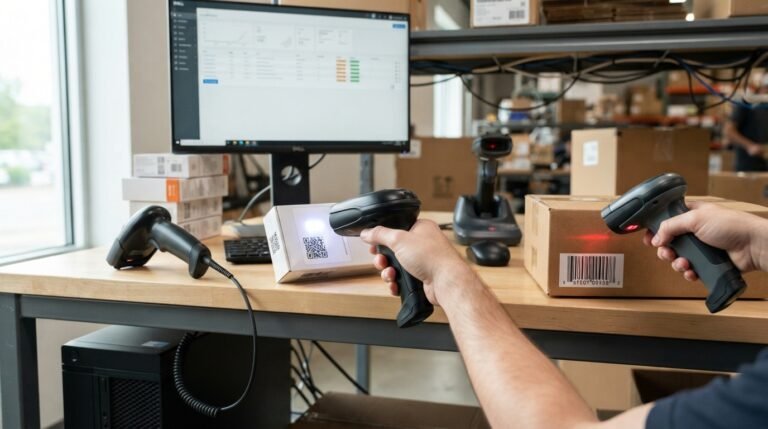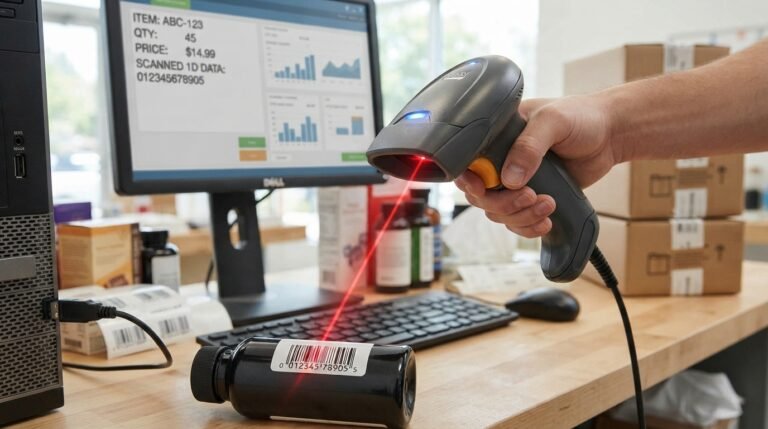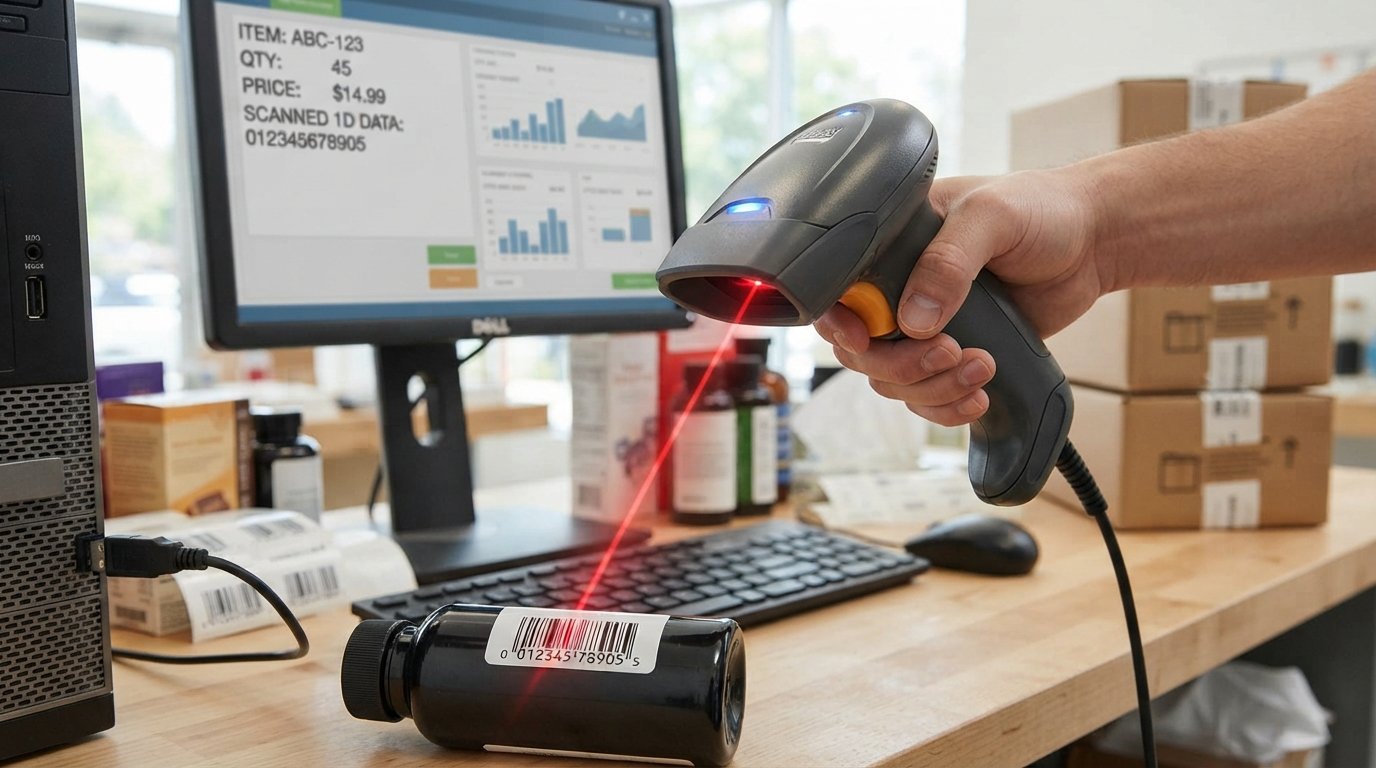
The Adesso NuScan 1600U 1D Handheld CCD Barcode Scanner is a wired USB barcode reader designed for businesses, offices, retail counters, inventory work, and other applications that primarily use traditional 1D barcodes.
It uses a linear CCD sensor, supports a broad selection of 1D barcode symbologies, can scan at up to 300 scans per second, and is designed for driverless operation with Windows and Mac systems. Adesso also lists drop protection, a built-in decoder, a USB interface, and an ergonomic handheld design among its main features.
The most important limitation is equally clear: the NuScan 1600U is a 1D scanner, not a general-purpose 2D imaging scanner. If your workflow requires QR codes or other 2D barcodes, you should look at a 2D model instead.
For businesses that only need conventional UPC, EAN, Code 39, Code 128 and similar linear barcodes, however, the NuScan 1600U offers a straightforward wired scanning solution.
Adesso NuScan 1600U at a Glance
| Feature | NuScan 1600U |
|---|---|
| Scanner type | 1D handheld barcode scanner |
| Scan technology | Linear CCD |
| Interface | USB |
| Scan rate | Up to 300 scans/second |
| Light source | 675 nm visible red LED |
| Minimum bar width | 4 mil / 0.127 mm under specified conditions |
| Current depth of field | 0–12 inches under Adesso’s listed test condition |
| Power | 5VDC ±5% |
| Working current | 75mA |
| Dimensions | 174 × 71.5 × 92 mm |
| Weight | About 0.4 lb / 190 g |
| Drop protection | Up to 1.5 m |
| Supported systems | Windows and Mac |
| Scanner type | Wired |
| 2D/QR scanning | No |
| Main use | 1D barcode data collection |
The current Adesso product listing provides these specifications and identifies the device as a USB linear-CCD 1D scanner.
What Is the Adesso NuScan 1600U?
The NuScan 1600U is a handheld CCD barcode scanner from Adesso.
Unlike a document scanner that captures pages, a barcode scanner is designed to capture machine-readable codes and send the decoded information to a computer or POS application.
The NuScan 1600U uses a wired connection and is designed around a relatively simple workflow:
Scan barcode → decode data → send data through USB → application receives barcode characters.
Its built-in decoder handles supported barcode symbologies, while the scanner’s USB interface allows the decoded information to be transmitted to the connected computer. Adesso describes the device as driverless for its supported Windows and Mac environments.
Key Features of the NuScan 1600U
1. 300 Scans per Second
One of the headline specifications is a scan rate of up to 300 scans per second.
That is useful in environments where employees repeatedly scan products, inventory labels or other barcodes.
For occasional home or office scanning, you probably won’t notice the difference between extremely high scan rates. In a retail or inventory environment, however, rapid scanning can make repetitive workflows more efficient.
The manufacturer and multiple retailers list the 300-scan-per-second capability.
2. Linear CCD Sensor
The scanner uses a linear CCD sensor rather than a 2D image sensor.
CCD stands for Charge-Coupled Device.
In practical terms, the scanner uses the CCD system to capture the pattern of a linear barcode and decode it into usable data.
This design is particularly appropriate for traditional 1D barcode applications.
3. Built-In Decoder
The NuScan 1600U has a built-in decoder that supports numerous barcode symbologies.
That means the scanner itself handles the decoding rather than requiring the computer to interpret a raw optical image.
Adesso lists a wide range of supported 1D formats, including UPC, EAN, Code 39, Code 93, Code 128, Codabar and several 2-of-5 variants.
4. USB Connectivity
The NuScan 1600U is a wired USB barcode scanner.
This makes it suitable for a workstation, laptop, POS terminal or other compatible computer with an available USB connection.
The wired design also means you don’t need to manage:
- Bluetooth pairing
- Wireless batteries
- Charging
- Wireless range
For a permanent workstation, that simplicity can be an advantage.
5. Drop Protection
Adesso specifies protection against accidental drops from approximately 1.5 meters.
That is useful for a handheld scanner because barcode readers are frequently moved around counters, shelves and workstations.
This should not be interpreted as making the scanner indestructible. Repeated impacts, severe drops or misuse can still damage electronic equipment.
What Barcodes Can the NuScan 1600U Read?
The NuScan 1600U supports a substantial range of 1D barcode symbologies.
According to Adesso, supported formats include:
- EAN-8
- EAN-13
- EAN-13 add-ons
- UPC-A
- UPC-E
- ISBN
- ISSN
- Code 11
- Code 39
- Code 39 Full ASCII
- Code 93
- Code 128
- Codabar
- Industrial 2 of 5
- Interleaved 2 of 5
- Matrix 2 of 5
- Standard 2 of 5
The user manual also documents additional configurable symbology options and scanner settings.
Does the NuScan 1600U Scan QR Codes?
No.
The NuScan 1600U is designed for 1D barcode scanning.
QR codes are 2D barcodes, so you should not purchase this model if QR scanning is a core requirement.
Adesso’s own product comparison distinguishes the 1600U as 1D-only while several other NuScan models support 2D barcode technologies.
If your business scans both product barcodes and QR codes, a 2D scanner is the more appropriate choice.
NuScan 1600U Scanning Distance
The current Adesso product information lists a 0–12-inch depth of field under a specified EAN-13 test condition, while older Adesso materials have described longer distances under different test conditions.
This difference is important because scanning distance is not a single universal number.
It depends on factors such as:
- Barcode size
- Barcode resolution
- Print quality
- Symbology
- Contrast
- Surface reflectivity
- Lighting
- Scanner angle
For that reason, don’t assume that every barcode will scan from the maximum advertised distance.
The practical approach is to position the scanner where the barcode is clearly detected and decoded reliably.
How Does the CCD Scanner Work?
A linear CCD barcode scanner reads the pattern formed by the bars and spaces in a traditional linear barcode.
The scanner uses its light source and optical system to capture the barcode, then the decoder interprets that pattern.
This works particularly well for conventional retail and inventory barcodes such as:
- UPC-A
- UPC-E
- EAN-8
- EAN-13
- Code 39
- Code 128
The key limitation is that the technology is designed around linear codes rather than full 2D imaging.
That is why the NuScan 1600U can be a good fit for a traditional barcode workflow but a poor choice for a QR-heavy workflow.
NuScan 1600U Specifications
Physical Specifications
The scanner measures approximately:
174 × 71.5 × 92 mm
and weighs approximately:
0.4 lb / 190 g
according to the current Adesso listing.
Its handheld form factor is intended for repeated scanning rather than stationary presentation scanning.
Electrical Specifications
Adesso lists:
- Input voltage: 5VDC ±5%
- Working current: 75mA
- Light source: 675nm visible red LED
- Interface: USB
These specifications describe the scanner’s operating requirements rather than an external power adapter specification.
Environmental Specifications
The current product information lists an operating temperature range of:
-20°C to 50°C
and storage temperature of:
-40°C to 70°C
with specified humidity ranges and drop resistance.
For ordinary office and retail environments, these limits are more than sufficient.
Is the NuScan 1600U Plug and Play?
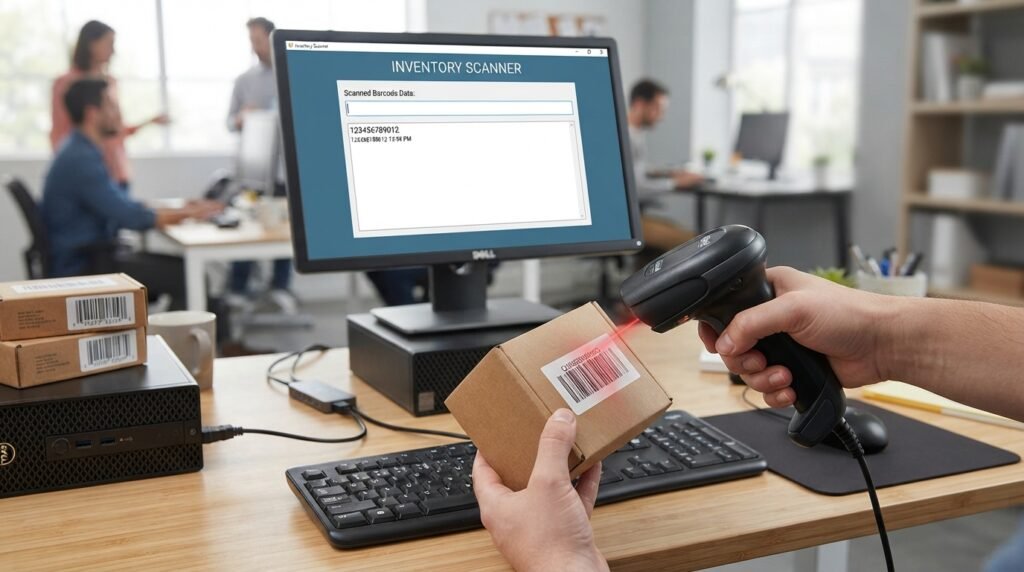
For supported systems, the NuScan 1600U is designed for driverless operation.
Adesso lists support for Windows and Mac operating systems, and the scanner uses USB connectivity.
In a typical setup, the basic process is:
- Connect the scanner to an available USB port.
- Allow the operating system to recognize the device.
- Open a text field or compatible application.
- Scan a barcode.
- Check whether the decoded characters appear.
You generally don’t need a proprietary desktop application just to receive normal barcode data.
However, advanced configuration can require scanning special configuration barcodes from the user guide.
How to Set Up the Adesso NuScan 1600U
Step 1: Connect the USB Cable
Plug the scanner into a compatible USB port.
The NuScan 1600U is designed to receive its operating power through the connection.
Step 2: Wait for Recognition
Give the computer a moment to recognize the scanner.
Because it is designed for driverless operation, the basic scanning function does not normally require a special Adesso software package.
Step 3: Open a Text Field
A simple way to test the scanner is to open a text editor.
Place the cursor in the document.
Step 4: Scan a Known Good Barcode
Aim the scanner at a clear 1D barcode and activate the trigger.
If the scanner successfully reads it, the decoded characters should appear in the active text field.
Step 5: Test Your Actual Software
After the basic test works, test the scanner inside your actual:
- POS system
- Inventory software
- Shipping application
- Database
- Spreadsheet
- Retail application
A scanner can successfully decode a barcode while still requiring application-specific configuration for the final workflow.
Does the NuScan 1600U Need a Driver?
For its supported Windows and Mac environments, Adesso describes the NuScan 1600U as driverless.
That is one of the scanner’s advantages.
If the scanner isn’t working, therefore, don’t immediately assume that a missing Adesso driver is the problem.
Instead, check:
- USB connection
- USB port
- Scanner configuration
- Active application field
- Barcode type
- Keyboard layout
- Reading mode
- Prefix/suffix settings
The user manual provides configuration options for several of these behaviors.
NuScan 1600U Configuration Options
The scanner is more configurable than its simple exterior might suggest.
The user guide documents settings for:
- Reading mode
- Upload speed
- Beeper volume
- Beeper frequency
- Keyboard layout
- Prefixes
- Suffixes
- Code ID
- Ending characters
- Case conversion
- Individual symbologies
- USB-KBW mode
- Factory reset
Configuration is performed by scanning the appropriate programming barcodes from the manual.
This can be useful when a business needs the scanner to behave differently from its default configuration.
How to Reset the NuScan 1600U
If the scanner has been configured incorrectly, restoring factory defaults can be a useful troubleshooting step.
The NuScan 1600U user guide provides a Restore Defaults programming barcode.
The manual specifically identifies restoring defaults as useful when:
- Scanner settings have become incorrect
- A barcode isn’t being recognized as expected
- Previous custom settings are no longer wanted
After resetting the device, you may need to reconfigure any custom settings required by your software.
Why Is My NuScan 1600U Scanning Only Part of the Barcode?
This is an important real-world troubleshooting issue.
A customer review reported incomplete barcode data during initial use and described experimenting with scanner settings before obtaining normal results.
One review does not establish that this happens to every unit, but it highlights why scanner configuration can matter.
If you’re receiving incomplete data, check:
1. Upload speed
The manual provides multiple upload-speed settings.
2. Reading mode
Different reading modes can affect how scans are triggered and transmitted.
3. Barcode quality
Try a clean, high-contrast barcode.
4. Scanner position
Move the scanner closer or farther away and adjust the angle.
5. Application behavior
Test the scanner in a simple text editor.
If the complete barcode appears there but not in your POS or inventory software, the problem may be application configuration rather than the scanner itself.
Why Won’t the NuScan 1600U Read My Barcode?
Several things can cause a failed scan.
The barcode may not be supported
Verify that the barcode is one of the supported 1D symbologies.
The barcode may be too small
The scanner has a specified minimum bar-width capability, so very small codes may be outside its practical scanning range.
The barcode may have poor contrast
Damaged, faded or low-contrast labels can be difficult to decode.
The surface may be reflective
Highly reflective packaging can interfere with scanning.
The manual recommends changing the angle when scanning highly reflective surfaces.
The scanner may be too close or too far away
Try changing the distance until the scanner detects the barcode consistently.
The code may be 2D
If you’re attempting to scan a QR code, the problem isn’t necessarily a malfunction—the NuScan 1600U is a 1D scanner.
How to Improve NuScan 1600U Scanning Performance
For reliable scanning:
- Use a clear barcode.
- Keep the barcode within the scanner’s practical working distance.
- Avoid extreme angles.
- Avoid strong reflections.
- Test damaged labels separately.
- Confirm the barcode symbology is supported.
- Test in a basic text field.
- Check configuration settings if data transmission is incomplete.
Adesso lists scan-angle tolerances including approximately ±30° roll and ±60° pitch and skew under its stated specifications.
NuScan 1600U Scan Angles
Adesso specifies:
- Roll: ±30°
- Pitch: ±60°
- Skew: ±60°
These figures describe the scanner’s stated ability to read a barcode when the scanner and barcode aren’t perfectly aligned.
In real use, however, optimal alignment generally makes scanning easier.
If a barcode is difficult to read, don’t assume the scanner is defective. Try:
- Moving closer
- Moving farther away
- Straightening the scanner
- Tilting the barcode slightly
- Reducing glare
NuScan 1600U vs 1D Barcode Scanner
The NuScan 1600U is a particularly logical choice when your barcode environment is primarily:
- UPC
- EAN
- Code 39
- Code 128
- Codabar
- Other supported linear codes
Its 300-scan-per-second capability and wired USB design make it suitable for repetitive workstation scanning.
NuScan 1600U vs 2D Barcode Scanner
The decision becomes simple if you know what codes you need to scan.
| Requirement | NuScan 1600U |
|---|---|
| UPC | Yes |
| EAN | Yes |
| Code 39 | Yes |
| Code 128 | Yes |
| Traditional 1D inventory codes | Yes |
| QR codes | No |
| 2D barcodes | No |
| USB connection | Yes |
| Wireless scanning | No |
| Basic workstation scanning | Excellent fit |
If your business has started using QR codes, Data Matrix codes or other 2D symbols, a modern 2D scanner is a better investment.
Adesso’s own NuScan comparison shows that some other models in its lineup provide 2D support while the 1600U does not.
Advantages of the Adesso NuScan 1600U
Fast scanning
The 300 scans/sec specification is strong for repetitive 1D scanning.
Broad 1D support
It supports numerous traditional barcode formats.
USB simplicity
A wired USB connection eliminates wireless pairing and battery management.
Driverless operation
Adesso describes it as driverless for supported Windows and Mac environments.
Configurable
The manual provides extensive options for scan behavior and data formatting.
Drop protection
The scanner is designed to withstand accidental drops of up to approximately 1.5 meters.
Handheld design
The grip and thumb-trigger design are intended for repeated scanning.
Disadvantages of the NuScan 1600U
It is 1D only
This is the biggest limitation.
It isn’t the right tool for QR-heavy or 2D workflows.
It is wired
A USB cable is convenient at a workstation but less convenient when workers need to move around a warehouse or store.
Older operating-system references
Some Adesso documentation lists legacy operating systems such as Windows XP and older Mac versions.
That doesn’t automatically mean every modern operating system is officially documented. If compatibility with a specific current OS is critical to your business, verify it before deployment.
Configuration can be more involved than expected
The scanner is capable of substantial configuration, but users who only want a basic “plug it in and scan” experience may find the programming options more complicated when troubleshooting is necessary.
Who Should Buy the NuScan 1600U?
The NuScan 1600U makes the most sense for users who need:
- A wired barcode scanner
- USB connectivity
- Traditional 1D barcode support
- Fast repetitive scanning
- Windows or Mac workstation compatibility
- A handheld scanner
- A relatively simple hardware solution
- Configurable barcode output
It can be a practical choice for:
- Retail counters
- Inventory desks
- Offices
- Warehouses
- Libraries
- Shipping stations
- POS workstations
- Product tracking
Who Should Not Buy the NuScan 1600U?
Look for another scanner if you need:
- QR code scanning
- 2D barcode scanning
- Wireless operation
- Bluetooth
- Mobile warehouse scanning
- Presentation-style scanning
- Advanced modern imaging capabilities
In those situations, a 2D scanner or wireless model may be a better long-term investment.
Is the Adesso NuScan 1600U Worth It?
For the right use case, yes.
Its strongest selling points are straightforward:
- 1D barcode support
- 300 scans/sec
- USB connectivity
- Linear CCD technology
- Driverless operation on supported systems
- Broad symbology support
- Configurable scanning behavior
- Drop protection
The key is understanding what it doesn’t do.
This isn’t a universal barcode imaging device. It is a focused 1D scanner.
If your workflow consists mainly of UPC, EAN, Code 39, Code 128 and similar linear barcodes, its feature set is well aligned with the job.
If you need QR or other 2D codes, choosing a 2D scanner from the beginning is likely the better decision.
Frequently Asked Questions
Is the Adesso NuScan 1600U a 1D or 2D scanner?
It is a 1D barcode scanner using a linear CCD sensor. It does not provide general 2D/QR scanning.
Does the NuScan 1600U use USB?
Yes. The current product specification lists USB as its interface.
Does the NuScan 1600U need drivers?
Adesso describes it as a driverless scanner for supported Windows and Mac environments.
How fast is the NuScan 1600U?
Its rated scan speed is up to 300 scans per second.
How far can the NuScan 1600U scan?
The current Adesso listing specifies a 0–12-inch depth of field under its stated test condition. Older Adesso datasheets contain different depth-of-field figures based on other test conditions, so the practical distance depends on the barcode and environment.
Can it scan QR codes?
No. The NuScan 1600U is intended for 1D barcodes.
Does it work with Mac?
Adesso lists Mac OS support and describes the scanner as driverless for Windows and Mac environments.
Does it work with Windows?
Adesso lists Windows compatibility in its product specifications.
What barcode formats does it support?
It supports numerous 1D symbologies, including UPC-A, UPC-E, EAN-8, EAN-13, Code 39, Code 93, Code 128, Codabar and several 2-of-5 formats.
How do I reset the NuScan 1600U?
The official user guide provides a Restore Defaults programming barcode that can be scanned to return configurable settings to their factory state.
Why does my NuScan 1600U scan incorrectly?
Check the barcode quality, scanning distance, angle, supported symbology, reading mode and upload-speed configuration. The user guide provides settings for several of these functions.
Can I use the NuScan 1600U with POS software?
Generally, the scanner is designed to send decoded barcode information through its USB interface, making it suitable for compatible POS and inventory applications. Test the scanner in the actual software before deploying it across a business.
Is the NuScan 1600U wireless?
No. It is a wired scanner using a USB connection.
Final Verdict
The Adesso NuScan 1600U 1D Handheld CCD Barcode Scanner is best viewed as a straightforward, configurable wired 1D barcode reader rather than a modern all-purpose barcode imaging device.
Its strongest features are the 300-scan-per-second rate, linear CCD sensor, broad 1D symbology support, USB connectivity, driverless operation on supported systems, ergonomic handheld design and drop protection.
For a retail counter, inventory workstation, office or other environment built around traditional linear barcodes, it can be a sensible solution.
But if your workflow depends on QR codes, Data Matrix or other 2D symbols, the 1600U is not the right model.
The simplest buying rule is:
Choose the NuScan 1600U when you need fast, wired 1D barcode scanning. Choose a 2D scanner when your workflow requires QR codes or other two-dimensional barcodes.
Related Post
- Canon Imageformula R40ii Office Document Scanner – Complete Guide, Specs, Features & Review!
- Check Scanner – Complete Guide to Types, MICR, Remote Deposit Capture & Buying Tips!
- Credit Cards In The Scanner – Can You Scan a Credit Card Safely?
About the Author