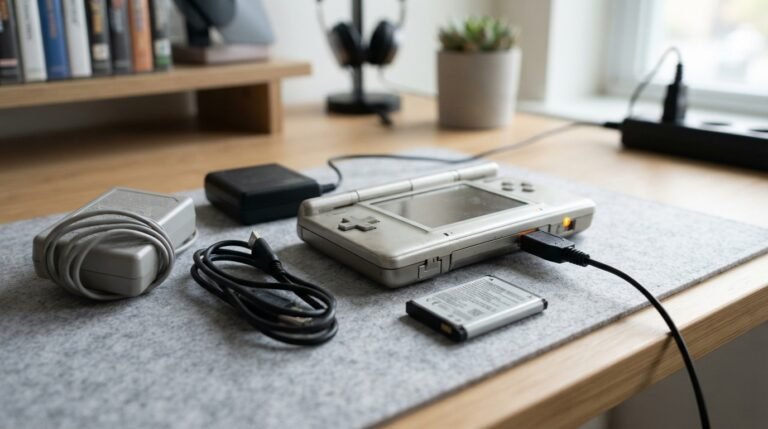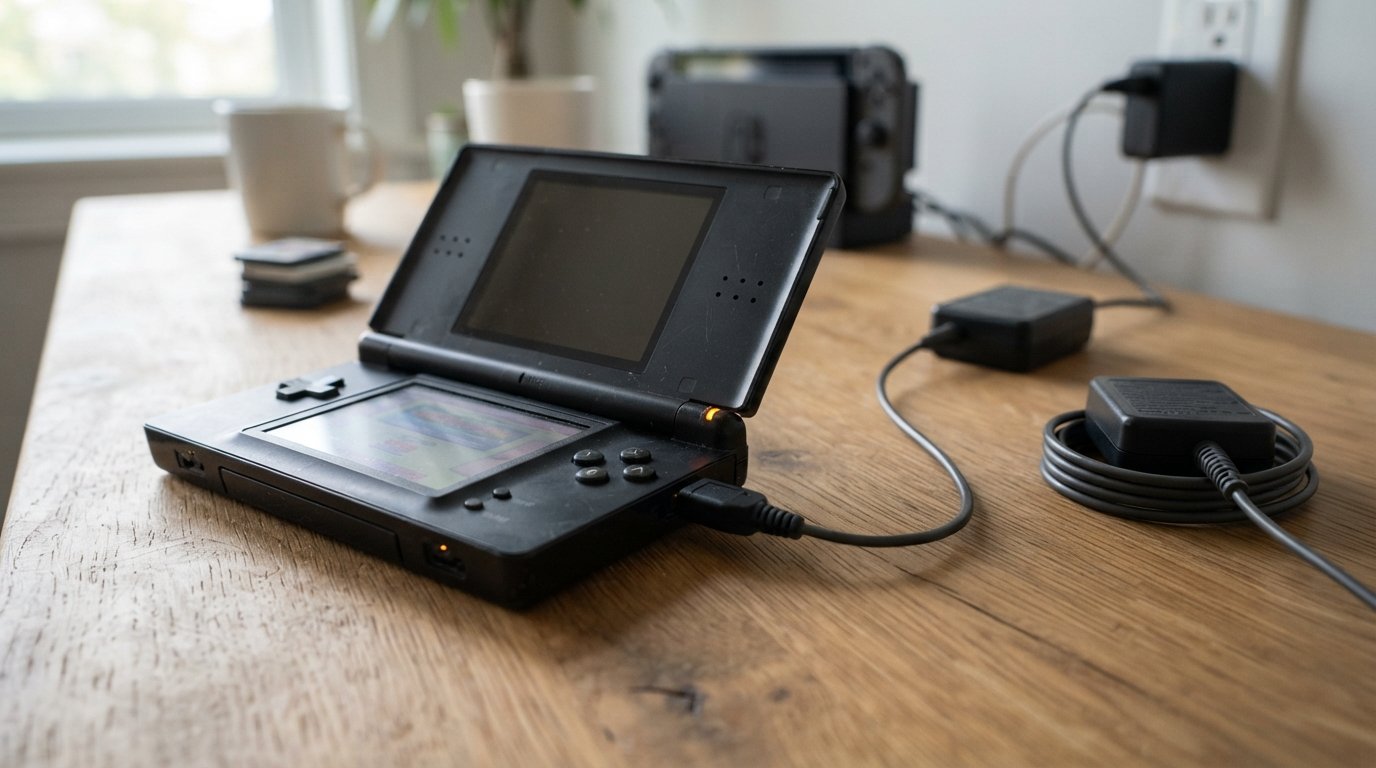
If you’re searching for a DS charger, you may be trying to replace a lost charging cable, find the correct charger for an older Nintendo handheld, or determine whether one DS charging cable works with another model.
The term DS charger can be confusing because Nintendo released several handheld systems with different charging connections. The original Nintendo DS, Nintendo DS Lite, Nintendo DSi, Nintendo DSi XL, and the Nintendo 3DS family do not all use exactly the same charging connector.
Choosing the correct charger matters because physical compatibility, connector design, voltage, and charging requirements can differ between models.
In this guide, you’ll learn:
- What a DS charger is
- Which charger different Nintendo DS models use
- Nintendo DS vs DS Lite vs DSi chargers
- Whether DS chargers are interchangeable
- How to identify your DS model
- How to choose a replacement DS charger
- USB DS charger options
- How long a DS takes to charge
- Why a DS may not charge
- DS charger troubleshooting
- How to safely replace an old charger
- Frequently asked questions about DS chargers
What Is a DS Charger?
A DS charger is a power adapter or charging cable designed to recharge a compatible Nintendo DS-family handheld console.
Depending on the model, the charger can connect directly to the handheld through a proprietary charging connector.
Unlike modern devices that commonly use USB-C, older Nintendo DS systems use model-specific charging connections.
This means you should not assume that any charger advertised as a Nintendo DS charger will fit every DS model.
The correct charger depends primarily on your console.
Nintendo DS Charger Types
Nintendo produced several DS-family handhelds, including:
- Nintendo DS
- Nintendo DS Lite
- Nintendo DSi
- Nintendo DSi XL
- Nintendo 3DS
- Nintendo 3DS XL
- Nintendo 2DS
- New Nintendo 3DS
- New Nintendo 3DS XL
These systems have different charging requirements and connector designs.
For this reason, the first thing you should determine is which Nintendo handheld you own.
Original Nintendo DS Charger
The original Nintendo DS is different from the later DS Lite and DSi models.
The original DS uses its own charging connector, so a charger designed specifically for the original Nintendo DS should be used.
If you have an original DS, don’t automatically purchase a charger labeled only:
“DS charger”
Check the compatibility list carefully.
A replacement charger should explicitly state that it supports the original Nintendo DS.
Nintendo DS Lite Charger
The Nintendo DS Lite uses a different charging connector from the original Nintendo DS.
This is one of the most important compatibility differences when buying a replacement.
A charger advertised for:
Nintendo DS Lite
should be designed specifically for the DS Lite’s charging port.
Some replacement cables may be marketed as DS Lite chargers, NDS Lite chargers, or Nintendo DS Lite AC adapters.
DS Lite Charger Features
A typical replacement DS Lite charger may include:
- DS Lite-compatible connector
- AC wall adapter
- Appropriate output for the console
- Built-in charging cable
- Over-current protection
- Over-voltage protection
- Compact design
Always verify the specifications and compatibility information before buying.
Nintendo DSi Charger
The Nintendo DSi uses a different charging connection from the original Nintendo DS and DS Lite.
If you own a DSi, look specifically for a:
Nintendo DSi charger
or a replacement charger explicitly listing DSi compatibility.
A DSi charger is not automatically compatible with every earlier DS system.
Nintendo DSi XL Charger
The Nintendo DSi XL belongs to the DSi family and uses the DSi-style charging connection.
When buying a replacement, check that the product listing explicitly supports:
- Nintendo DSi
- Nintendo DSi XL
A compatible replacement is generally preferable to trying to force a physically different connector into the charging port.
Nintendo 3DS Charger
The Nintendo 3DS family is closely related to the DS line, but it is important to distinguish the individual models.
A charger designed for compatible 3DS-family systems may also work across certain models that use the same charging connector.
However, not every DS-family charger is automatically compatible with every 3DS model.
Before purchasing a replacement, check the exact console model listed by the charger manufacturer.
DS Charger Compatibility Chart
The easiest way to avoid buying the wrong charger is to identify your console first.
| Nintendo System | Charger Consideration |
|---|---|
| Original Nintendo DS | Uses its own DS charging connector |
| Nintendo DS Lite | Requires DS Lite-compatible charger |
| Nintendo DSi | Uses DSi-style charging connection |
| Nintendo DSi XL | Uses DSi-family charging connection |
| Nintendo 3DS | Check 3DS-specific compatibility |
| Nintendo 3DS XL | Check exact 3DS-family compatibility |
| Nintendo 2DS | Check model-specific charger compatibility |
| New Nintendo 3DS | Check exact model and charger specification |
| New Nintendo 3DS XL | Check exact model and charger specification |
The safest approach is to purchase a charger whose compatibility list explicitly names your exact console.
Are Nintendo DS Chargers Interchangeable?
Not all Nintendo DS chargers are interchangeable.
The biggest mistake people make is assuming that because two handhelds are both called “DS,” their charging ports must be identical.
They aren’t.
The original Nintendo DS, DS Lite, and DSi use different charging arrangements.
Therefore, before buying a replacement charger, check:
- Your console model
- The shape of the charging port
- The charger connector
- Output specifications
- The manufacturer’s compatibility list
Physical fit alone should not be the only consideration.
How to Identify Your DS Model
If you don’t know which Nintendo handheld you have, identifying it is easy.
Look at the Console Name
Check the front, back, or bottom of the handheld for markings such as:
- Nintendo DS
- Nintendo DS Lite
- Nintendo DSi
- Nintendo DSi XL
- Nintendo 3DS
- Nintendo 3DS XL
Check the Physical Design
The systems have noticeably different designs.
The original DS is thicker and has a different exterior design from the DS Lite.
The DSi also has design differences, including changes to its body and features.
Check the Model Information
Look for a model number or identifying label on the back or bottom of the handheld.
If you’re buying a replacement charger online, compare that model information with the seller’s compatibility list.
DS Charger Replacement: What Should You Look For?
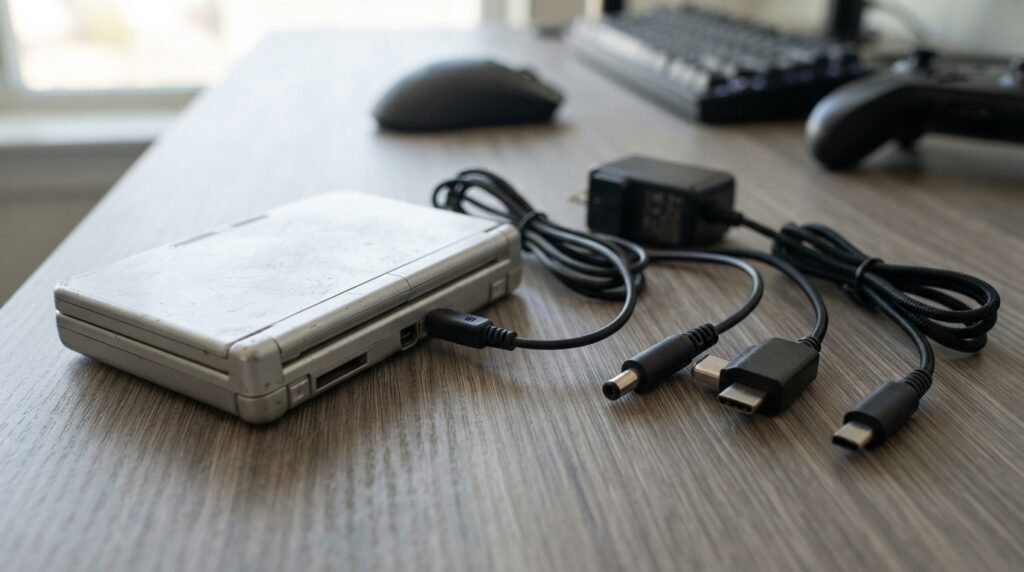
If your original charger is lost or damaged, buying a replacement is usually straightforward as long as you identify the correct console.
Consider these factors.
1. Connector Compatibility
The connector must fit the charging port correctly.
Never force a connector into the console.
2. Electrical Specifications
Check the charger’s voltage and current specifications against the requirements of your console.
The fact that a plug physically fits does not automatically mean that the charger is electrically appropriate.
3. Cable Length
A longer cable can be convenient if your charging area is far from a power outlet.
However, cable length should not be prioritized over electrical compatibility and build quality.
4. Build Quality
Look for:
- Durable cable insulation
- Secure connector
- Strong strain relief
- Reliable wall adapter
- Appropriate safety protection
5. Safety Certifications
When purchasing a third-party charger, look for appropriate safety and compliance information for your market.
Avoid extremely cheap, poorly documented chargers from unknown sources.
DS Charger vs DS Charging Cable
The terms DS charger and DS charging cable are sometimes used interchangeably, but they can describe different products.
A complete charger may include:
Wall outlet → AC adapter → charging cable → Nintendo DS
A USB charging cable may instead be:
USB power source → USB cable → Nintendo DS
The second option requires a suitable USB power source.
When shopping, check whether you’re buying:
- Complete AC charger
- USB charging cable
- Replacement cable
- Wall adapter
- Car charger
- Multi-console charging cable
Can You Charge a DS With USB?
Yes, compatible third-party USB DS charging cables exist for various Nintendo handheld models.
A USB charging cable allows you to connect the console to a suitable USB power source.
For example, depending on the cable and console, you may use:
- USB wall charger
- Power bank
- Computer USB port
- USB car adapter
However, the cable must be designed for your specific Nintendo model.
A USB plug on one end does not mean that the other connector will work with every DS system.
Can You Charge a DS With a Power Bank?
A compatible DS charging cable can allow a Nintendo handheld to receive power from a power bank.
This can be useful when:
- Traveling
- Playing away from a wall outlet
- Camping
- Using the handheld during long trips
- Keeping an older console powered while away from home
However, make sure the cable and power source are appropriate for the console.
The power bank does not eliminate the need for a compatible charging cable.
Can You Charge a DS From a Laptop?
If you have a compatible USB charging cable, you may be able to power the console from a laptop’s USB port.
However, the charging speed can vary depending on:
- USB port
- Cable
- Power output
- Console model
- Battery condition
For the most reliable charging experience, use a suitable wall charger or compatible USB power adapter.
How Long Does a DS Take to Charge?
Charging time depends on the exact Nintendo handheld, battery condition, charger, and whether the device is being used while charging.
Older Nintendo handhelds generally require several hours for a full charge.
If your DS takes significantly longer than expected, consider checking:
- Battery age
- Charger output
- Cable condition
- Charging port condition
- Whether the console is being used during charging
An aging battery may also take longer to charge or lose its capacity quickly.
How to Know if Your DS Is Charging
The charging indicator depends on the Nintendo handheld model.
Generally, when the system is connected to a functioning compatible charger, its charging indicator should provide an indication that charging has started.
If the indicator does not respond:
- Check the wall outlet.
- Check the charger.
- Check the charging cable.
- Inspect the charging port.
- Try another compatible power source.
- Check the battery condition.
If the charger works with another compatible system but your console doesn’t respond, the issue may be inside the console.
DS Charger Not Working: Troubleshooting Guide
A DS charger not working problem can have several causes.
Problem 1: The Charger Is Completely Dead
Try another compatible power outlet.
If there is still no response, the adapter or cable may be damaged.
Problem 2: The Cable Is Damaged
Inspect the cable for:
- Cuts
- Cracks
- Exposed wires
- Bent sections
- Loose connector
- Fraying near the plug
Do not continue using a visibly damaged charger.
Problem 3: Dirty Charging Port
Dust and debris can interfere with the electrical connection.
Inspect the charging port carefully.
Do not insert metal objects into the port.
Problem 4: Damaged Charging Port
If the connector feels unusually loose or the console only charges when the cable is held at a particular angle, the charging port may be damaged.
This usually requires professional repair.
Problem 5: Dead Battery
An old rechargeable battery can eventually lose most of its capacity.
Signs include:
- Very short battery life
- Unexpected shutdowns
- Battery refusing to hold a charge
- System turning off shortly after unplugging
Why Does My DS Charger Keep Disconnecting?
If charging repeatedly starts and stops, investigate the physical connection.
Possible causes include:
- Loose connector
- Damaged cable
- Worn charging port
- Debris inside the port
- Internal hardware damage
- Poor-quality replacement charger
Try a known-compatible charger before assuming the console itself is damaged.
DS Charging Light Turns Off
A charging indicator turning off can have different meanings depending on the console.
If the battery has reached full charge, the system may stop actively charging.
If the light turns off much earlier than expected and the console doesn’t hold power, investigate:
- Battery condition
- Charger compatibility
- Cable connection
- Charging port
- Internal charging circuit
DS Charger Gets Hot
Some warmth during normal operation can occur with power adapters.
However, a charger that becomes excessively hot, smells unusual, makes noise, shows visible damage, or behaves erratically should be disconnected and replaced.
Do not use a damaged power adapter simply because it still appears to charge the console.
Safety should come before saving money on a replacement charger.
Can You Use a Phone Charger for a DS?
It depends on the cable and charging arrangement.
A modern phone charger with a USB output does not directly connect to an older Nintendo DS unless you have a compatible DS charging cable.
More importantly, the correct charging setup must provide appropriate electrical characteristics for the console.
Don’t connect an incompatible power adapter simply because its connector appears similar.
Can You Use a USB-C Charger for a DS?
USB-C is a power-source connector standard, not a guarantee that a device can safely accept any USB-C connection.
If you’re using a USB-C power source with an older DS system, you need a charging cable or adapter specifically designed for that console and charging setup.
A random USB-C-to-proprietary cable should not be assumed to be compatible.
DS Charger for Travel
A compact replacement charger can be useful for travel.
When choosing a travel DS charger, consider:
- Size
- Cable length
- Input voltage compatibility
- Plug type
- Console compatibility
- Build quality
- Protection features
A USB charging cable paired with a suitable power adapter or power bank can reduce the number of separate chargers you need to carry.
DS Car Charger
Third-party car chargers and USB charging cables are available for some Nintendo handheld models.
A typical setup can look like:
Car USB port → compatible USB cable → DS handheld
or:
12V car adapter → compatible DS charger → handheld
Make sure the charging cable is designed for your exact console.
DS Charger Replacement for an Old Console
Older Nintendo handhelds are still used by collectors, retro gamers, and people who want to play their existing game libraries.
If you have an older console with a missing charger, you don’t necessarily need the original Nintendo-branded adapter.
A compatible third-party replacement may work, provided that it meets the correct electrical and connector requirements.
Before buying, verify:
- Exact console model
- Connector type
- Input/output specifications
- Seller compatibility claims
- Product reviews
- Safety information
Original vs Third-Party DS Charger
Both original and third-party chargers can have advantages.
| Feature | Original Charger | Third-Party Charger |
|---|---|---|
| Manufacturer | Nintendo | Other manufacturer |
| Compatibility | Designed for specified system | Depends on product |
| Availability | May be harder to find | Usually easier |
| Price | Often higher | Often lower |
| Replacement options | Limited | Many |
| Build quality | Model-specific | Varies significantly |
For an older console, a reputable third-party replacement can be a practical option.
The important thing is to verify the specifications rather than choosing solely based on price.
Common Mistakes When Buying a DS Charger
Avoid these common mistakes.
Buying Based Only on the Name
“DS charger” is too broad.
Check the exact console model.
Assuming All Nintendo Handhelds Use the Same Connector
They don’t.
Ignoring Electrical Specifications
A physical connector does not guarantee electrical compatibility.
Buying the Cheapest Option
Very cheap chargers may have poor construction or limited safety protection.
Using a Damaged Charger
Replace cables and adapters showing exposed wires, cracks, melted plastic, or other damage.
Forcing the Connector
If the connector doesn’t fit naturally, stop.
DS Charger Buying Checklist
Before purchasing a replacement, use this checklist:
- Identify the exact Nintendo model
- Check the charging port
- Confirm connector compatibility
- Verify electrical specifications
- Decide between AC and USB charging
- Check cable length
- Look for safety protections
- Read recent product reviews
- Check the return policy
- Avoid damaged or poorly documented chargers
This simple process can prevent many compatibility problems.
DS Charger FAQs
1. What charger does a Nintendo DS use?
The correct charger depends on the Nintendo DS model. The original Nintendo DS, DS Lite, DSi, and later systems use different charging arrangements, so identify the exact model before purchasing.
2. Is a DS Lite charger the same as a DSi charger?
They should not automatically be treated as the same. The charging connectors differ between these systems, so verify compatibility with the exact console.
3. Can I use a DS charger on a 3DS?
Do not assume compatibility based only on the word “DS.” Check the exact 3DS model and the charger manufacturer’s compatibility list.
4. Can I charge my DS with a USB cable?
Yes, compatible third-party USB charging cables are available for various Nintendo handhelds. The cable must have the correct connector for your specific system.
5. Can I charge a DS with a power bank?
A compatible USB DS charging cable can allow a supported Nintendo handheld to draw power from a power bank.
6. Why isn’t my DS charging?
Possible causes include a damaged charger, bad cable, dirty or damaged charging port, depleted battery, or an internal hardware problem.
7. How do I know if my DS charger is broken?
Try a known-compatible charger or power source. If another compatible charger works with the console, the original charger or cable may be defective.
8. Can a DS charger damage the console?
An incompatible or poorly manufactured charger can potentially create electrical problems. Use a charger designed for your exact console and verify its specifications.
9. How long does a DS battery take to charge?
Charging time varies by model, battery condition, and charger. Older Nintendo handhelds generally require several hours for a full charge.
10. Can I leave my DS charging overnight?
Use a compatible charger and follow the manufacturer’s safety guidance. Avoid leaving a damaged or unusually hot charger connected unattended.
11. What should I do if my DS charging port is loose?
A loose connection may indicate a worn or damaged charging port. Avoid repeatedly moving the cable to maintain a connection and consider professional repair.
12. Should I buy an original Nintendo charger?
An original charger is one option, but a reputable third-party replacement can also be suitable when it explicitly supports your exact console and meets appropriate electrical and safety requirements.
Final Thoughts
Finding the right DS charger is mostly about identifying the exact Nintendo handheld you own. The original Nintendo DS, DS Lite, DSi, DSi XL, and 3DS-family systems are not all identical, so a charger that works with one model should not automatically be assumed to work with another. If you need a DS charger replacement, start by checking the model name and charging port. Then verify the replacement’s connector, electrical specifications, and compatibility list.
For older systems, USB charging cables and third-party replacement adapters can provide convenient alternatives to an original charger. However, compatibility and safety should always come before price. If your DS isn’t charging, test the charger and cable first, inspect the charging port, and consider the battery’s age. If a known-compatible charger still doesn’t work, the console itself may require repair. The simplest rule to remember is: Identify your DS model first, then choose the charger specifically designed for that model. That approach helps prevent connector mismatches, charging problems, and unnecessary replacement costs.
Related Post
- Everstart Maxx Battery Charger – Complete Guide, Setup, Charging & Troubleshooting!
- Evyve Charging Station – Complete Guide to EV Chargers, Prices, App, Locations & How to Charge!
- Gan 150w Dc+Usb C Charger – Complete Guide to Power, Ports, Compatibility & Charging!
About the Author