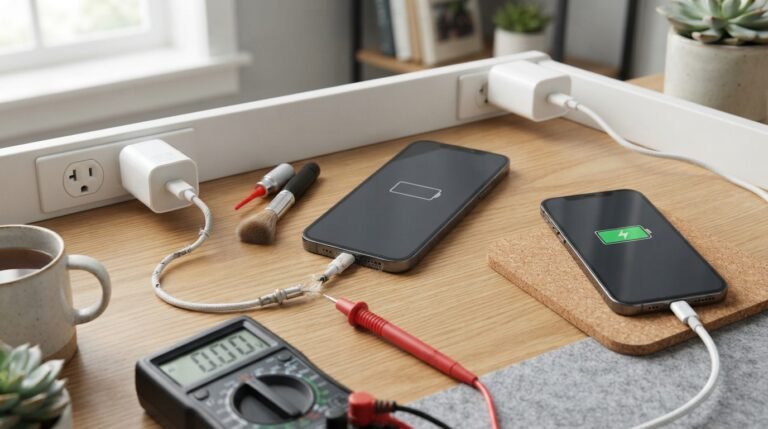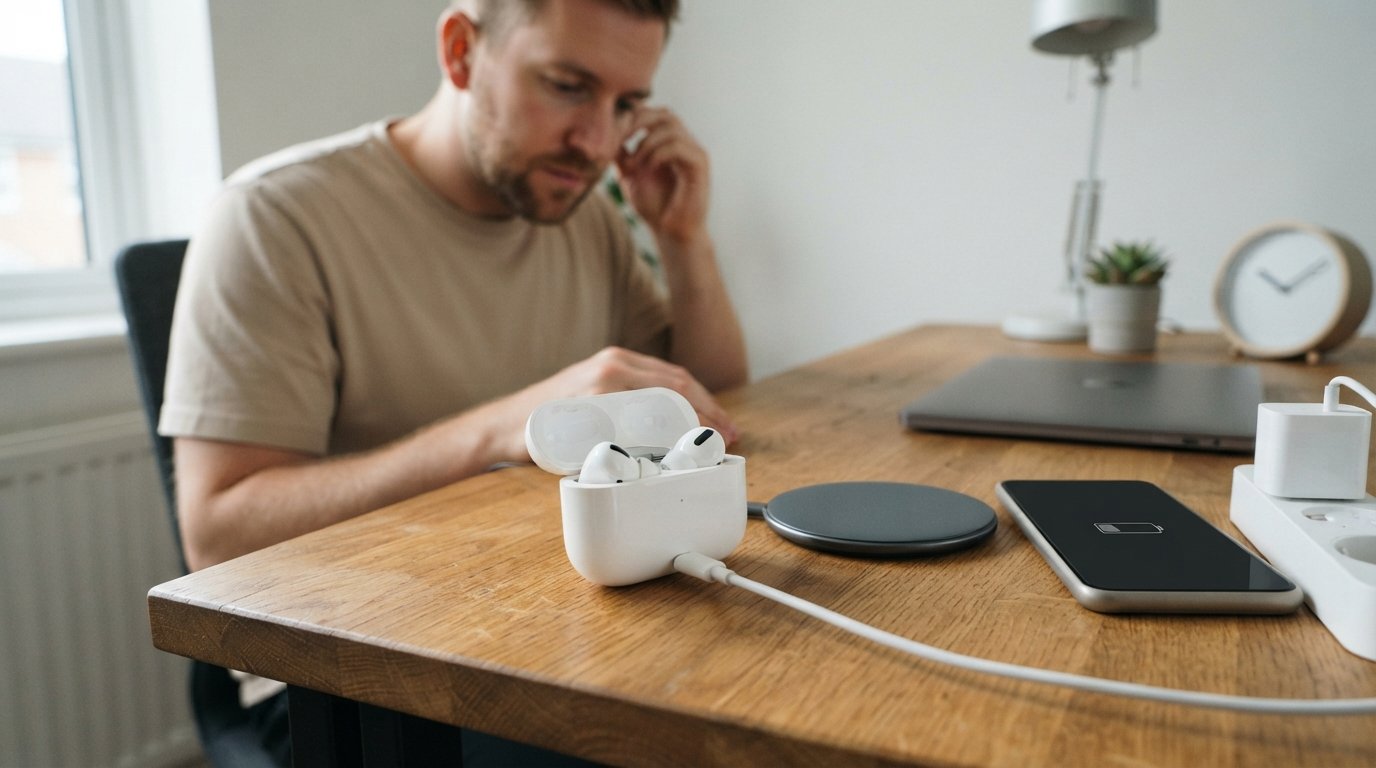
If you’re wondering how long do AirPods take to charge, the short answer is: it depends on the AirPods model, how empty the battery is, the charging method, and the condition of the battery.
The earbuds themselves are designed to recharge quickly inside their charging case. A short charging session can provide useful listening time, while a completely depleted battery takes longer to reach 100%. The charging case also needs its own charging time, which is different from the time required to recharge the earbuds.
In this guide, you’ll learn how long AirPods take to charge, how much battery you can get from a 5-minute charge, how long the case takes, whether wireless charging is slower, how to check charging status, and what to do if your AirPods aren’t charging properly.
How Long Do AirPods Take to Charge?
Most AirPods recharge relatively quickly when placed correctly inside their charging case. However, there isn’t one official full-charge time that applies equally to every AirPods model and every charging situation.
A useful rule of thumb is:
| Charging situation | What to expect |
|---|---|
| Short emergency charge | Can provide useful listening time |
| 5-minute charge | Around an hour of use on supported models |
| Earbuds from very low battery to full | Usually takes substantially longer than a quick top-up |
| Charging case | Generally takes longer than the earbuds |
| Wireless charging | Can take longer than wired charging |
| Older battery | May charge or perform differently because of battery wear |
The exact result can vary with model, temperature, charger, battery age, and starting battery level.
Apple’s current support documentation focuses on charging procedures, battery status, charging notifications, and battery-management features rather than promising one universal number of minutes for every AirPods generation.
How Much Do AirPods Charge in 5 Minutes?
One of the most useful AirPods features is quick charging.
For many AirPods generations, about five minutes in the charging case can provide roughly an hour of listening or talk time, assuming the battery is in normal condition.
This makes a short charge useful when you’re heading out and don’t have time to wait for a complete recharge.
The exact amount of additional usage depends on the AirPods model and how you use them. Features such as noise cancellation, Spatial Audio, calls, and other active functions can affect how long that extra charge lasts.
How Long Do AirPods Take to Fully Charge?
A full charge takes longer than a quick top-up, and the exact time varies by model and condition.
The biggest factors include:
- Starting battery percentage
- AirPods generation
- Battery age
- Charging method
- Temperature
- Condition of the charging contacts
- Whether the case itself has enough charge
- Charging-system behavior near the top of the battery range
Because charging slows as the battery approaches its upper charge level, the final portion can take disproportionately longer than the first part of the charge.
For that reason, a five-minute charging estimate should not be multiplied directly to predict the time required to reach 100%.
How Long Do AirPods Take to Charge in the Case?
The AirPods earbuds charge inside the charging case.
When the earbuds are placed into a powered case and make proper contact with the charging points, charging begins automatically.
The case acts as both:
- A protective storage container
- A portable battery for the earbuds
This is why you can recharge the earbuds several times without connecting the earbuds themselves directly to a cable.
Apple recommends putting the AirPods back into their case when you’re not using them to keep them charged.
How Long Does an AirPods Case Take to Charge?
The charging case usually takes longer to recharge completely than the earbuds do.
The actual time depends on:
- AirPods model
- Case model
- Remaining battery
- Wired or wireless charging
- Charger and cable
- Temperature
- Battery condition
Wireless charging can also take longer than a wired connection in many situations.
Rather than focusing on one exact number, it’s better to monitor the case’s battery percentage and charging indicator.
AirPods Charging Time by Model
Different AirPods generations don’t necessarily charge at exactly the same speed.
Here’s a practical overview:
| AirPods model | Quick-charge expectation | Charging considerations |
| AirPods 1st generation | Short charging can provide useful listening time | Older hardware and battery age may affect performance |
| AirPods 2nd generation | Quick top-ups are useful for short listening sessions | Charging case type matters |
| AirPods 3rd generation | Fast charging supports short top-ups | Compatible cases can support wireless charging |
| AirPods 4 | Designed for convenient quick charging | USB-C charging is used on current cases |
| AirPods Pro | Short case charging can quickly restore usable battery | Case and charging method affect total time |
| AirPods Max | Uses a different charging design | Charging behavior differs from standard AirPods |
Exact charging performance can vary even between units of the same generation because battery condition and charging conditions are not identical.
How Long Do AirPods Pro Take to Charge?

AirPods Pro are designed for quick charging and can regain useful listening time from a short period in the case.
A full charge takes longer than an emergency top-up, and the exact time depends on the AirPods Pro generation, battery level, case, and charging method.
If you’re using an older AirPods Pro battery, charging and playback performance may also differ from a newer pair because rechargeable batteries naturally lose capacity with age.
How Long Do AirPods Max Take to Charge?
AirPods Max use a different charging system from the smaller AirPods earbuds.
Apple’s over-ear headphones have their own charging cable and Smart Case behavior, so their charging time should not be compared directly with standard AirPods.
A short charging session can still provide additional playback time, but the charging process and battery capacity are different.
Does Wireless Charging Take Longer for AirPods?
It can.
AirPods cases that support wireless charging can be placed on a compatible charging pad or other supported wireless charging system.
Apple states that compatible MagSafe or Wireless Charging Cases can be charged wirelessly using a Qi-certified charging mat or MagSafe charger.
Wireless charging is convenient because you don’t need to plug a cable directly into the case.
However, if your priority is consistent charging speed, a wired connection may be preferable depending on your equipment and AirPods model.
Can You Charge AirPods With a USB-C Cable?
Yes, if your particular AirPods charging case has a USB-C charging port.
Newer AirPods models use USB-C charging cases, while some older models use Lightning.
The cable must match the connector on the charging case.
Don’t assume that all AirPods cases use the same port.
Can You Charge AirPods With a Lightning Cable?
Some AirPods charging cases use a Lightning connector.
If your case has a Lightning port, a compatible Lightning charging cable can be used.
Older AirPods generations and some earlier AirPods Pro configurations use Lightning, while newer models have moved to USB-C.
Can You Use an iPhone Charger to Charge AirPods?
You can use a compatible power adapter and cable to charge an AirPods case.
The important part is matching the cable to the charging case’s connector.
For wireless-capable cases, a compatible wireless charging system can also be used.
Apple’s charging guidance confirms that cases can be charged by cable and compatible wireless cases can also use supported wireless charging methods.
How Do You Know if AirPods Are Charging?
There are several ways to check.
Check the Status Light
The charging case has a status light.
Apple currently describes:
- Green: The AirPods or case has a full charge, depending on what is inside the case.
- Amber: Less than one full charge remains.
- No light: The case may need charging.
The exact location of the status light depends on the AirPods model and case.
Check on an iPhone or iPad
Open the AirPods case near your iPhone or iPad.
The battery information can appear on screen, allowing you to see the charge level of the earbuds and case.
You can also use the Batteries widget to monitor battery levels.
Check on a Mac
You can view connected AirPods battery information through the Mac’s controls.
This is useful if you normally use your AirPods with a Mac rather than an iPhone.
Why Are My AirPods Charging Slowly?
If your AirPods suddenly take much longer to charge, several things may be responsible.
Dirty Charging Contacts
Dust, earwax, lint, or other debris can prevent the AirPods from making proper electrical contact inside the case.
Clean the charging areas carefully using an appropriate method recommended for your device.
Damaged Cable
A worn or damaged charging cable can interfere with charging.
Try a known-good compatible cable if you suspect the cable is the problem.
Weak or Faulty Power Source
A problematic power adapter, USB port, or charging accessory can also affect charging.
Wireless Charging Position
With wireless charging, the case needs to be positioned correctly on the charging surface.
Poor alignment can prevent reliable charging.
Battery Aging
Rechargeable lithium-ion batteries lose capacity over time.
Older AirPods may therefore have shorter battery life and may behave differently from a new pair.
Temperature
Extreme temperatures can affect charging and battery performance.
Keeping AirPods away from excessive heat is particularly important for long-term battery health.
Why Are My AirPods Not Charging?
If your AirPods aren’t charging, work through the following checks.
1. Check the Case Battery
The charging case needs enough power to recharge the earbuds.
If the case itself is empty, connect it to an appropriate power source.
2. Reinsert the AirPods
Remove both earbuds and place them back into their charging slots.
Make sure they are seated correctly.
3. Check the Charging Contacts
Inspect the contact areas for dust or debris.
A poor connection can prevent one or both earbuds from charging.
4. Check the Cable and Adapter
Try another compatible cable or power source if necessary.
5. Check the Charging Indicator
Look at the case’s status light to determine whether it is responding.
6. Restart or Reset When Appropriate
If basic charging checks don’t work, follow Apple’s current troubleshooting procedure for your specific AirPods model.
Apple recommends connecting the AirPods to power, checking cable connections and charge status, and resetting the AirPods when necessary.
Why Is One AirPod Charging but the Other Isn’t?
When only one earbud charges, the problem is often related to its physical connection with the case.
Try:
- Remove the affected AirPod.
- Check the charging area.
- Clean away visible debris carefully.
- Reinsert the AirPod.
- Confirm the battery percentage.
- Test again.
If the same AirPod repeatedly refuses to charge while the other works normally, the issue may involve the earbud, charging contact, or case.
Can You Overcharge AirPods?
Modern AirPods include battery-management systems designed to control charging.
Apple also provides Optimized Battery Charging on supported models to reduce the amount of time the battery spends fully charged. Current Apple documentation lists this feature for AirPods 3, AirPods 4, and AirPods Pro models, with newer AirPods Pro models also offering optimized charge-limit functionality.
So you don’t need to constantly unplug the case the moment it reaches a particular percentage.
However, keeping rechargeable batteries away from excessive heat remains important.
Can You Leave AirPods Charging Overnight?
For supported AirPods and charging accessories, leaving the charging case connected overnight is generally practical because the charging system manages the battery rather than continuously forcing maximum charging current.
Apple’s battery-management features are specifically designed to reduce battery wear by managing how long supported AirPods remain fully charged.
For best battery health, avoid charging or storing the device in excessively hot environments.
Does Optimized Battery Charging Make AirPods Charge Slowly?
It can make the final portion of charging appear slower because the feature is designed to reduce the time the battery spends fully charged.
This behavior is intentional rather than necessarily indicating a faulty charger or battery.
On supported AirPods, Apple’s charging-management features can delay or limit the final stage of charging based on usage patterns and settings.
If you need a full charge immediately, supported AirPods may provide an option to charge to full depending on the model and settings.
What Affects AirPods Charging Time?
Several variables can change how quickly your AirPods recharge.
Battery Level
A battery at 50% doesn’t need the same amount of energy as a completely empty battery.
Battery Age
Older lithium-ion batteries can lose capacity and efficiency.
Charging Method
Wired charging and wireless charging can have different charging characteristics.
Temperature
Very hot or cold conditions can affect charging behavior.
Charging Contacts
Dirty or obstructed contacts can prevent reliable charging.
Cable and Adapter
A damaged cable or unsuitable power source can create charging problems.
AirPods Model
Different generations use different hardware and charging-case designs.
How to Charge AirPods Correctly
To charge standard AirPods:
- Put both AirPods into the charging case.
- Close the lid if appropriate.
- Connect the case to a compatible cable or place it on a supported wireless charger.
- Check the charging indicator.
- Leave the case charging until you have the battery level you need.
Apple recommends keeping AirPods in their case when you’re not using them so they’re ready for the next listening session.
How to Get More Battery Life From AirPods
Charging speed isn’t the only thing that matters. How long the AirPods last after charging is equally important.
Try these habits:
- Keep the charging case reasonably charged.
- Return the earbuds to the case when you’re finished.
- Avoid extreme heat.
- Keep charging contacts clean.
- Use compatible charging accessories.
- Avoid unnecessary battery drain.
- Keep supported battery-management features enabled when appropriate.
Features such as Active Noise Cancellation and Spatial Audio can affect battery consumption depending on the model and usage conditions.
Does Noise Cancellation Affect AirPods Battery Life?
Yes.
Features such as Active Noise Cancellation require additional processing and can reduce playback time compared with simpler listening conditions.
The same principle applies to other power-consuming features.
Therefore, two people can start with 100% battery and get different amounts of listening time.
How Many Hours Do AirPods Last at 100%?
Battery life depends heavily on the model and how the AirPods are being used.
Playback duration can be affected by:
- AirPods generation
- Volume level
- Active Noise Cancellation
- Transparency mode
- Spatial Audio
- Calls
- Battery age
- Other device features
Therefore, a 100% battery indicator doesn’t guarantee one fixed number of hours for every AirPods user.
What Should You Do if Your AirPods Still Won’t Charge?
If basic troubleshooting doesn’t solve the problem:
- Try a different compatible cable.
- Try another suitable power source.
- Check the charging contacts.
- Verify the case battery.
- Restart or reset the AirPods according to Apple’s instructions.
- Check whether the problem affects one or both earbuds.
- Contact Apple Support if the issue continues.
Apple specifically recommends checking power, cable connections, charging status, and resetting the AirPods when appropriate.
Frequently Asked Questions
1. How long do AirPods take to charge fully?
There isn’t one universal full-charge time for every AirPods model. The time depends on the generation, battery level, charging method, temperature, and battery condition.
2. How long do AirPods take to charge in the case?
The earbuds recharge inside their case and are designed for relatively fast charging. A short session can provide useful listening time, while reaching 100% takes longer.
3. How much do AirPods charge in 5 minutes?
On many supported models, approximately five minutes in the case can provide around an hour of listening or talk time. Actual results vary with model and battery condition.
4. Can AirPods charge in 3 minutes?
A three-minute charge won’t normally provide a full battery, but even a very short charging session can provide additional listening time on supported models.
5. How long does an AirPods case take to charge?
The case generally takes longer to recharge than the earbuds. The exact time depends on the model, remaining battery, charging method, temperature, and battery condition.
6. Do AirPods charge faster with a cable?
Wired charging can be faster or more consistent than wireless charging depending on the AirPods model and charging equipment.
7. Can I charge AirPods with an iPhone charger?
Yes, provided the cable and charging setup are compatible with your AirPods case.
8. Can I charge AirPods wirelessly?
Yes, but only AirPods cases designed for wireless charging support this method. Compatible cases can use supported Qi or MagSafe charging systems.
9. Can I leave AirPods charging overnight?
Supported AirPods use charging-management features designed to help control battery charging. Apple also provides Optimized Battery Charging on supported models to reduce battery wear.
10. Why are my AirPods taking so long to charge?
Check the charging contacts, cable, power source, temperature, battery age, and charging method. Battery-management features can also intentionally slow the final portion of charging.
11. Why is only one AirPod charging?
The affected AirPod may not be making proper contact with the charging case. Check its charging area, clean it carefully, reseat the earbud, and check the battery status.
12. How do I know if my AirPods are charging?
Use the case’s status light or check the battery percentage on a connected iPhone, iPad, Apple Watch, or Mac. Apple’s current guidance explains the meaning of the case status light.
13. Do AirPods stop charging at 100%?
AirPods use battery-management systems to control charging. Supported models also offer Optimized Battery Charging or related charge-management features designed to reduce battery wear.
Final Thoughts
So, how long do AirPods take to charge? There isn’t a single number that applies to every AirPods model. The earbuds are designed for quick top-ups, and about five minutes of charging can provide roughly an hour of listening or talk time on many supported models. A complete recharge takes longer, while the charging case has its own charging time.
The most important factors are the AirPods generation, starting battery level, charging method, temperature, charging contacts, cable, and battery age. If your AirPods suddenly take much longer to charge, don’t immediately assume the battery has failed. Check the case, charging contacts, cable, power source, and temperature first. If the problem persists, Apple’s troubleshooting guidance is the safest next step.
For long-term battery health, use compatible charging equipment, avoid excessive heat, keep the charging contacts clean, and take advantage of Apple’s battery-management features when supported. In short, AirPods are designed to make charging convenient: a few minutes can restore useful listening time, while a full recharge requires more time depending on your particular model and charging conditions.
Related Post
- Ion Charges For Periodic Table – Complete Guide to Element Charges, Common Ions, and Oxidation States!
- Iphone 13 Charger Type – Complete Guide to Cable, Adapter, Charging Speed, and Compatibility!
- Iphone 4 Charger – Complete Guide to Charging, Cables, Adapters, Compatibility, and Replacement!
About the Author