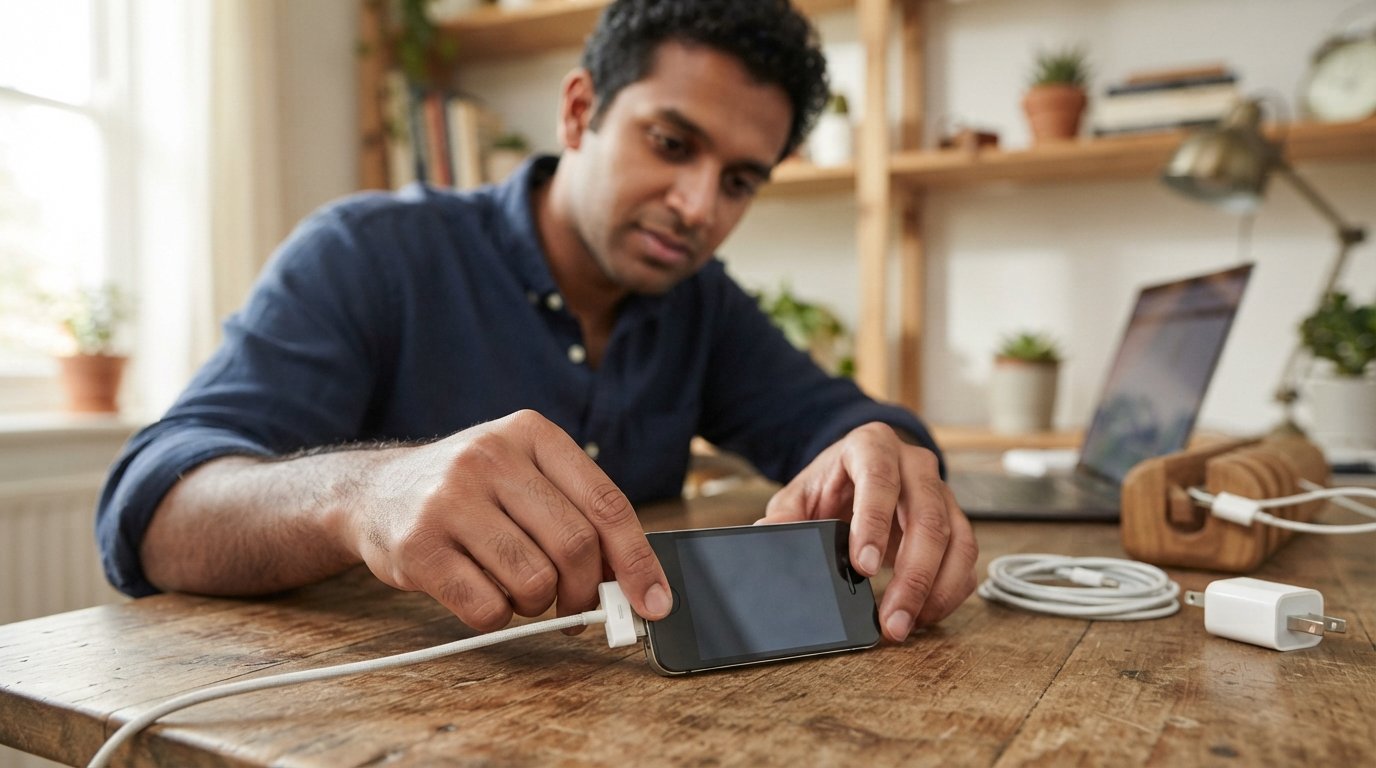
Finding the right iPhone 4 charger can be confusing because the iPhone 4 uses an older Apple charging connector that is different from the Lightning connector found on later iPhone models. If you still use an iPhone 4, need a replacement charger, or simply want to understand which cable and power adapter work with it, choosing compatible accessories is important.
This guide explains everything you need to know about the iPhone 4 charger, including the charging cable, power adapter, charging speed, compatibility, replacement options, common charging problems, and frequently asked questions.
What Charger Does the iPhone 4 Use?
The iPhone 4 uses Apple’s 30-pin dock connector for charging and synchronization.
Unlike newer iPhones that use Lightning or USB-C, the iPhone 4 connects to a charger through the older 30-pin connector.
A typical iPhone 4 charging setup includes:
- 30-pin USB cable
- USB power adapter
- Compatible wall outlet
- iPhone 4
The cable connects the iPhone 4’s 30-pin port to a USB power adapter.
What Is an iPhone 4 Charging Cable?
An iPhone 4 charging cable is a cable with a 30-pin dock connector on one end and a USB connector on the other.
The 30-pin side plugs into the iPhone 4, while the USB side connects to a compatible power adapter, computer, or other USB power source.
The same type of 30-pin cable was used with several older Apple devices, although compatibility can depend on the specific accessory.
Does the iPhone 4 Use a Lightning Charger?
No.
The iPhone 4 does not use a Lightning cable.
Lightning was introduced with later Apple devices. The iPhone 4 predates that connector and uses the 30-pin dock connector.
Therefore:
iPhone 4 → 30-pin cable
Later Lightning iPhones → Lightning cable
Modern USB-C iPhones → USB-C cable
A Lightning cable cannot be plugged directly into an iPhone 4’s charging port.
What Does an iPhone 4 Charger Look Like?
A traditional iPhone 4 charger generally consists of a small USB power adapter and a 30-pin charging cable.
The cable has a wide 30-pin connector designed specifically for Apple’s older dock connector.
The power adapter may have a USB-A port where the charging cable is connected.
What Power Adapter Does the iPhone 4 Need?
The iPhone 4 was originally designed to work with USB charging accessories commonly used with older Apple devices.
A compatible USB power adapter can provide power to the phone through the 30-pin cable.
When choosing a replacement, pay attention to:
- USB connector type
- Output specifications
- Cable quality
- Connector compatibility
- Safety certifications
- Charger condition
A reputable, properly specified USB power adapter is preferable to an unknown low-quality charger.
How Many Watts Does an iPhone 4 Charger Use?
The iPhone 4 is an older device with relatively low charging-power requirements compared with modern smartphones.
The phone does not need a modern high-wattage fast charger to charge normally.
Using a higher-capacity USB power adapter does not necessarily make the iPhone 4 charge at a dramatically faster rate because the phone’s charging circuitry determines how much power it can accept.
Can You Use a Modern USB Charger With an iPhone 4?
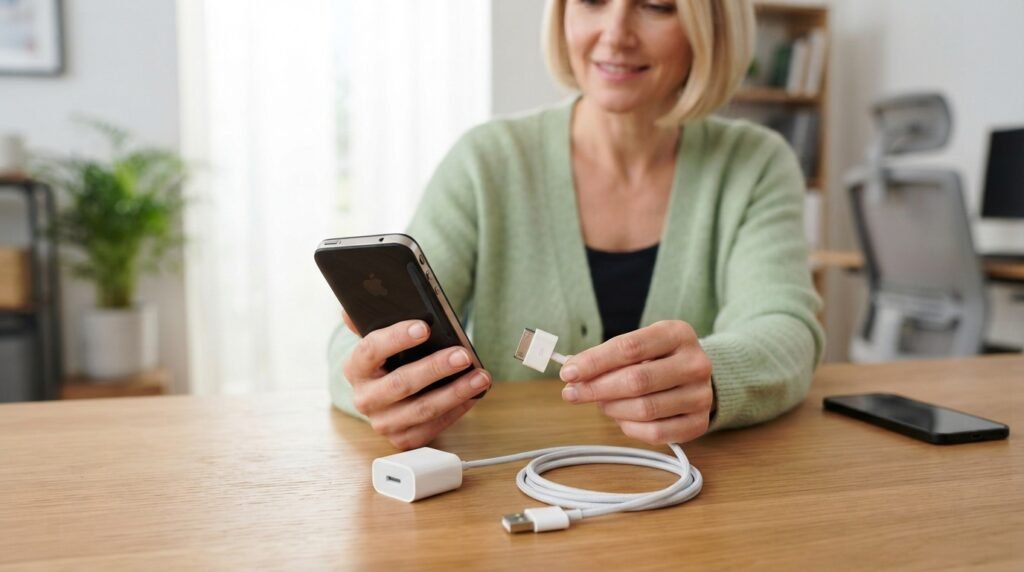
Potentially, yes, provided the power source is compatible and you have the correct 30-pin charging cable.
The important distinction is that the connector on the phone remains 30-pin.
For example, a modern USB power adapter with a USB-A port can be paired with an appropriate 30-pin cable.
If the modern adapter only has USB-C ports, you need an appropriate USB-C-to-30-pin charging solution that is compatible with the device.
Can You Charge an iPhone 4 With a USB Cable?
Yes.
The standard charging arrangement uses a USB cable with a 30-pin dock connector.
The USB end can connect to a suitable:
- Wall charger
- Computer
- USB power source
- Compatible charging accessory
Charging speed can vary depending on the power source and cable.
Can You Charge an iPhone 4 From a Computer?
Yes, an iPhone 4 can be connected to a compatible computer using its 30-pin USB cable.
This can provide power while also allowing synchronization with supported computer software.
However, computer USB ports may provide different amounts of power, and charging can be slower than using an appropriate wall adapter.
How Long Does an iPhone 4 Take to Charge?
Charging time depends on factors such as:
- Battery condition
- Charger output
- Cable condition
- Phone usage while charging
- Battery temperature
- Age of the battery
Because the iPhone 4 is an old device, battery degradation can be a significant factor.
An original or replacement battery that has aged substantially may take longer to charge or may not hold a charge for very long.
Why Is My iPhone 4 Not Charging?
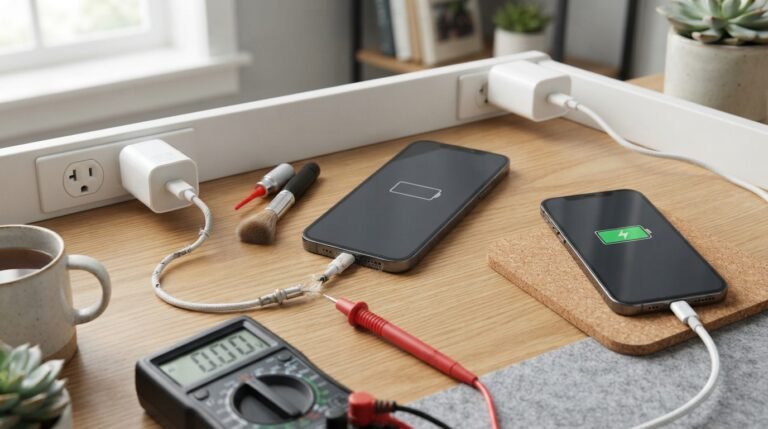
If your iPhone 4 won’t charge, several things could be responsible.
Common causes include:
- Damaged 30-pin cable
- Dirty charging port
- Faulty power adapter
- Damaged wall outlet
- Worn charging connector
- Failed battery
- Internal hardware problem
Start with the easiest checks before assuming the phone itself has failed.
Check the iPhone 4 Charging Cable
Inspect the cable carefully.
Look for:
- Frayed wires
- Bent connector pins
- Cracks
- Loose connections
- Damaged insulation
- Signs of overheating
If possible, test the iPhone 4 with another known-compatible 30-pin cable.
If the phone begins charging with the replacement cable, the original cable may be the problem.
Clean the iPhone 4 Charging Port
Dust and lint can accumulate inside an older phone’s charging port.
Debris can prevent the 30-pin connector from making proper contact.
Before cleaning:
- Turn the phone off.
- Disconnect it from power.
- Inspect the port carefully.
- Remove loose debris using a safe, non-metal method.
- Avoid forcing objects into the connector.
If the port is physically damaged, professional repair may be necessary.
Check the Power Adapter
A defective power adapter can prevent charging even when the cable is perfectly fine.
Try another compatible USB power adapter.
If the phone starts charging normally, the original adapter may have failed.
Try Another Outlet
A faulty outlet or power strip can also cause charging problems.
Connect the charger directly to a known-working wall outlet and try again.
Why Does My iPhone 4 Say “Not Charging”?
If the iPhone is connected to a USB source but does not appear to be charging properly, the problem could be related to:
- Insufficient power
- Cable condition
- Charging-port contacts
- Power source
- Battery condition
- Device hardware
Try a compatible wall charger instead of a computer USB port to determine whether the power source is contributing to the problem.
Can a Bad Battery Prevent an iPhone 4 From Charging?
Yes.
The iPhone 4 uses an internal rechargeable lithium-ion battery. Because these phones are now many years old, an original battery may have significantly degraded.
A failing battery may cause:
- Rapid battery drain
- Unexpected shutdowns
- Failure to hold a charge
- Very slow charging
- Difficulty powering on
- Unexpected percentage changes
If the battery is swollen, damaged, or unusually hot, stop using the device and seek professional service.
What Is the Difference Between an iPhone 4 and iPhone 4S Charger?
Both the iPhone 4 and iPhone 4S use the 30-pin dock connector, so their basic charging connection is similar.
However, always verify the exact accessory specifications before purchasing a replacement.
The cable, rather than the phone’s model name alone, is the key consideration for the connector.
Can an iPhone 4 Use an iPhone 3GS Charger?
Because the iPhone 3GS also uses Apple’s 30-pin dock connector, compatible charging cables and power adapters can generally be used with an iPhone 4.
Nevertheless, inspect older accessories for wear or damage before using them.
Can You Use an iPad Charger With an iPhone 4?
A compatible Apple USB power adapter from the same general generation can potentially be used with an iPhone 4 when paired with the correct 30-pin cable.
The iPhone’s charging circuitry controls how much power it draws.
However, don’t use damaged, counterfeit, or improperly specified adapters.
Can You Use a Power Bank to Charge an iPhone 4?
Yes.
A power bank with a compatible USB output can be used with an appropriate 30-pin iPhone 4 cable.
This can be useful when charging away from a wall outlet.
The charging speed depends on the power bank’s output and the iPhone’s charging requirements.
Can You Charge an iPhone 4 in a Car?
Yes.
A compatible USB car charger can provide power to an iPhone 4 through a 30-pin charging cable.
Before using a car charger, verify that:
- The USB power output is appropriate.
- The cable is in good condition.
- The adapter is from a reputable manufacturer.
- The connector fits securely.
What Is an iPhone 4 Dock?
An iPhone 4 charging dock is an accessory designed to hold the phone while connecting it to a 30-pin charging connector.
Depending on the dock, it may allow:
- Charging
- Computer synchronization
- Desk charging
- Audio connections
Compatibility varies by dock design.
Is the Original iPhone 4 Charger Still Available?
Original Apple accessories for discontinued products can be difficult to find new.
You may encounter:
- Original unused accessories
- Used genuine Apple accessories
- Third-party replacements
- Refurbished accessories
When buying an old charger, inspect the product carefully and purchase from a reputable seller.
How to Choose an iPhone 4 Replacement Charger
When buying an iPhone 4 replacement charger, consider the following:
1. Choose the Correct Connector
The phone requires a 30-pin connection.
2. Check the Power Adapter
Choose a reputable USB power adapter with appropriate output specifications.
3. Inspect Cable Quality
Avoid extremely thin, poorly constructed, or visibly damaged cables.
4. Check Compatibility
Make sure the cable specifically supports older 30-pin Apple devices.
5. Avoid Damaged Accessories
A frayed cable or cracked adapter can create a safety hazard.
How to Tell if an iPhone 4 Charger Is Bad
A charger may be defective if:
- The phone charges intermittently
- Charging stops when the cable moves
- The adapter becomes unusually hot
- The phone doesn’t recognize the connection
- Charging works only at a certain angle
- Another charger works normally
Testing the cable and adapter separately can help identify the faulty component.
Why Does My iPhone 4 Charge Slowly?
Slow charging can be caused by:
- Aging battery
- Damaged cable
- Weak power source
- Dirty connector
- Battery usage while charging
- Internal hardware degradation
For an older iPhone, battery age is an especially important consideration.
Why Does My iPhone 4 Get Hot While Charging?
Some warmth during charging can be normal, but excessive heat is not something to ignore.
Potential causes include:
- Faulty charger
- Damaged cable
- Battery degradation
- High ambient temperature
- Internal hardware problem
If the phone becomes unusually hot, develops a swollen battery, emits an unusual odor, or behaves abnormally, disconnect it from power and stop using it until it can be inspected safely.
Can You Still Use an iPhone 4 Today?
Technically, an iPhone 4 can still power on and perform some basic functions if its battery and hardware are working.
However, it is an extremely old smartphone.
Modern app compatibility, security updates, cellular-network compatibility, and online services may be severely limited compared with current devices.
For this reason, an iPhone 4 may be more useful today as a legacy device, music player, collector’s item, or offline device than as a primary smartphone.
iPhone 4 Charger Compatibility Chart
| Accessory | iPhone 4 Compatibility |
|---|---|
| 30-pin USB cable | Yes |
| Lightning cable | No |
| USB-C cable directly into phone | No |
| Compatible USB wall adapter | Yes |
| Compatible USB power bank | Yes |
| Compatible USB car charger | Yes |
| 30-pin charging dock | Usually, if designed for the device |
| Modern MagSafe charger | No direct compatibility |
Frequently Asked Questions
1. What charger does an iPhone 4 use?
The iPhone 4 uses a 30-pin dock connector charging cable rather than a Lightning or USB-C cable.
2. Does the iPhone 4 use a 30-pin charger?
Yes. Its charging and synchronization port is Apple’s 30-pin dock connector.
3. Can I use a Lightning charger for an iPhone 4?
No. A standard Lightning cable does not fit the iPhone 4’s 30-pin port.
4. Can I use a USB-C charger for an iPhone 4?
A USB-C power adapter may potentially provide power through an appropriate compatible cable or adapter, but the phone itself still requires a 30-pin connection.
5. What cable does the iPhone 4 need?
It needs a compatible 30-pin to USB charging and synchronization cable.
6. Can an iPhone 4 charge wirelessly?
The iPhone 4 does not have built-in Qi wireless charging. A specialized external accessory would be required for any wireless-charging setup.
7. Why won’t my iPhone 4 charge?
Possible causes include a damaged cable, faulty adapter, dirty 30-pin port, degraded battery, or internal hardware failure.
8. Can I charge an iPhone 4 from a power bank?
Yes. Use a compatible power bank with a suitable USB output and a 30-pin charging cable.
9. Can I charge an iPhone 4 from a computer?
Yes. A compatible 30-pin USB cable can connect the phone to a computer’s USB port for charging and, on supported systems, synchronization.
10. Does an iPhone 4 charger work with an iPhone 4S?
Both devices use the 30-pin connector, so compatible 30-pin charging accessories can generally serve both models.
Final Thoughts
The iPhone 4 charger is based on Apple’s older 30-pin dock connector, making it different from the Lightning and USB-C charging systems used by newer iPhones. If you need an iPhone 4 replacement charger, the most important thing is to choose a reliable 30-pin cable and a compatible USB power adapter.
If your iPhone 4 is not charging, test the cable, power adapter, and outlet first. Then inspect the 30-pin port for debris or damage and consider the condition of the phone’s aging battery. Because the iPhone 4 is now a legacy device, finding high-quality replacement accessories can be more difficult than finding modern iPhone chargers. Avoid damaged or questionable accessories, and prioritize reputable replacement cables and power adapters to keep the device charging safely.
Related Post
- Nikon Mh-25a Battery Charger – Complete Guide to Compatibility, Charging, and Replacement!
- Periodic Table And Charges – Complete Guide to Element Ionic Charges!
- Ps Vita Charger – Complete Guide to Choosing, Using, and Replacing a PS Vita Charger!
About the Author