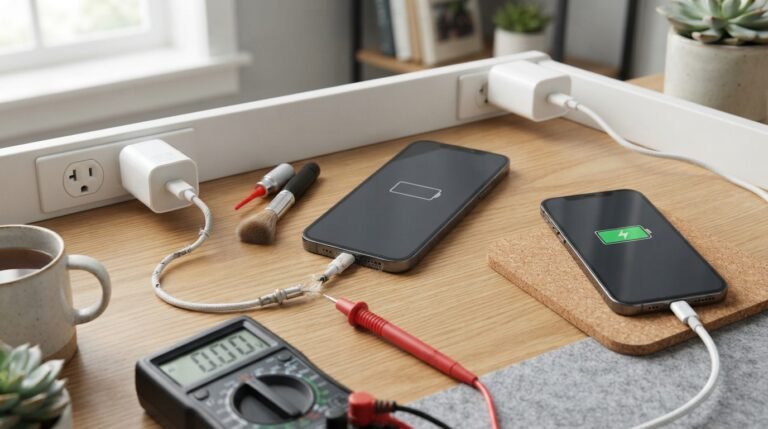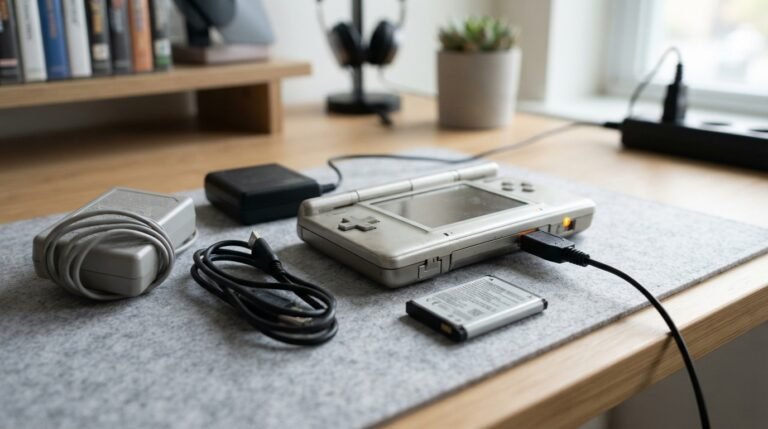
If you’ve ever plugged your phone, tablet, laptop, or another electronic device into a wall outlet, you’ve probably used a charging brick without knowing its technical name.
So, what is a charging brick? A charging brick is the wall-mounted power adapter that converts electricity from an AC wall outlet into the appropriate DC power needed to charge or operate an electronic device.
Charging bricks come in many shapes, sizes, and power levels. Some are designed for smartphones and earbuds, while larger USB-C charging bricks can provide enough power for tablets and laptops.
In this guide, we’ll explain what a charging brick is, how it works, the difference between a charging brick and a charger, how to choose the right one, why some charging bricks charge faster than others, and whether you can safely use one charging brick with different devices.
What Is a Charging Brick?
A charging brick is a compact power adapter that connects to a wall outlet and provides electrical power to a compatible electronic device.
It is commonly called a:
- Charging brick
- Power brick
- Wall charger
- Power adapter
- USB power adapter
- AC adapter
- Charging adapter
A typical charging brick has a plug that connects to a wall outlet and one or more ports, such as USB-A or USB-C, where a charging cable is connected.
The brick contains electronic components that regulate electrical power before sending it to your device.
How Does a Charging Brick Work?
A charging brick doesn’t simply pass electricity directly from the wall to your phone.
Household electrical outlets provide alternating current (AC) at a relatively high voltage. Most modern electronics require low-voltage direct current (DC).
The charging brick converts and regulates the electrical power so that a compatible device can safely use it.
A simplified process looks like this:
Wall outlet → AC power → charging brick → regulated DC power → charging cable → device
Modern charging adapters can also communicate with compatible devices to determine how much power should be delivered.
This is particularly important for fast-charging technologies such as USB Power Delivery.
What Is the Difference Between a Charging Brick and a Charger?
The terms charging brick and charger are often used interchangeably, but they can describe slightly different things.
A charging brick generally refers to the power adapter that plugs into the wall.
A charging setup may include:
- Wall outlet
- Charging brick
- USB cable
- Device
- Charging circuitry inside the device
The device itself often contains the circuitry responsible for managing the battery charging process.
In everyday conversation, however, calling the wall adapter a “charger” is perfectly common.
Charging Brick vs. Charging Cable
A charging brick and charging cable are two different components.
Charging Brick
The brick connects to the wall outlet and supplies electrical power.
Charging Cable
The cable connects the charging brick to the device and carries power between them.
For example:
Wall outlet → USB-C charging brick → USB-C cable → smartphone
A cable can sometimes affect charging speed, especially when using high-power charging standards, so both the adapter and cable should support the desired power level.
What Are the Different Types of Charging Bricks?

Charging bricks are available in several types.
USB-A Charging Bricks
USB-A adapters have the traditional rectangular USB port.
They’re widely used with older charging cables and many existing accessories.
USB-C Charging Bricks
USB-C charging bricks are increasingly common.
They can support higher charging speeds and technologies such as USB Power Delivery (USB-PD) when both the adapter and device are compatible.
Multi-Port Charging Bricks
Some charging bricks include multiple USB ports.
These are useful when you need to charge several devices simultaneously.
Depending on the model, the available power may be divided between ports when multiple devices are connected.
Laptop Charging Bricks
Laptops may require significantly more power than smartphones.
Modern USB-C laptops can often use high-wattage USB-C power adapters, while some laptops use proprietary charging connectors.
Always check the manufacturer’s recommended power requirements.
GaN Charging Bricks
Gallium nitride (GaN) chargers use GaN semiconductor technology instead of traditional silicon components in key parts of the power-conversion system.
GaN charging bricks can offer high power output in a relatively compact design, making them popular for phones, tablets, laptops, and multi-device charging.
What Does Wattage Mean on a Charging Brick?
One of the most important specifications on a charging brick is wattage (W).
Wattage indicates how much electrical power the adapter can provide under supported conditions.
For example:
- 5W — basic low-power charging
- 20W — common smartphone fast-charging range
- 30W — suitable for many phones and tablets
- 65W — commonly used for many laptops and high-power devices
- 100W or more — suitable for compatible laptops and other high-power devices
These are general examples, not universal requirements.
A device only draws the amount of power it is designed and permitted to use.
Does a Higher-Wattage Charging Brick Charge Faster?
Not necessarily.
Using a higher-wattage adapter doesn’t automatically mean your phone will charge at that maximum wattage.
Charging speed depends on several factors, including:
- Device compatibility
- Battery condition
- Charging protocol
- Cable capability
- Adapter output
- Device temperature
- Battery charge level
For example, connecting a phone that supports 20W charging to a 100W compatible USB-C power adapter doesn’t mean the phone will receive 100W.
The phone generally negotiates an appropriate power level.
What Is USB Power Delivery?
USB Power Delivery (USB-PD) is a charging and power-management standard commonly used with USB-C devices.
It allows compatible devices and power adapters to negotiate an appropriate voltage and current level.
USB-PD can support higher power levels than basic USB charging, making it useful for:
- Smartphones
- Tablets
- Laptops
- Portable gaming devices
- Monitors
- Other USB-C electronics
However, the device, charging brick, and cable must support the required capabilities for a particular charging speed.
Can You Use Any Charging Brick With Your Phone?
Not necessarily.
You should use a charging brick that is compatible with your device and its charging standard.
When selecting an adapter, check:
- Output voltage
- Maximum wattage
- Supported charging protocols
- Connector type
- Manufacturer recommendations
- Safety certifications
Modern USB-C charging standards provide significant compatibility, but that doesn’t mean every USB-C adapter provides identical performance.
Is a Higher-Wattage Charger Safe for a Phone?
Generally, a reputable, standards-compliant charging brick with a higher maximum power rating can be used with a compatible phone because the device typically controls how much power it draws.
However, compatibility matters.
Avoid using damaged, counterfeit, poorly manufactured, or uncertified power adapters. A cheap adapter with inadequate electrical protections can create safety risks.
The safest approach is to use a reputable adapter that meets your device manufacturer’s specifications.
Why Is My Charging Brick Getting Hot?

Charging bricks can become warm during normal operation because power conversion generates heat.
However, there is an important difference between normal warmth and excessive heat.
A charging brick may become warmer when:
- Charging a high-power device
- Multiple devices are connected
- The adapter is operating near its maximum output
- The surrounding environment is hot
- Airflow around the adapter is restricted
If a charging brick becomes unusually hot, smells like burning plastic, makes unusual noises, shows physical damage, or behaves erratically, stop using it and replace it with a safe, compatible adapter.
Why Is My Charging Brick Not Working?
If your charging brick isn’t charging a device, the problem could be the adapter, cable, outlet, or device.
Try these steps:
- Test a different wall outlet.
- Try another compatible charging cable.
- Disconnect other devices from the adapter.
- Check the adapter for visible damage.
- Test the adapter with another compatible device.
- Check whether the device’s charging port is clean and undamaged.
- Make sure the adapter supports the device’s charging requirements.
Testing each component separately can help identify the source of the problem.
How Long Do Charging Bricks Last?
There isn’t one fixed lifespan for every charging brick.
A quality power adapter can remain functional for many years if it is used properly and isn’t damaged.
Its lifespan can be affected by:
- Heat
- Physical damage
- Frequent plugging and unplugging
- Power surges
- Poor manufacturing quality
- Moisture
- Heavy continuous use
Replace a charging brick if it becomes damaged or begins behaving abnormally.
Signs You Should Replace a Charging Brick
Consider replacing a charging brick if you notice:
- Cracks in the casing
- Exposed wiring
- Burn marks
- Burning smell
- Excessive heat
- Buzzing or unusual sounds
- Intermittent charging
- Loose ports
- Visible corrosion
- Charging problems across multiple cables
Never continue using a power adapter that shows serious physical or electrical damage.
Charging Brick vs. Power Bank
A charging brick and a power bank both provide power, but they work differently.
A charging brick receives power from a wall outlet and supplies it to a connected device.
A power bank stores energy in an internal battery so you can charge devices without being connected directly to a wall outlet.
| Feature | Charging Brick | Power Bank |
|---|---|---|
| Main power source | Wall outlet | Internal battery |
| Portable | Yes, but requires outlet | Yes |
| Stores energy | No | Yes |
| Best for | Home, office, travel outlets | Travel and outdoor use |
| Charging multiple devices | Depends on ports | Depends on capacity and ports |
How to Choose the Right Charging Brick
Choosing a charging brick becomes easier when you know what your device requires.
1. Check the Device’s Power Requirements
Look at the manufacturer’s specifications to determine the recommended charging power.
2. Check the Port
Determine whether you need USB-C, USB-A, or another connector.
3. Consider Charging Speed
If fast charging is important, choose an adapter that supports the charging protocol used by your device.
4. Consider the Number of Ports
A multi-port adapter can be useful if you regularly charge several devices.
5. Look for a Reputable Manufacturer
Choose a reliable power adapter with appropriate safety protections and certifications for your region.
6. Consider GaN Technology
A GaN charging brick can be a good option if you want high power output in a smaller package.
Can One Charging Brick Charge Multiple Devices?
Yes, a multi-port charging brick can charge several devices at the same time.
However, the total available power may be shared between connected devices.
For example, a multi-port adapter advertised with a certain maximum wattage may distribute that power differently depending on which ports are being used.
Check the adapter’s specifications to understand its power distribution.
Are Charging Bricks Universal?
Charging bricks are becoming more universally compatible, especially with USB-C and standardized charging protocols.
However, they are not completely universal.
Different devices can have different:
- Power requirements
- Charging protocols
- Connector types
- Maximum charging speeds
Always confirm compatibility before using an unfamiliar adapter.
Frequently Asked Questions
1. What is a charging brick used for?
A charging brick converts and regulates electricity from a wall outlet so compatible electronic devices can receive appropriate power for charging or operation.
2. Is a charging brick the same as a charger?
In everyday use, the terms are often used to mean the same thing. Technically, a charging brick usually refers specifically to the wall power adapter, while charging can involve the adapter, cable, and charging circuitry inside the device.
3. Can I use a 65W charging brick for my phone?
If the phone supports the charger’s connection and charging standard, a 65W adapter can generally be used. The phone typically draws only the amount of power it is designed to accept.
4. Does a charging brick affect charging speed?
Yes. The adapter’s maximum output and supported charging protocols can affect charging speed, along with the device, cable, temperature, and battery condition.
5. Why do charging bricks get hot?
Power conversion creates heat, so some warmth is normal. Excessive heat, burning smells, unusual sounds, or physical damage are warning signs that the adapter should no longer be used.
6. Are GaN charging bricks better?
GaN charging bricks can provide high power in a smaller and often lighter package. Whether one is better for you depends on your devices, required wattage, number of ports, and portability needs.
7. Can a charging brick damage a phone?
A reputable, compatible charging adapter with appropriate safety protections should not normally damage a compatible phone. Poor-quality, counterfeit, damaged, or incompatible power adapters can increase safety and equipment risks.
8. How do I know what wattage charging brick I need?
Check your device manufacturer’s recommended charging power. Then choose a reputable adapter that meets or exceeds the required power and supports the appropriate charging standard.
Final Thoughts
So, what is a charging brick? It is the power adapter that connects your electronic device to a wall outlet and converts electrical power into a form the device can safely use. The right charging brick can make a significant difference in charging speed, compatibility, convenience, and safety. When choosing one, don’t focus only on wattage. Consider the device’s requirements, charging protocol, cable, ports, safety features, and overall build quality.
For most modern devices, USB-C and USB Power Delivery have made charging more flexible than ever. And if you need a compact high-power solution, GaN charging bricks can provide an attractive combination of power and portability.
About the Author