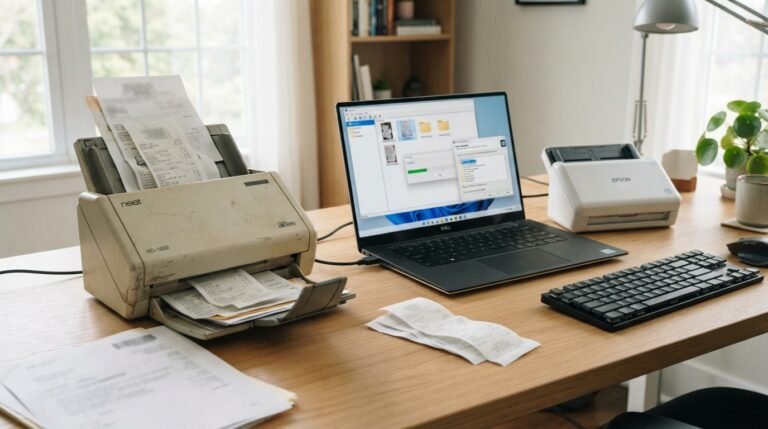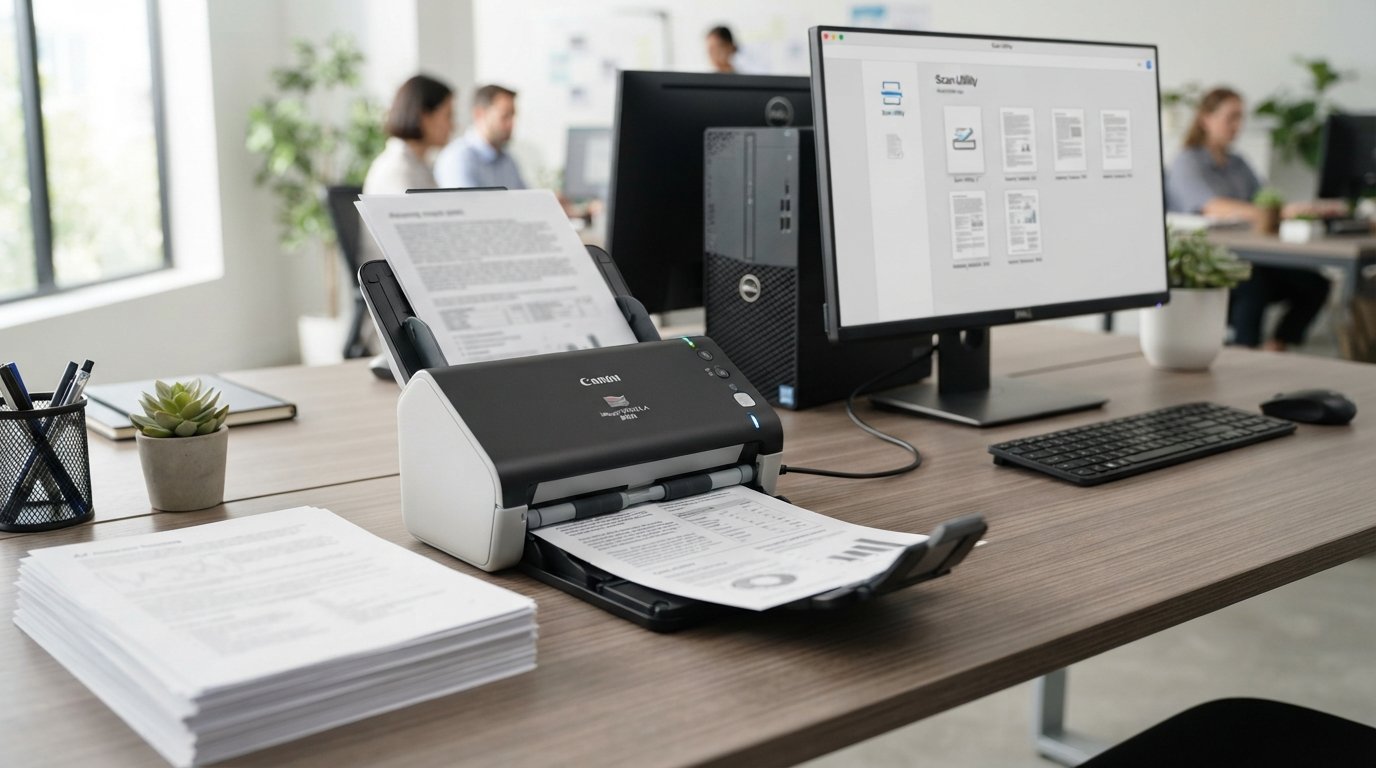
The Canon imageFORMULA R40II Office Document Scanner is a compact sheetfed document scanner designed for home offices, small businesses, accounting work, legal documents, education, and everyday paper digitization.
Its main attractions are straightforward: up to 45 pages per minute, single-pass duplex scanning, a 60-sheet automatic document feeder, 600 dpi optical resolution, USB-C connectivity, and Canon CaptureOnTouch software.
The R40II can handle much more than ordinary letter-size paperwork. Canon documents support for receipts, business cards, cards, contracts, long documents, and other office materials, while Long Document Mode can accommodate documents up to 240 inches long.
However, there is one important limitation to understand before buying: the R40II does not support TWAIN or ISIS drivers and is designed to work through Canon CaptureOnTouch software. That may be perfectly fine for a straightforward scanning workflow, but it can matter if your business depends on third-party document-management software.
What Is the Canon imageFORMULA R40II?
The Canon imageFORMULA R40II is a desktop sheetfed document scanner built to convert physical paperwork into digital files.
Instead of placing one page at a time on a flatbed scanner, you can load a stack into the automatic document feeder. The scanner then pulls pages through automatically and captures both sides during a single pass.
Canon positions the R40II for environments including accounting, legal services, education, small businesses, and home offices.
Typical uses include:
- Contracts
- Invoices
- Receipts
- Reports
- Business cards
- Office paperwork
- Long documents
- Paper archives
- Searchable PDFs
- Digital document storage
The foldable paper-feed design also helps reduce the scanner’s footprint when it is not being used.
Canon R40II Specifications
| Feature | Canon imageFORMULA R40II |
|---|---|
| Scanner type | Desktop sheetfed scanner |
| Scanning | Simplex and duplex |
| Maximum speed | Up to 45 ppm / 90 ipm |
| Optical resolution | Up to 600 dpi |
| Output resolution | Up to 1200 dpi |
| ADF capacity | Up to 60 sheets |
| Sensor | CIS |
| Light source | LED |
| Interface | USB Type-C |
| Document width | 2 to 8.5 inches |
| Normal document length | 2.1 to 14 inches |
| Long Document Mode | Up to 240 inches |
| Color depth | 24-bit |
| Grayscale depth | 8-bit |
| Software | Canon CaptureOnTouch |
| TWAIN/ISIS | Not supported |
| Weight | 7.05 lb |
| Closed dimensions | 11.2 × 6.3 × 6.3 inches |
| Operating systems | Windows 11, macOS 13–15 |
These specifications come from Canon’s product documentation and support material.
How Fast Is the Canon R40II?
The R40II is rated for up to 45 pages per minute in simplex scanning and up to 90 images per minute in duplex scanning under specified conditions.
The important distinction is between pages per minute (ppm) and images per minute (ipm).
If a document has printing on both sides:
- Simplex scans one side.
- Duplex scans both sides in one pass.
- A 45 ppm duplex workflow can therefore produce up to approximately 90 captured images per minute.
Canon’s detailed specifications show that performance varies with resolution and color mode. For example, color scanning can reach 45 ppm at 200 dpi, while the documented 300 dpi color rate is 40 ppm simplex and 80 ipm duplex.
Actual performance can also vary according to the computer, application software, document condition, and settings.
Is 45 ppm fast enough for an office?
For many small offices and home offices, yes.
The R40II is intended for recurring document batches rather than occasional single-page scans. Its 60-sheet ADF and duplex capability allow you to process a stack without manually turning every sheet over.
For extremely high-volume production environments, however, a larger-capacity professional scanner may be more appropriate.
Does the Canon R40II Scan Both Sides?
Yes.
The R40II supports single-pass duplex scanning, meaning both sides of a two-sided sheet can be captured during the same feeding operation.
This is particularly useful for:
- Contracts
- Legal paperwork
- Invoices
- Reports
- Forms
- Double-sided applications
- Archived records
Duplex scanning can substantially reduce manual work compared with a simplex scanner that requires pages to be flipped and rescanned.
Canon R40II 60-Sheet Automatic Document Feeder
The automatic document feeder can hold up to 60 sheets under Canon’s specified conditions. For A4-size or smaller paper at the specified paper weight, Canon lists a 60-sheet capacity; larger-than-A4 documents have a 50-sheet loading capacity.
The ADF is useful because you do not need to manually place each page on a scanner glass.
The R40II can handle a range of materials, including:
- Standard documents
- Receipts
- Business cards
- Reports
- Contracts
- Long documents
- Certain cards
The feeder capacity should still be viewed as a 60-sheet desktop workflow, not a large 100- or 200-sheet production feeder.
What Resolution Does the R40II Have?
The scanner has an optical resolution of up to 600 dpi and offers output resolutions ranging from 100 dpi through 1200 dpi.
For ordinary office documents, extremely high resolution is usually unnecessary.
Lower or moderate resolutions are generally more practical when the goal is:
- Faster scanning
- Smaller files
- Searchable PDFs
- Everyday document archiving
Higher resolutions can be useful for specific image or document requirements, but the best setting depends on what you are scanning.
What Documents Can the Canon R40II Scan?
The R40II is designed for a broad range of office materials.
Canon lists support for documents from approximately 2 × 2.1 inches through 8.5 × 14 inches in normal operation, with Long Document Mode extending the maximum document length to 240 inches.
It can be used with:
- Letter-size documents
- A4 documents
- Legal-size paperwork
- Receipts
- Business cards
- Contracts
- Reports
- Long documents
- Certain plastic cards
Canon specifies that standard paper can range from 7.2 to 110 lb bond, subject to the scanner’s document requirements.
Can it scan business cards?
Yes.
Canon lists business-card support with specified dimensions and thickness requirements. Business cards are fed vertically, and the number that can be loaded at once is lower than the normal 60-sheet paper capacity.
Can it scan plastic cards?
Yes, within Canon’s specified limits.
The documentation lists ISO/JIS-style cards up to 1.4 mm thick, with a maximum loading capacity of three cards. Embossed cards are not supported.
Canon R40II Long Document Mode
One of the more useful features that can be overlooked is Long Document Mode.
The normal maximum document length is 14 inches, but Canon says Long Document Mode can handle documents up to 6,096 mm, or 240 inches.
This can be useful for unusually long documents, but Canon notes that long-document scanning can have additional limitations, including slower operation and potential feeding or memory-related issues at higher resolutions.
So the 240-inch figure should not be interpreted as meaning every long document will scan at maximum speed and resolution.
Canon R40II Software: CaptureOnTouch
The R40II includes Canon CaptureOnTouch software.
CaptureOnTouch is central to the R40II because Canon specifies that the scanner requires it and does not support TWAIN or ISIS drivers.
The software is intended to make routine scanning easier by letting users create scanning workflows and send documents to different destinations.
The R40II can also upload scanned content to third-party cloud services such as:
- Google Drive
- Dropbox
- OneDrive
- SharePoint
Canon notes that third-party cloud services may require separate subscriptions and are subject to the providers’ terms.
Does the Canon R40II Support OCR?
Yes, the R40II is designed to work with OCR-based workflows that convert paper documents into searchable digital files.
That matters because a scanned PDF can otherwise behave like a collection of images. OCR allows recognized text to become searchable and more useful for document management.
For example, OCR can make it easier to find a specific word inside a scanned:
- Contract
- Invoice
- Report
- Receipt
- Form
- Archive
Canon’s product information specifically describes converting paper documents into searchable digital formats using OCR/software workflows.
Does the Canon R40II Support TWAIN or ISIS?
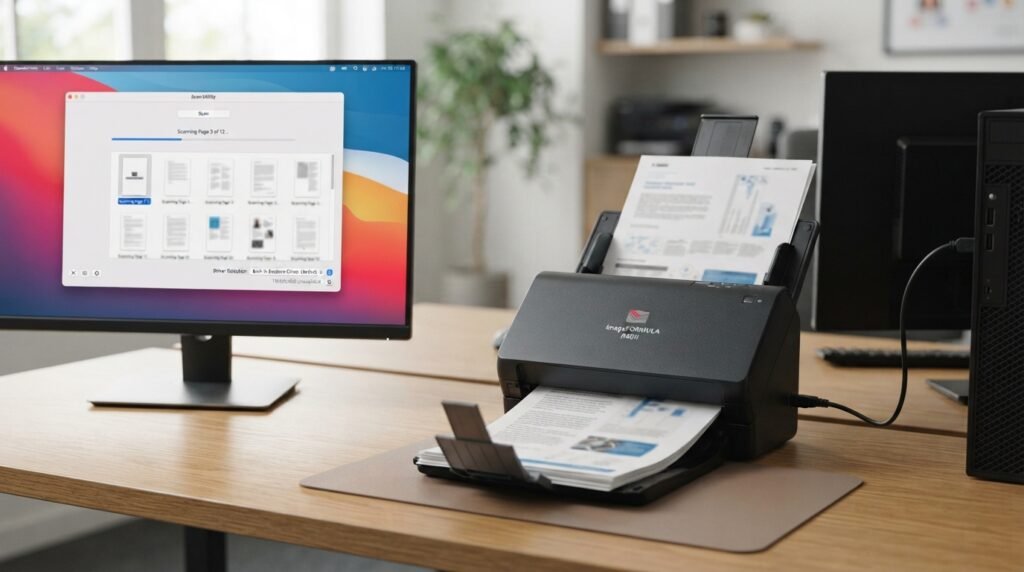
No.
This is one of the most important things to know before purchasing the R40II.
Canon explicitly states that the scanner does not support TWAIN or ISIS drivers and that CaptureOnTouch must be installed for the scanner to be used.
Why does this matter?
TWAIN and ISIS are commonly associated with scanner integration into third-party applications and document-management environments.
If your workflow is simple—scan, create a PDF, OCR it, and save it—CaptureOnTouch may be all you need.
If your organization has specialized software that specifically requires TWAIN or ISIS, verify compatibility before buying.
This is a much more important purchasing consideration than simply looking at the 45 ppm specification.
Does the Canon R40II Have Wi-Fi?
The R40II uses a USB Type-C connection rather than presenting itself as a wireless network scanner. Canon’s listed interface is USB 3.2/3.1/3.0/2.0 with a Type-C connector.
That means the basic workflow is:
R40II → USB cable → computer → CaptureOnTouch → saved/scanned destination
This is ideal if the scanner will sit beside a dedicated workstation.
It is less convenient for offices that want several computers to access one scanner wirelessly or over a network.
Canon R40II Computer Requirements
Canon’s software documentation lists:
- Windows 11
- macOS 13
- macOS 14
- macOS 15
The documented computer requirements include at least 8 GB RAM for Windows and 16 GB for Mac, along with processor and storage requirements for the software installation.
Because software support changes over time, users should check Canon’s current support page before installing drivers or software on a newer operating-system version.
Canon R40II Image Processing Features
The scanner includes a substantial collection of image-processing functions.
Canon lists features such as:
- Auto color detection
- Auto page-size detection
- Auto resolution setting
- Background smoothing
- Batch separation
- Character emphasis
- Color dropout
- Deskew
- Double-feed detection
- Edge emphasis
- Folio scanning
- Image rotation
- Moiré reduction
- MultiStream
- Skip blank page
- Text enhancement
- Text orientation recognition
- Three-dimensional color correction
- Ultrasonic double-feed detection
These features matter because scanning quality is not only about optical resolution. Software processing can also affect how clean and useful the resulting document becomes.
Double-Feed Detection
The R40II includes double-feed detection designed to identify when more than one document has entered the feeding path.
Canon’s manual also documents a rapid-recovery workflow for handling detected double feeds.
This can be particularly valuable when scanning important paperwork because an unnoticed double feed can result in a missing page.
Canon R40II Design and Size
The R40II weighs approximately 7.05 pounds and measures about 11.2 × 6.3 × 6.3 inches with the trays closed.
Its foldable feeder helps reduce the amount of desk space required when it is idle.
That makes it particularly suitable for:
- Home offices
- Small desks
- Shared workspaces
- Small businesses
- Occasional document archiving
It is still a dedicated office scanner rather than a pocket-sized portable scanner.
Canon R40II vs Canon R40
The R40II is the newer generation of Canon’s R40 family.
Canon says the R40II was designed with a more compact body, foldable paper feeder, upgraded performance, and enhanced image-processing capabilities compared with the previous R40.
The R40II retains the basic concept of the earlier model—fast desktop duplex scanning—but updates the physical design and workflow.
If you are replacing an older R40, the most important areas to investigate are:
- Software requirements
- Driver compatibility
- Physical dimensions
- Speed
- Paper handling
- Your existing scanning workflow
Don’t assume that an older application’s compatibility with the R40 automatically means identical compatibility with the R40II.
R40II vs R40II Receipt Edition
Canon also sells a R40II Receipt Edition, which should not be confused with the standard R40II.
The Receipt Edition adds a workflow specifically designed around receipt and invoice processing, including integration with Intuit QuickBooks Online through the bundled software.
The standard R40II is the more general-purpose document scanner.
The Receipt Edition is more specifically aimed at workflows involving:
- Receipts
- Invoices
- Accounting
- Bookkeeping
- QuickBooks Online
If QuickBooks integration is central to your workflow, compare the two models carefully before purchasing.
Is the Canon R40II Good for a Home Office?
The R40II can make sense for a home office that regularly handles paper.
It is particularly useful if you frequently scan:
- Tax documents
- Receipts
- Contracts
- Applications
- Business paperwork
- School records
- Household archives
Its combination of duplex scanning, 60-sheet ADF capacity, compact dimensions, and USB-C connection is more appropriate for recurring batches than for someone who scans only a few pages each month.
Is the Canon R40II Good for Small Business?
The R40II is aimed directly at small-business environments.
It can be useful for businesses that need to digitize paper without investing in a much larger production scanner.
Examples include:
- Accounting offices
- Real-estate offices
- Legal offices
- Consultants
- Small administrative teams
- Education offices
- Freelancers
The major question for business users is not just speed. Software compatibility should be checked first, particularly if your organization depends on TWAIN, ISIS, or specialized document-management software.
Who Should Consider the R40II?
The R40II is worth considering if you need:
- Fast desktop scanning
- Automatic document feeding
- Duplex scanning
- A compact scanner
- Searchable document workflows
- Business-card support
- Long-document capability
- USB-C connectivity
- Canon CaptureOnTouch
- Cloud upload options
Who May Want a Different Scanner?
A different model may make more sense if you specifically need:
- Wireless scanning
- Network scanning
- TWAIN support
- ISIS support
- A very large ADF
- High-volume production scanning
- A highly specialized enterprise document-management workflow
The absence of TWAIN and ISIS is particularly important for professional environments with established third-party scanning software.
Canon R40II Setup
The basic setup is designed to be straightforward.
The general workflow is:
- Place the scanner on a suitable desk.
- Connect the AC adapter and power cable.
- Connect the supplied USB Type-C cable to the computer.
- Install the required Canon software.
- Confirm the scanner is recognized.
- Open CaptureOnTouch.
- Select the desired scan settings.
- Load the documents.
- Start the scan.
- Save or send the resulting files.
Canon specifically describes the R40II as an easy-setup scanner that connects to the computer through the supplied USB-C cable.
For the exact driver and software installation procedure, use the current Canon support documentation because software instructions can change.
Common Canon R40II Problems
Scanner is not detected
Check:
- USB connection
- USB port
- Supplied cable
- Canon software installation
- Operating-system compatibility
- Scanner power
Canon recommends using the USB cable supplied with the scanner and notes that computer hardware can affect scanning performance.
Pages are missing from the scan
One possible cause is the Skip Blank Page function.
Canon’s troubleshooting documentation notes that pages with very little dark content can potentially be interpreted as blank when that function is enabled.
Double-feed errors
Check the document stack and make sure the paper is suitable for the scanner.
If the scanner detects multiple pages feeding together, follow the recovery procedure in Canon’s documentation.
Scanning is slower than expected
Maximum speed is measured under particular conditions.
Performance can change according to:
- Resolution
- Color mode
- Computer performance
- Application
- Document condition
- Processing settings
Canon explicitly notes that actual speeds can vary depending on the PC and application software.
Canon R40II Price and Availability
Product pricing and availability can change quickly.
At the time of this research, Canon’s U.S. shopping data showed the standard R40II with a regular price of $356 and a temporary promotional price of $305, while the dedicated product page also displayed a discontinued notice. Canon’s broader scanner category continued to list the R40II, creating an availability inconsistency that buyers should verify before ordering.
Retailer pricing can differ as well. Precision Camera currently displayed the model at $356 in its product listing.
Because inventory and promotions change, it is better to treat these numbers as a current snapshot rather than a permanent MSRP.
What Comes in the Box?
Canon lists the standard package as including:
- R40II scanner
- AC adapter
- Power cable
- USB 2.0 Type-C cable
- Setup guide
- Safety information
- Warranty card
- eCarePAK card
Always check the seller’s current package description if purchasing from a third-party retailer.
Canon R40II: Main Advantages
The biggest strengths of the R40II are its combination of:
- 45 ppm maximum scanning speed
- Single-pass duplex scanning
- 60-sheet ADF
- Compact foldable design
- 600 dpi optical resolution
- Long Document Mode
- Business-card support
- Double-feed detection
- USB-C connectivity
- CaptureOnTouch workflow
- Searchable-document capability
Canon R40II: Important Limitations
The most important limitations are:
- No TWAIN drivers
- No ISIS drivers
- USB-based rather than wireless workflow
- 60-sheet rather than very large-capacity ADF
- CaptureOnTouch is required
- Some advanced document-management environments may require a different scanner
These aren’t necessarily deal-breakers. They simply mean the R40II is best evaluated according to the user’s workflow rather than by speed alone.
Frequently Asked Questions
Is the Canon imageFORMULA R40II a duplex scanner?
Yes. It can scan both sides of a document in a single pass, with a maximum rated throughput of up to 90 images per minute under specified conditions.
How many pages can the Canon R40II hold?
Its automatic document feeder can hold up to 60 sheets under Canon’s specified conditions. Larger-than-A4 documents have a listed capacity of 50 sheets.
Does the R40II scan in color?
Yes. Canon lists color, grayscale, and black-and-white scanning modes, with color scanning rated up to 45 ppm under specified conditions.
Does the Canon R40II have 600 dpi?
Yes. Its optical resolution is up to 600 dpi. Output resolution options extend to 1200 dpi.
Does the R40II support TWAIN?
No. Canon states that the R40II does not support TWAIN or ISIS drivers and requires CaptureOnTouch.
Does Canon R40II work with Mac?
Canon lists macOS 13, 14, and 15 among the supported operating systems in its R40II software documentation. Always check Canon’s current support page for newer operating-system versions.
Does Canon R40II work with Windows 11?
Yes. Windows 11 is listed as a supported operating system.
Can the R40II scan receipts?
Yes. Receipts are among the document types Canon identifies for the R40II.
Can the R40II scan business cards?
Yes. Canon documents business-card support with specific size and thickness requirements.
Can the Canon R40II scan long documents?
Yes. Long Document Mode supports documents up to 240 inches, although long-document scanning has additional operating limitations.
Does the Canon R40II connect through USB-C?
Yes. The scanner uses a USB Type-C interface.
Is the Canon R40II suitable for a small office?
It can be a practical fit for small offices that need fast duplex scanning and do not require wireless/network scanning or TWAIN/ISIS compatibility. Canon specifically positions the model for small businesses and professional environments.
Final Thoughts
The Canon imageFORMULA R40II Office Document Scanner is designed around a simple idea: take recurring paper-scanning work and make it faster and more automated.
Its combination of 45 ppm scanning, single-pass duplex capture, a 60-sheet ADF, 600 dpi optical resolution, USB-C connectivity, document-processing features, and CaptureOnTouch software makes it particularly relevant to home offices and small-business environments.
The most important thing to check before purchasing is not the headline speed. It is workflow compatibility.
If you are comfortable using Canon CaptureOnTouch and want a wired desktop scanner for searchable PDFs and everyday document batches, the R40II’s feature set is straightforward.
If your organization requires TWAIN, ISIS, wireless networking, or deeper third-party document-management integration, investigate those requirements before buying.
For anyone comparing the R40II with another scanner, the most useful next step is to compare the actual workflow—speed, ADF capacity, software, connectivity, document types, and integration—rather than choosing based on a single specification.
Related Post
- Credit Cards In The Scanner – Can You Scan a Credit Card Safely?
- Def Scanner – Complete Guide to .DEF Files, Scanning Tools & How They Work!
- Env Scanner – Complete Guide to Environment Variable, Secrets & .env File Scanning!
About the Author