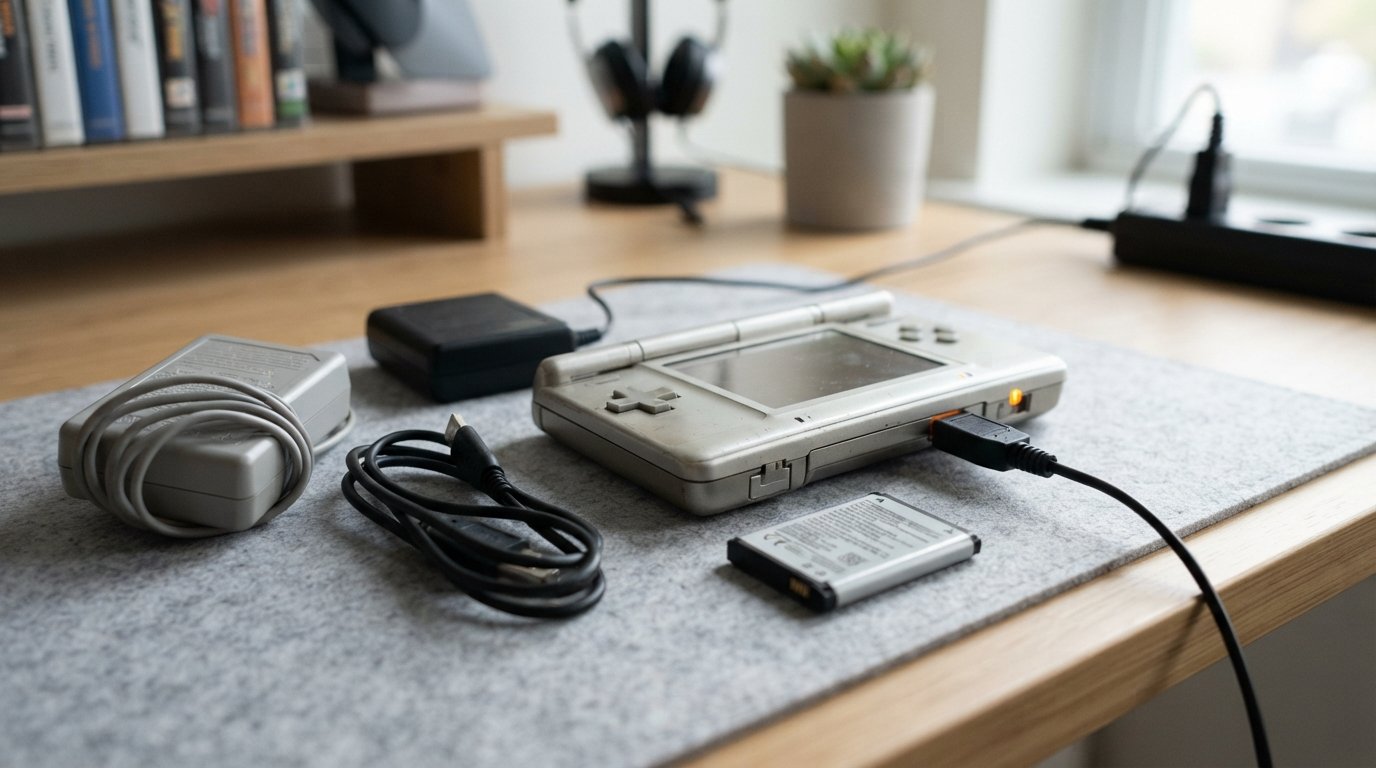
Charging Nintendo DS systems is straightforward once you identify which model you own. The original Nintendo DS and Nintendo DS Lite look similar but use different charging adapters, so choosing the wrong charger is one of the most common mistakes.
If you have lost the original charger, you can also find replacement AC adapters and purpose-built USB charging cables. The important part is matching the accessory to the exact DS model rather than buying a cable simply because it says “Nintendo DS.”
Nintendo’s official instructions say the original Nintendo DS takes about four hours to fully charge, while the DS Lite takes approximately three hours. The amber/orange charging indicator turns off when charging is complete.
This guide explains how to charge a Nintendo DS, which charger you need, whether USB charging is possible, how to charge without the original adapter, how long charging takes, and what to check when your DS won’t charge.
Quick Answer: How Do You Charge a Nintendo DS?
To charge an original Nintendo DS, connect the correct DS AC adapter to the charging port on the back of the console and plug the adapter into a compatible wall outlet.
For a Nintendo DS Lite, use the DS Lite-specific AC adapter or a properly designed DS Lite USB charging cable.
When charging normally, the orange/amber indicator should illuminate. The light turns off when the battery is fully charged. Nintendo states that the original DS takes about four hours to charge and the DS Lite takes about three hours.
The most important rule is simple:
Identify your DS model before buying or connecting a replacement charger.
Original Nintendo DS vs DS Lite Charger
The first thing to determine is whether you have the original Nintendo DS or the slimmer Nintendo DS Lite.
They do not use the same charging adapter.
| System | Correct charger family | Charging time |
|---|---|---|
| Original Nintendo DS | Nintendo DS AC adapter | About 4 hours |
| Nintendo DS Lite | DS Lite AC adapter, USG-002 | About 3 hours |
Nintendo’s own documentation identifies the DS Lite adapter as USG-002 and specifies the DS Lite charging connection as the 5.2V IN connector. Nintendo’s accessory information also lists a separate adapter for the original DS.
How to identify the original DS
The original DS is the larger, thicker first-generation DS system.
It has:
- A bulkier clamshell design
- A larger body than the DS Lite
- The original DS charging connector
- A charging port on the back
How to identify the DS Lite
The DS Lite is noticeably thinner and smaller.
It has:
- A slimmer clamshell design
- Brighter-looking screens
- A smaller charging connector
- A charging port labeled 5.2V IN on the rear
Nintendo specifically warns that the DS Lite requires its own AC adapter.
What Charger Does the Original Nintendo DS Use?
The original Nintendo DS uses its own dedicated AC adapter.
Nintendo’s documentation identifies the original DS adapter as NTR-002 in its accessory documentation. The original DS adapter is also compatible with the Game Boy Advance SP charger system because those devices share the relevant connector family.
If you have an original DS, look for a charger specifically advertised as compatible with:
- Nintendo DS
- Original Nintendo DS
- DS Phat
- NTR-002
- Game Boy Advance SP
Always verify the exact product description before connecting a third-party adapter.
What Charger Does the Nintendo DS Lite Use?
The Nintendo DS Lite uses the USG-002 AC adapter.
Nintendo’s official instructions specify that the small connector plugs into the 5.2V IN socket on the rear of the DS Lite.
A replacement listing should specifically say it is compatible with:
- Nintendo DS Lite
- NDSL
- USG-002
- DS Lite 5.2V IN
Do not assume an original DS charger will fit simply because both devices are called Nintendo DS.
How to Charge a Nintendo DS Step by Step
Charging the original DS is simple.
Step 1: Turn off the DS
You can charge the system while playing, but Nintendo says charging takes longer during gameplay.
For the quickest normal charging cycle, turn the console off.
Step 2: Locate the charging port
The charging connector is on the rear of the console.
On the DS Lite, look for the connector marked 5.2V IN.
Step 3: Insert the correct charger
Insert the connector carefully.
Do not force the plug into the socket. The connector should fit naturally when correctly oriented.
Step 4: Connect the AC adapter to power
Connect the adapter to the appropriate wall outlet.
Nintendo’s official U.S. instructions describe using a standard 120-volt outlet with the appropriate Nintendo adapter. Regional adapters and electrical systems can differ, so use a charger appropriate for your country.
Step 5: Check the charging light
The orange/amber charging indicator should illuminate when the DS is charging normally.
Step 6: Wait for a full charge
The original DS requires approximately four hours, while the DS Lite requires approximately three hours under Nintendo’s stated charging conditions.
Step 7: Check the indicator
When charging is complete, the orange/amber charging light turns off.
Nintendo recommends disconnecting the adapter from the wall before removing the connector from the console.
What Does the Orange Light Mean on a Nintendo DS?
The orange or amber light indicates that the system is charging.
When the battery reaches full charge, the light turns off.
This makes the charging indicator useful when the screens are closed and you aren’t actively using the console.
If the light briefly flashes and then disappears without the battery actually charging, that can indicate a problem rather than a completed charge.
Possible causes include:
- Faulty charger
- Poor connector contact
- Damaged charging port
- Aging battery
- Internal charging circuitry problem
iFixit discussions about the DS Lite specifically describe cases where the orange light comes on briefly and then goes out, with troubleshooting directed toward the charger, battery, port and internal circuitry.
How Long Does a Nintendo DS Take to Charge?
Charging time depends on the model.
Original Nintendo DS
Nintendo specifies approximately four hours for a full charge.
Nintendo DS Lite
Nintendo specifies approximately three hours for a full charge.
Actual charging time can vary with:
- Remaining battery capacity
- Battery age
- Whether the console is being used
- Charger condition
- Battery health
- Replacement battery quality
An old DS battery may no longer behave like a new battery even if the charger itself works correctly.
Can You Play a Nintendo DS While It Is Charging?
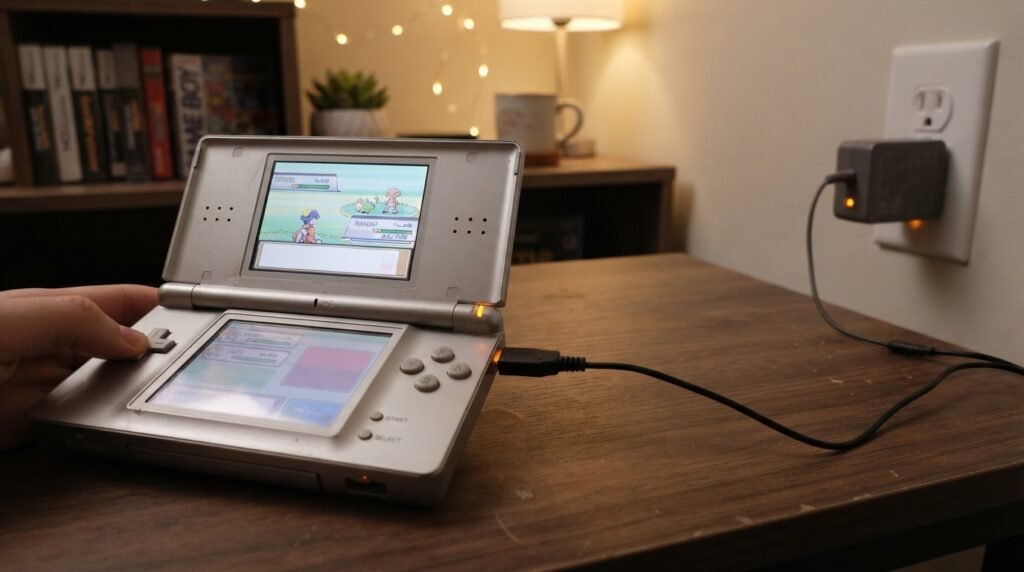
Yes.
Nintendo explicitly says the DS and DS Lite can be used while connected to the charger. However, charging takes longer during gameplay.
For example, if you’re playing a demanding game while charging, some of the incoming power is being used by the console while the remainder goes toward replenishing the battery.
For the fastest normal charge, close the system and leave it powered off.
Can You Charge a Nintendo DS With USB?
It depends on the model and the cable.
The original DS was designed around its dedicated charging adapter, while aftermarket charging accessories are available for different DS models.
For the DS Lite, purpose-built USB charging cables are widely available. Retro Modding, for example, sells a DS Lite USB charging cable and states that it can be powered from a wall adapter, car charger adapter, computer or external battery pack. It also specifically says the cable is not compatible with the original DS.
The important distinction is:
USB power source + correct DS-specific charging cable
is very different from:
random USB cable forced into a DS charging port.
Use a cable designed for your exact console.
Can You Charge a DS Lite From a Power Bank?
A DS Lite can be charged using a compatible USB charging cable connected to a suitable power source such as a power bank.
Current DS Lite USB charging accessories are specifically marketed for this purpose.
A typical setup is:
Power bank → USB cable → DS Lite charging connector
This can be convenient when traveling or when you do not have access to a wall outlet.
Before using an aftermarket cable, verify:
- DS Lite compatibility
- Correct connector
- Cable condition
- Manufacturer specifications
- Appropriate USB power source
Do not modify lithium-ion battery connections or bypass the console’s charging circuitry simply to make another cable work.
Can You Charge a Nintendo DS From a Computer?
With an appropriate USB charging cable designed for the exact model, a compatible DS system can be powered from a USB port.
This is particularly relevant to DS Lite USB charging cables. Retro Modding lists computer USB ports among the compatible power sources for its DS Lite cable.
However, USB charging capability comes from the charging cable/adapter design, not from the DS magically accepting any USB cable.
Can You Charge a DS in a Car?
Yes, provided you use an appropriate charging accessory.
For a DS Lite, USB charging cables can be connected to a suitable car USB adapter. Retro Modding specifically lists a car charger adapter as one of the possible power sources for its DS Lite USB cable.
For an original DS, use a compatible original-DS charging solution rather than assuming a DS Lite cable will work.
Can You Charge a Nintendo DS Without the Original Charger?
Yes, but the safest replacement depends on your model.
Option 1: Buy a replacement AC adapter
This is the most straightforward approach.
Look for an adapter explicitly designed for your model.
Option 2: Use a model-specific USB charging cable
This can be convenient for the DS Lite.
A purpose-built cable lets you use:
- USB wall adapters
- Power banks
- Computers
- Suitable car USB adapters
Option 3: Use a compatible replacement charger
Third-party replacement AC adapters are widely available.
Current retail listings show separate products for the original DS, DS Lite, DSi and 3DS-family systems, which illustrates why model compatibility matters.
Avoid DIY wire modifications
A Reddit discussion about charging an old DS without a charger included users considering cutting cables and connecting wires manually. Other participants pointed out the proprietary charging connector and recommended purchasing a compatible charger instead.
For a lithium-ion battery-powered device, improvised wiring is not a good beginner solution.
A cheap replacement cable is generally a much better option than experimenting with exposed wires.
Can You Use a DSi Charger on a DS Lite?
No.
The DS Lite, original DS and DSi use different charger systems.
Nintendo’s documentation identifies:
- Original DS: NTR-002
- DS Lite: USG-002
- DSi/DSi XL: WAP-002 family in the relevant Nintendo documentation
Nintendo specifically states that the DS Lite has its own dedicated adapter.
Do not buy a charger based only on the word “DS.”
Read the compatibility list.
Can You Use a 3DS Charger on a DS Lite?
Generally, no.
The DS Lite has a different charging connector from the DSi/3DS family.
If you own multiple Nintendo handhelds, it is especially important to check the exact model before connecting a charger.
What Happens if a DS Has Not Been Charged for Years?
An unused DS may have a severely depleted or aged battery.
Nintendo recommends recharging the battery at least every six months when the system is not used for long periods. Leaving a rechargeable battery uncharged for extended periods can shorten its useful life.
If an old DS has been sitting unused for years, don’t immediately assume the charger is defective.
The battery itself may have deteriorated.
Possible symptoms include:
- Charging light turns on briefly
- Console will not power on
- Battery loses charge very quickly
- System only works while connected to power
- Charging appears inconsistent
Why Is My Nintendo DS Not Charging?
If the DS won’t charge, troubleshoot from the simplest possibility to the more complicated one.
1. Check the charger
Inspect the cable and adapter for:
- Broken insulation
- Bent connector
- Frayed wires
- Loose connection
- Physical damage
If you have access to a known-good compatible charger, testing it can quickly identify whether the adapter is the problem.
2. Check the charging connector
Look inside the charging port for:
- Dust
- Debris
- Corrosion
- Bent contacts
- Physical damage
Do not force a connector into the port.
3. Check the battery
A very old lithium-ion battery may no longer accept or hold a normal charge.
Nintendo notes that battery performance decreases after long-term use.
4. Check for loose connections
If the connector feels unusually loose or the charging behavior changes when the cable moves, the port or its internal connection may need inspection.
5. Consider internal charging faults
If a known-good charger and battery don’t solve the problem, the console itself may have a hardware fault.
iFixit’s DS Lite troubleshooting discussion identifies the charger, charging port, battery contacts, board connections and internal components as possible areas to investigate.
DS Lite Orange Light Turns On Then Off
This is a common troubleshooting scenario.
One iFixit question describes a DS Lite where the orange light flashes and immediately goes out even after the battery was replaced. Community answers suggest checking the charger, charging port, battery connections and internal charging circuitry.
A sensible troubleshooting order is:
- Try a known-good compatible charger.
- Inspect the charging port.
- Check the battery.
- Check whether the connector fits correctly.
- If necessary, have the charging circuit inspected.
Don’t immediately assume the motherboard is dead.
What If the Charger Fits but the DS Still Does Not Charge?
Physical fit does not prove electrical compatibility.
A replacement charger can have a connector that physically enters the port while still being unsuitable.
Check:
- Exact console model
- Charger model compatibility
- Output specifications
- Connector condition
- Cable condition
This is one reason purpose-built replacement chargers are preferable to improvised adapters.
Nintendo DS Battery Care
The Nintendo DS and DS Lite use rechargeable lithium-ion batteries. Nintendo advises charging the system after long periods of storage and recommends recharging it at least every six months when it is not being used.
Good habits include:
- Don’t leave the console unused for years without checking the battery.
- Don’t use damaged chargers.
- Don’t use visibly damaged batteries.
- Don’t crush, puncture or deform the battery.
- Store the console in a dry location.
- Replace an aged battery with a compatible replacement rather than attempting an unsafe battery modification.
Should You Buy an Original or Third-Party DS Charger?
Both options can be available, but compatibility and build quality matter more than the logo on the listing.
Original charger
Potential advantages:
- Designed for the console
- Known compatibility
- Correct connector
- Original electrical specifications
Third-party charger
Potential advantages:
- Usually easier to find
- Often less expensive
- USB versions are available
- Convenient for travel
- Multiple cable lengths and designs
The important thing is to buy from a reputable seller and verify the exact DS model.
Current retail listings demonstrate how many different DS-family chargers exist, including separate original DS, DS Lite and DSi/3DS-family products.
What to Look for in a DS Replacement Charger
Before purchasing, check these items:
Model compatibility
Make sure it explicitly lists your exact console.
Connector
The connector must match your DS.
Electrical specifications
Use an adapter designed for the console rather than guessing based on physical fit.
Cable quality
Look for:
- Strong strain relief
- Secure connector
- Good insulation
- Reliable construction
Seller information
A reputable seller with clear compatibility information is preferable to an anonymous listing with vague specifications.
Nintendo DS Charging vs DS Lite Charging
Although both consoles are part of the Nintendo DS family, their charging requirements are different.
| Feature | Original DS | DS Lite |
|---|---|---|
| Dedicated charger | Yes | Yes |
| Official adapter family | NTR-002 | USG-002 |
| Charging connector | Original DS type | Smaller DS Lite connector |
| Approx. full charge | 4 hours | 3 hours |
| USB replacement cables | Available aftermarket | Widely available |
| Same charger as the other model? | No | No |
Nintendo’s documentation is the safest reference when identifying the correct official adapter.
Is It Safe to Charge a Nintendo DS Overnight?
The safest approach is to use a compatible, undamaged charger and follow the manufacturer’s charging guidance rather than relying on improvised equipment.
For a very old console, battery condition matters as much as the charger.
If the battery becomes unusually hot, swells, smells abnormal or shows physical damage, stop using the system and replace the battery appropriately.
Can You Charge the DS With a Phone Charger?
This question needs an important distinction.
A phone charger is simply a power source. It does not automatically make every USB cable compatible with a Nintendo DS.
For a DS Lite, you can use a suitable USB charging cable designed for the DS Lite with an appropriate USB power source. Retro Modding specifically lists wall adapters, computers, car adapters and external battery packs as possible power sources for its DS Lite cable.
Do not connect a generic cable just because its plug looks similar.
Common Nintendo DS Charging Mistakes
Buying the wrong model charger
The most common mistake is confusing:
- Original DS
- DS Lite
- DSi
- DSi XL
- 3DS
- 3DS XL
- 2DS
These systems do not all use the same charger.
Forcing the connector
Never force a plug into the charging port.
Cutting and joining wires
DIY cable modifications can create incorrect polarity, shorts or other electrical problems.
Assuming a dead battery means a dead console
An old battery can fail even when the DS itself is perfectly functional.
Assuming a flashing light means normal charging
If the charging indicator behaves abnormally, investigate the charger, connector and battery rather than leaving the console connected indefinitely.
Frequently Asked Questions
How do you charge a Nintendo DS?
Connect the correct DS AC adapter to the charging port and plug the adapter into a suitable wall outlet. The orange/amber indicator should illuminate while charging and turn off when the battery is full.
How long does a Nintendo DS take to charge?
The original Nintendo DS takes about four hours to fully charge, according to Nintendo.
How long does a DS Lite take to charge?
Nintendo states that the DS Lite takes approximately three hours to fully charge.
Can you charge a Nintendo DS without the original charger?
Yes, compatible replacement chargers are available. For the DS Lite, purpose-built USB charging cables are also available. Always match the accessory to the exact DS model.
Can you charge a DS Lite with USB?
Yes, aftermarket DS Lite USB charging cables are available and can be used with suitable USB power sources. They are specifically designed for the DS Lite charging connection.
Can you charge a DS Lite with a power bank?
Yes, with a suitable DS Lite USB charging cable and compatible USB power source.
Can you use the original DS charger on a DS Lite?
No. The original DS and DS Lite use different charger designs. Nintendo lists separate adapters for the two systems.
Can you use a DS Lite charger on the original DS?
No. The DS Lite has its own charging connector and adapter.
Why is my Nintendo DS charging light orange but not charging?
Possible causes include a faulty charger, poor port connection, damaged charging port, worn battery or an internal charging fault. iFixit’s DS Lite repair discussions identify the charger, battery, port and internal circuitry as possible causes.
Why does my DS Lite orange light turn off immediately?
If the battery is not actually full, a brief orange light followed by no charging can indicate a problem with the charger, battery, port or internal charging circuit.
Can you play Nintendo DS while charging?
Yes. Nintendo says the DS can be used during charging, but charging will take longer.
Does a Nintendo DS use a lithium-ion battery?
Yes. Nintendo identifies the Nintendo DS and DS Lite as using rechargeable lithium-ion batteries.
How often should an unused DS battery be charged?
Nintendo recommends recharging the battery at least once every six months if the system is not being used for a long period.
Can I use any USB cable to charge my DS Lite?
No. Use a USB charging cable specifically designed for the DS Lite. A generic USB cable is not automatically compatible with the console’s charging connector.
Final Thoughts
Charging Nintendo DS systems is easy once you identify the exact model and use the correct charging accessory.
For the original Nintendo DS, use the appropriate original-DS-compatible adapter. For the DS Lite, use the USG-002-compatible charger or a properly designed DS Lite USB charging cable. Nintendo specifies approximately four hours for a full original DS charge and about three hours for a DS Lite.
If you no longer have the original charger, you do not necessarily need to give up on the console. Replacement AC adapters and USB charging solutions are readily available.
The most important thing is to match the charger to the exact model.
And if your DS refuses to charge, start with the simple checks—charger, connector, port and battery—before assuming the console has a serious internal failure. For older systems, a worn battery or damaged charging connection can often explain the problem. iFixit’s repair discussions provide additional evidence that these are common troubleshooting areas.
With the right charger and a healthy battery, an original Nintendo DS or DS Lite can still be brought back into regular use.
Related Post
- Dodge Charger 2016 – Specs, Trims, Engines, Reliability & Used Buying Guide!
- Ds Charger – Complete Guide to Compatibility, Charging, Replacement & Troubleshooting!
- Emporia Classic Level 2 Ev Charger – Complete Guide, Specs, Installation & Classic vs Pro!
About the Author