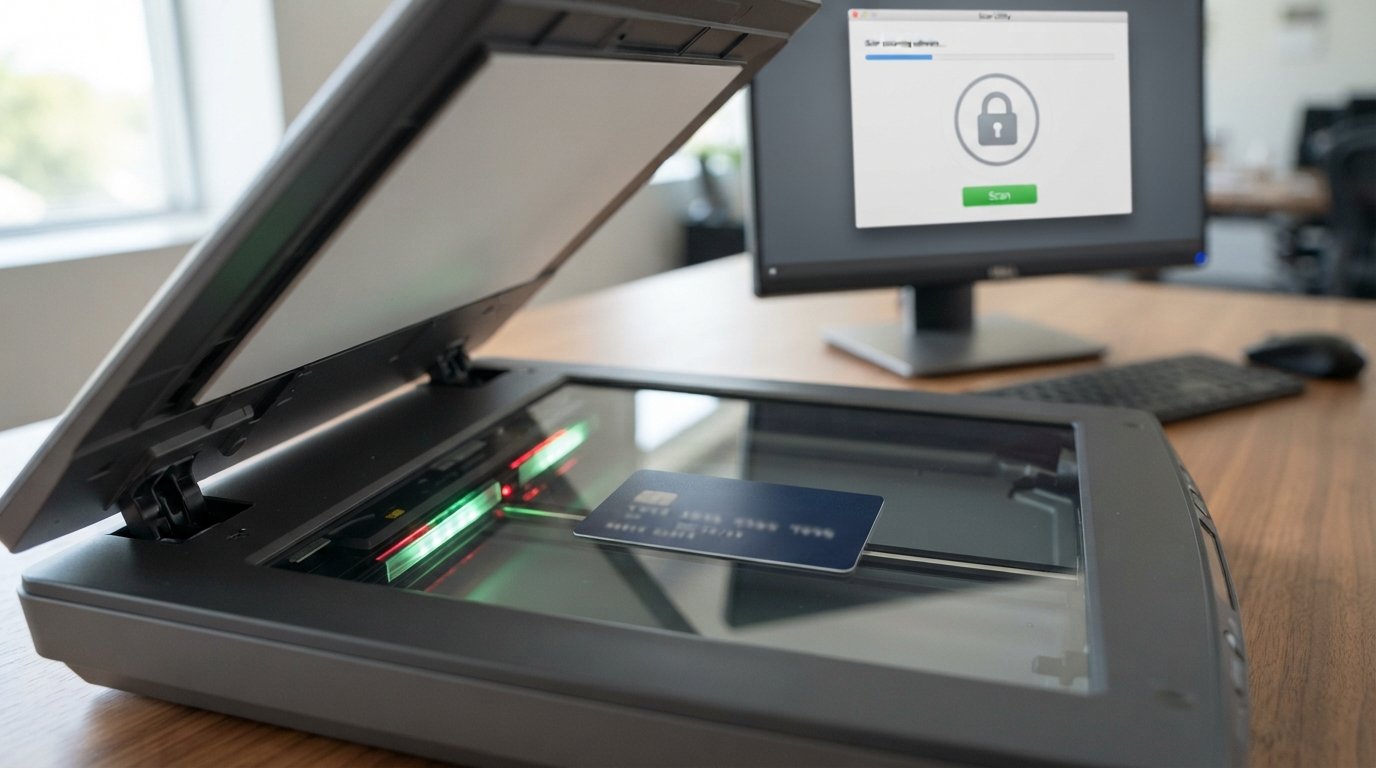
If you have ever wondered whether you can put credit cards in the scanner, you are not alone. Credit cards are made from plastic or other durable materials, but they contain sensitive payment technology, including an EMV chip, magnetic stripe, and, on contactless cards, an internal antenna.
The answer depends on what you mean by a credit card scanner.
A document scanner can sometimes scan a physical credit card, but not every scanner is designed to accept plastic cards. Some scanners specifically warn against feeding plastic cards through their automatic document feeders, while others have dedicated card-scanning modes.
Security scanners and contactless card readers work differently. Airport security equipment does not normally damage the electronic components of a credit card simply because the card passes through the screening process. A payment card can also be read by a compatible contactless payment terminal using NFC technology.
This guide explains credit cards in the scanner, how different scanners work, whether scanning can damage a card, how credit card scanners read information, and what you should do if your card stops working after scanning.
What Does “Credit Cards in the Scanner” Mean?
The phrase credit cards in the scanner can refer to several different situations.
Someone might be asking:
- Can I scan a credit card with a document scanner?
- Can I put a credit card through an automatic document feeder?
- Will a scanner damage my credit card?
- Can an airport scanner damage a credit card?
- Can a scanner read the information on my credit card?
- Can a credit card be scanned without contact?
- What is a credit card scanner?
- Can an RFID scanner read my credit card?
- Why does my credit card work by tapping but not swiping?
These questions involve different technologies, so it is important to distinguish between document scanning, magnetic-stripe reading, EMV chip reading, and contactless NFC scanning.
Can You Put a Credit Card in a Scanner?
Yes, some scanners can scan credit cards, but you should not assume that every document scanner is designed for plastic cards.
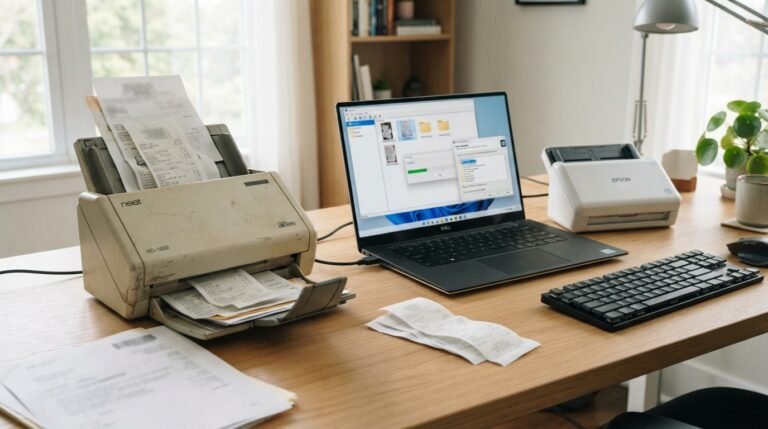
A flatbed scanner can generally capture an image of a card because the card simply rests on the glass. Automatic document feeders are different because the card has to physically pass through rollers and other components.
Scanner manufacturers may provide specific instructions for plastic cards. For example, Ricoh’s ScanSnap documentation warns users about scanning plastic cards and says cards should be inserted straight; it also notes that some scanners can produce lighter or darker areas when scanning highly reflective cards.
Flatbed Scanner vs. Automatic Document Feeder
A flatbed scanner works by placing the item directly on a glass scanning surface.
An automatic document feeder, or ADF, pulls documents through the scanner.
This creates an important difference:
| Scanner type | Credit card scanning |
|---|---|
| Flatbed scanner | Usually suitable for capturing an image |
| Dedicated card scanner | Designed specifically for cards |
| ADF document scanner | Depends on manufacturer specifications |
| ID/card reader | Designed to read card data |
| Contactless/NFC reader | Reads compatible wireless payment cards |
| Airport security scanner | Used for security screening, not payment processing |
Always check the scanner’s manual before feeding a credit card through an ADF.
Can a Scanner Damage a Credit Card?
A normal optical scan does not inherently erase the information stored on a modern credit card.
However, the physical scanning process can potentially cause damage if a card is bent, scratched, trapped, or improperly fed through a scanner.
Plastic cards can also be damaged by heat, excessive bending, liquids, scratches, or physical wear.
The magnetic stripe is particularly important because it can become unreadable through physical damage or demagnetization. Bankrate notes that scratches, dirt, wear, and prolonged exposure to strong magnets can affect magnetic-stripe functionality, while EMV chips are not vulnerable to demagnetization.
Does a Flatbed Scanner Damage the Magnetic Stripe?
Normally, simply placing a credit card on the glass of a flatbed scanner should not erase the magnetic stripe.
A flatbed scanner uses light and an imaging sensor to capture the card’s appearance. It is not functioning like a magnetic card reader.
The main concern is therefore physical handling rather than the optical scanning process itself.
Can an ADF Scanner Damage a Card?
An automatic document feeder presents a different risk.
The card may pass through:
- Feed rollers
- Guides
- Pressure points
- Tight spaces
- Curved paths
A card that is too thick, too rigid, too glossy, or otherwise unsupported by the scanner can potentially cause a feed problem.
For this reason, never assume that because a scanner can handle paper, it can also handle plastic cards.
What Information Does a Credit Card Scanner Read?
A credit card scanner can mean different things depending on the device.
An optical scanner captures an image.
A magnetic-stripe reader reads information encoded in the magnetic stripe.
An EMV reader communicates with the chip.
A contactless reader communicates wirelessly with the card’s NFC interface.
These are completely different processes.
Optical Scanner
An optical scanner captures a visual representation of the card.
Depending on the software and scanning settings, an image may show:
- Cardholder name
- Card number
- Expiration date
- Issuer branding
- Card artwork
- Security features
The scanner itself is not necessarily extracting payment credentials. It may simply be creating an image.
Magnetic-Stripe Reader
A magnetic-stripe reader uses a magnetic head to read data encoded in the stripe.
Traditional magnetic-stripe cards store encoded information in magnetic material. When a card is swiped, the reader detects the changing magnetic signal from the stripe.
If the stripe becomes damaged, the reader may fail to recognize the card.
EMV Chip Reader
An EMV chip reader communicates with the integrated chip on the card.
This is different from scanning an image of the card.
The chip is designed for electronic payment transactions and can provide stronger transaction security than relying solely on the magnetic stripe.
Contactless NFC Reader
Contactless cards contain an antenna and chip that communicate wirelessly with a compatible reader.
When you tap a contactless credit card against a payment terminal, the terminal communicates with the card using the contactless interface.
This is why a card can sometimes continue to work through tap-to-pay even when its magnetic stripe has become unreadable.
Credit Card Magnetic Stripe vs. EMV Chip
Understanding the difference between these technologies helps explain many questions about credit cards in the scanner.
Magnetic Stripe
The magnetic stripe is typically located on the back of the card.
It contains magnetically encoded information that can be read when the card is swiped.
However, the stripe can be affected by:
- Scratches
- Dirt
- Wear
- Physical damage
- Strong magnetic fields
A damaged magnetic stripe can cause a card reader to reject the card. University of California Santa Cruz’s card-present guidance lists a damaged or demagnetized stripe as one possible reason a swipe may fail.
EMV Chip
The EMV chip is the small metallic-looking chip embedded in the card.
It is designed for chip-based payment transactions and does not depend on magnetic storage.
Modern cards increasingly rely on chip and contactless technologies rather than magnetic-stripe transactions. Mastercard has also documented the broader transition away from magnetic-stripe payments toward chip-based technology.
Can an Airport Scanner Damage a Credit Card?
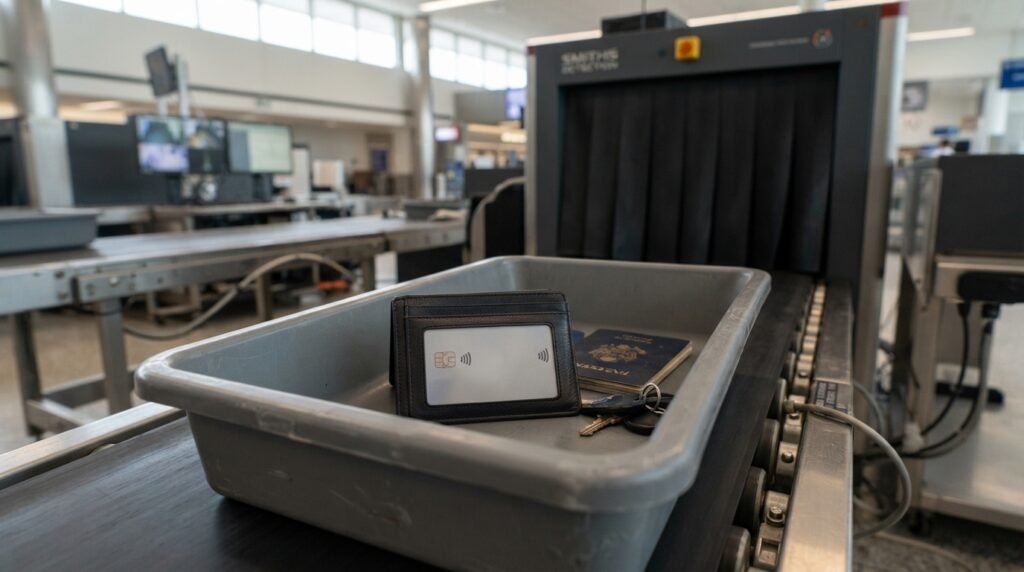
Many people are concerned about putting their wallet or credit cards through airport security.
In general, airport security screening equipment is not the same thing as a payment-card reader.
The purpose of security screening is to detect prohibited or suspicious objects, not to process a credit-card payment.
A credit card passing through ordinary security screening should not automatically become unusable.
However, you should still avoid unnecessary physical stress, bending, heat, or other damage to your cards.
X-Ray and Credit Cards
People sometimes worry that X-ray screening will erase the card’s magnetic stripe.
The more practical concern with a card is usually physical damage or magnetic-stripe wear rather than ordinary security screening itself.
If your card stops working after travel, do not automatically assume the airport scanner caused the problem.
Check whether:
- The stripe is scratched
- The chip is damaged
- The card is bent
- The card has been exposed to excessive heat
- The payment terminal is malfunctioning
Can RFID Scanners Read Credit Cards?
Some modern credit cards support contactless payments using NFC technology.
NFC is a short-range wireless technology that allows a compatible card and reader to communicate when they are brought close together.
This is different from a traditional magnetic-stripe swipe.
How Contactless Credit Cards Work
A contactless card generally contains:
- An EMV chip
- A small antenna
- Supporting circuitry
- Contactless payment functionality
The reader generates the electromagnetic field used to communicate with the card.
The card then responds through the contactless interface.
Is Contactless Scanning the Same as Swiping?
No.
A magnetic reader detects information from a magnetic stripe.
A contactless reader communicates wirelessly with the card’s contactless chip and antenna.
A card can therefore have a problem with its magnetic stripe while still being capable of contactless payment.
Can a Credit Card Be Scanned Without Touching It?
Yes, if the card supports contactless technology and the reader is compatible.
A contactless payment terminal does not require the card to be physically inserted or swiped.
Instead, the card is brought close to the reader.
This is the same basic concept behind tap-to-pay transactions.
However, the ability to read a card wirelessly does not mean that every nearby scanner can automatically obtain all of the information printed on or associated with the card.
The reader, card technology, payment protocol, transaction conditions, and security controls all matter.
Can a Scanner Copy a Credit Card?
This depends on what type of scanner is being discussed.
An optical scanner can capture an image of the card.
A magnetic reader can read information encoded in a magnetic stripe.
An EMV terminal communicates with the chip.
A contactless reader communicates with the card’s NFC interface.
These should not be treated as identical technologies.
If you scan a credit card using an ordinary office scanner, you may create a digital image containing sensitive information printed on the card.
That creates a privacy and security concern even if the scanner does not electronically read the payment chip.
Is It Safe to Scan a Credit Card on a Home Scanner?
For personal record-keeping, a flatbed scanner can be used to capture an image of a card if the scanner manufacturer permits it.
However, you should think carefully before creating or storing a high-resolution copy of a payment card.
A scanned image may contain sensitive information such as:
- Cardholder name
- Card number
- Expiration date
- Other visible identifiers
Protect Scanned Card Images
If you scan a card for legitimate documentation purposes:
- Use a trusted device.
- Avoid uploading the image to unknown websites.
- Store the file securely.
- Avoid unnecessary cloud sharing.
- Delete unnecessary copies.
- Do not send full card images through unsecured messaging.
- Follow applicable privacy and organizational policies.
A scanned image of a credit card should be treated as sensitive financial information.
Can You Scan Both Sides of a Credit Card?
Technically, an optical scanner can capture the front and back of a card.
However, there is rarely a good reason to create unnecessary full copies of sensitive payment cards.
The back may contain:
- Magnetic stripe
- Signature area
- Security information
- Card-service details
- Additional payment-related information
If you only need to document the card’s appearance or identify the card issuer, consider whether a full scan is actually necessary.
Why Does My Credit Card Work When Tapped but Not Swiped?
This is a common situation.
A modern contactless card can contain separate technologies for different transaction methods.
If the magnetic stripe is damaged but the contactless chip and antenna remain functional, tapping may continue to work while swiping fails.
The opposite can also occur if the contactless interface is damaged but another payment method remains functional.
What Should You Do?
If your card works by tap but not by swipe:
- Try another payment terminal.
- Clean the card gently.
- Inspect the magnetic stripe for scratches.
- Try chip insertion if supported.
- Try contactless payment.
- Contact your card issuer if the problem continues.
Do not repeatedly force a damaged card through a reader.
Why Does My Credit Card Scanner Say “Card Not Read”?
A card reader can fail for several reasons.
Possible causes include:
- Damaged magnetic stripe
- Dirty card
- Dirty reader
- Incorrect card orientation
- Incorrect swipe technique
- Damaged card
- Reader malfunction
- Expired or disabled card
UCSC’s card-present guidance specifically identifies reader condition, incorrect swiping, and magnetic-stripe damage as possible reasons a card may not read.
Try the Chip Instead
If the magnetic stripe fails, use the EMV chip or contactless method if available.
If every payment method fails, contact the card issuer.
Can Magnets Damage a Credit Card?
This question often appears alongside questions about scanners.
Modern credit cards use multiple technologies, so the answer depends on which part of the card is being considered.
The EMV chip is not a magnetic storage device, so ordinary magnetic exposure does not erase the chip’s payment data.
The magnetic stripe, however, is based on magnetic recording technology.
Strong magnetic fields can potentially affect magnetic-stripe data, although modern payment cards are generally more resistant to everyday magnetic exposure than people often assume.
What Should You Keep Away From the Magnetic Stripe?
Avoid intentionally exposing cards to powerful magnets or magnetic equipment.
Also avoid storing cards in environments where they can become scratched, bent, or exposed to excessive heat.
Can a Scanner Read the Credit Card Number?
An optical scanner can potentially capture the printed card number if it is visible.
This is different from reading the payment information stored in the card’s chip or magnetic stripe.
Optical recognition software may also use OCR to convert printed characters into digital text.
For security reasons, avoid scanning or uploading your card to services that you do not trust.
Credit Card Scanner vs. Document Scanner
The term credit card scanner can be confusing because different devices perform completely different functions.
| Device | Primary function |
|---|---|
| Flatbed document scanner | Captures an image |
| ADF document scanner | Digitizes paper or supported media |
| Dedicated card scanner | Scans cards or IDs |
| Magnetic stripe reader | Reads magnetic stripe data |
| EMV reader | Communicates with chip |
| NFC/contactless reader | Communicates wirelessly |
| Airport security scanner | Screens objects for security |
Knowing which technology you are dealing with makes it easier to answer whether a credit card can safely go into a scanner.
How to Scan a Credit Card Safely With a Flatbed Scanner
If your scanner documentation allows plastic cards, the process is relatively simple.
Step 1: Clean the Scanner Glass
Make sure the glass is clean and free of dust.
Step 2: Place the Card Carefully
Place the card flat on the scanning surface.
Avoid pressing or bending the card.
Step 3: Close the Scanner Lid
Lower the lid gently.
Do not apply unnecessary pressure.
Step 4: Select the Appropriate Resolution
For simple documentation, extremely high resolution is usually unnecessary.
Use the minimum resolution needed for your legitimate purpose.
Step 5: Scan the Card
Start the scan and inspect the result.
Step 6: Secure or Delete the File
If the resulting image contains sensitive financial information, store it securely or delete it when it is no longer needed.
What If Your Scanner Does Not Support Plastic Cards?
Do not force the card through the scanner.
Instead, consider:
- Using a flatbed scanner
- Using a dedicated card scanner
- Taking a photograph when appropriate
- Checking the manufacturer’s supported-media list
- Using an approved document holder or carrier
The scanner’s documentation should always take priority.
Credit Card Scanner Safety Tips
When working with credit cards and scanners, follow a few basic rules.
Do Not Force the Card
If a card does not feed smoothly, stop.
A plastic payment card is not automatically compatible with an office document feeder.
Avoid Unnecessary Copies
Do not create multiple digital copies of your card without a legitimate reason.
Protect Card Information
Treat scanned images containing payment details as sensitive information.
Do Not Upload Card Images to Unknown Websites
A website that promises to “scan” or analyze your credit card may create unnecessary privacy risks.
Check the Scanner Manual
Manufacturers specify what types of media their scanners can safely process.
Common Questions About Credit Cards in the Scanner
1. Can I put my credit card in a document scanner?
It depends on the scanner. A flatbed scanner can generally capture an image of a card, while an automatic document feeder may not support plastic cards. Check the manufacturer’s instructions first.
2. Will scanning my credit card erase the magnetic stripe?
An ordinary optical scan does not normally erase a magnetic stripe. Physical handling, scratches, wear, or strong magnetic fields are more relevant concerns for magnetic-stripe damage.
3. Can I scan a credit card on a flatbed scanner?
If the scanner supports plastic cards, a flatbed scanner can generally capture an image of the card. Avoid making unnecessary digital copies of sensitive payment information.
4. Can I put a credit card through an automatic document feeder?
Only if the scanner manufacturer specifically supports that type of card. Some document scanners have restrictions on plastic cards.
5. Can airport scanners damage credit cards?
Ordinary airport security screening should not be assumed to damage a credit card. If a card stops working after travel, inspect it for physical damage and test the chip or contactless function before concluding that screening caused the problem.
6. Can RFID scanners read credit cards?
Compatible contactless payment cards can communicate with NFC/contactless readers at short range. This is different from an ordinary document scanner.
7. Can a scanner copy my credit card?
An optical scanner can create an image of visible information on a card. A payment-card reader uses different technology to communicate with the magnetic stripe, chip, or contactless interface.
8. Why does my card tap but not swipe?
The magnetic stripe may be damaged while the EMV contactless interface remains functional. Try another payment method and contact your card issuer if the problem continues.
9. Does a credit card scanner read the chip?
A dedicated EMV payment reader can communicate with the chip. A normal optical document scanner simply captures an image and does not function as an EMV payment terminal.
10. Can a magnet damage a credit card?
Strong magnetic fields can affect magnetic-stripe data, but the EMV chip itself is not susceptible to ordinary magnetic demagnetization. Avoid unnecessary exposure to powerful magnets.
11. Should I scan both sides of my credit card?
Only if there is a legitimate reason. Scanning both sides creates a more complete digital copy of sensitive payment information, so unnecessary copies should be avoided.
Final Thoughts on Credit Cards in the Scanner
The phrase “credit cards in the scanner” can describe several different technologies, and understanding the difference is important. A flatbed document scanner can capture an image of a credit card when the scanner supports that type of media. An automatic document feeder is different and should only be used with plastic cards when the manufacturer specifically allows it.
A credit card itself contains several technologies that should not be confused with optical scanning. The magnetic stripe stores information magnetically, the EMV chip handles chip-based payment transactions, and compatible contactless cards use an antenna and chip to communicate with NFC readers.
Modern cards are generally designed to withstand normal use, but they can still be damaged by scratches, bending, heat, physical wear, or other harsh conditions. If a card stops working, test different payment methods before assuming that a scanner caused the problem. Most importantly, remember that a scanned image of a credit card can contain sensitive financial information. If you legitimately need to scan a card, use a trusted scanner, minimize unnecessary copies, and store or dispose of the resulting file securely.
Related Post
- Env Scanner – Complete Guide to Environment Variable, Secrets & .env File Scanning!
- Free Palm Reading Scanner – Scan Your Palm Online With AI!
- Fujitsu Fi 7160 Scanner – Complete Guide to Features, Setup, Speed, Compatibility & Troubleshooting!
About the Author